Philips SPF2307/10 - Quick Guide
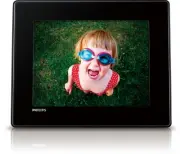
Philips SPF2307/10 – Quick Guide, read for free online in PDF format. We hope this helps you resolve any issues you may have. If you have further questions, please contact us through the contact form.


Table of Contents:
- Page 2 – Unterstützte Speichergeräte:
- Page 3 – Affi cher un message contextuel :
- Page 4 – Dispositivi di archiviazione supportati:; ǜǻDZDZDzǽdzǵǯǭDzǹȈDz ǺǻǾǵǿDzǸǵ
English
© Royal Philips Electronics N.V. 2010
All rights reser ved.
Specifi cations are subject to change without notice.
Trademarks are the proper ty of Koninklijke Philips
Electronics N.V. or their respective owners.
V1.2
Printed in China
Register your product and get support at
www.philips.com/welcome
SPF2307
SPF2327
PhotoFrame
EN
Quick start guide
DE
Schnellstartanleitung
ES
Guía de confi guración rápida
FR
Guide de mise en route
IT
Guida di avvio rapido
NL
Snelstartgids
RU
ǗǽǭǿǷǻDz ǽȀǷǻǯǻDZǾǿǯǻ
Register your product and get support at
www.philips.com/welcome
PhotoFrame
Quick Start Guide
Control Buttons
Functions
- Hold to turn on/off the PhotoFrame
- Press to switch mode: slideshow/clock/calendar
- Press to go back step by step
- Hold to access the home screen
MENU
- Press to enter/exit a menu
OK
(Joystick)
- Press to play, pause, or resume slideshow
- Press to confi rm a selection
- Move up/down/right/left to select the upper/lower/right/left option
Know these buttons
Transfer photos with a storage device
Media type supported:
Photo (JPEG)
•
Storage device supported:
Secure Digital (SD)
•
Secure Digital High Capacity (SDHC)
•
Multimedia Card (MMC)
•
Memor y Stick (MS)
•
Memor y Stick Pro (MS Pro)
•
1
Inser t a storage device into the PhotoFrame.
An option menu is displayed.
»
2
Select an option, and then press
OK
.
3
Follow the on screen instructions to:
Play photos on the storage device
•
Browse photos on the storage device
•
Copy photos on the storage device to
•
PhotoFrame
View a message
View a pop-up message
:
If you have a pop-up message, the
PhotoFrame prompts that you have a gift.
Then, press
OK
to view the message.
View a message via the home screen:
1
In the home screen, select
[Message]
and
then press
OK
.
2
Select
[View Message]
, and then press
OK
.
3
Move the joystick right/left to select a
message, and then press
OK
to view the
message.
Startup
1
Connect the power cord to the
DC
socket
of the PhotoFrame and then to a power
supply socket.
A few seconds later, the PhotoFrame
»
turns on automatically.
2
Move the joystick up/down to select a
language, and then press
OK
.
3
Move the joystick up/down/right/left to set
time and date, and then press
OK
.
4
To star t PhotoFrame, select
[Start
PhotoFrame]
and then press
OK
.
5
To star t slideshow, select
[Play]
and then
press
OK
.
To pause slideshow, press
•
OK
.
To resume slideshow, press
•
OK
again.
To turn off the PhotoFrame, hold
•
.
Create a message
Tip
If there is no message created before, at power up
•
select
[Personalize Frame]
to add a message to
your photo or to view a message.
1
In the home screen, select
[Message]
and
then press
OK
.
2
Select
[Add Message to your photo]
, and
then press
OK
.
3
Move the joystick right or left to select a
message template , and then press
OK
.
Edit the text of the message or change
•
photo of the message.
Set the real time and date if applicable.
•
4
Select
[Done]
.
The screen prompts you to schedule the
»
message.
5
Schedule the message.
[Message name]
•
: Enter the name
[Repeat]
•
: Select a repeat frequencyy
[Set Date]
•
: Set the date or day
[Set Time]
•
: Set the time
6
After you complete the message, select
[Done]
and press
OK
.
To view the available messages, select
•
[View
Message]
.
To go back to the home screen,
•
hold
.
Input in English
Input in suppor ted European languages
Input in Simplifi ed Chinese
Input in Russian
/
ABC
Switch to select symbols, punctuations, alphabet or numbers
aA
Switch between upper and lower case
Enter a blank space
Enter a line break
Know these keypad icons
"Loading the manual" means you need to wait until the file loads and becomes available for online reading. Some manuals are very large, and the time they take to appear depends on your internet speed.
Other Manuals for Philips SPF2307/10
Summary
Deutsch Español Steuerungstasten Funktionen - Gedrückt halten zum Ein-/Ausschalten des PhotoFrame- Drücken, um den Modus zu wechseln: Diashow, Uhr, Kalender - Drücken, um Schritt für Schritt zurückzugehen- Gedrückt halten, um zum Star tbildschirm zu wechseln MENU - Drücken, um ein Menü aufzurufen od...
Nederlands Français Boutons de commande Fonctions - Maintenez ce bouton enfoncé pour allumer/éteindre le PhotoFrame- Appuyez sur ce bouton pour basculer d’un mode à l’autre : diaporama/horloge/calendrier - Appuyez sur ce bouton pour revenir aux écrans précédents- Maintenez ce bouton enfoncé pour acc...
Italiano ǝȀǾǾǷǵǶ Pulsanti di comando Funzioni - Tenere premuto questo pulsante per accendere/spegnere PhotoFrame- Premere questo pulsante per cambiare modalità: presentazione/ orologio/calendario - Premere questo pulsante per tornare indietro un passo alla volta- Tenere premuto questo pulsante per a...


