Philips SPF2007/12 - Quick Guide
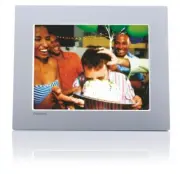
Philips SPF2007/12 – Quick Guide, read for free online in PDF format. We hope this helps you resolve any issues you may have. If you have further questions, please contact us through the contact form.


Table of Contents:
- Page 2 – What’s in the box
- Page 3 – Get Star ted
- Page 4 – Use your PhotoFrame
- Page 6 – Setup
- Page 9 – Frequently asked questions
1
2
3
Get started
Use your PhotoFrame
Setup
Quick star t guide
SPF2007
SPF2107
SPF2207
PhotoFrame
ENG
"Loading the manual" means you need to wait until the file loads and becomes available for online reading. Some manuals are very large, and the time they take to appear depends on your internet speed.
Other Manuals for Philips SPF2007/12
Summary
What’s in the box PhotoFrame Quick Start Guide AC-DC power adaptor USB cable Stand (For SPF2107 and SPF2207) Two extra baby frames CD-ROM • Digital User Manual • PC software for Windows 1 2 3 Quick star t guide Get started Play Setup Eng PhotoFrame
1 Get Star ted Install the stand B 1 Insert the stand into the PhotoFrame. 2 Screw the stand into the stand hole fi rmly. Connect the power C 1 Connect the power cord to the DC socket of the PhotoFrame. 2 Connect the power cord to a power supply socket. a b Connect a storage device D Insert a storag...
2 Use your PhotoFrame Turn on the PhotoFrame A 1 Press and hold for more than 1 second. » Help message for control keys is displayed. • To access the main menu directly, press . Display photos B D Note You can play only JPEG photos on the PhotoFrame. 1 In the main menu, select [Photos] and then pres...


