Page 2 - お買い上げのお客様へ; 商品のご確認; 商品をご確認ください。
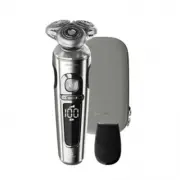
1 フィリップス シェーバーをお買い上げいただき、まことにありがとう ござ い ま す。長 い 間 ご愛 用 い た だくた めに、ご使 用 前 にこの 取 扱 説 明 書をよくお読 み のうえ、正しくお使 いください 。 また、お読 みになった後 は、お使 いになる方 が いつでも見られる ところに必ず保 管してください 。 お買い上げのお客様へ 初めてご使用になる際は、ご使用前に充電してください。 商品のご確認 ※改良の為、仕様を予告なく変更することがあります。 プレミアムポーチ 商品をご確認ください。 本体 充電アダプタ トリマー
Page 3 - 目 次; LED
2 目 次 ● ● ● ● ● ● は じ め に ご 使 用 方 法 廃棄について 困 っ た と き 英 文 解 説 保 証 商品のご確認 1 目次 2 必ずお守りください 3 〜 5 各部の名称 6 デジタル表示・ LED 表示について 7 ・ 8 充電のしかた 9 シェービングのしかた 10 〜 12 トリマーの使いかた 13 お手入れ方法 14 〜 16 刃の交換 17 保管のしかた 17 シェーバーを廃棄するとき 18 故障かな?と思ったら 19 ・ 20 Guidance in English 21 〜 46 保証とアフターサービス 47 仕様 48 無料修理規定 50 ...
Page 4 - 安 全 上 の ご 注 意; 必ずお守り; 危険; 危 険
3 ●ここに示した注意事項は、安全に関する重要 な内容ですので、必ず守ってください。 ●誤った取扱いをしたときに想定される内容を 「危険」と「警告」と「注意」とに区分けしてい ます。 安 全 上 の ご 注 意 警 告 ●充電アダプタを傷付けたり、電源コー ドを無理に曲げたり、引っ張ったり、ね じったり、たばねたり、重い物を載せ たり、挟み込んだり、加工したりしな いでください。電源コードが破損し、 火災 ・感電の原因となります。 ●充電アダプタが傷んだり、コンセント の差込みが緩いときは使用しないで ください。感電・ショート・発火の原因 になります。 ●充電アダプタは必ず付属の専用ア ダプ...
Page 6 - 使 用 上 の ご 注 意
5 使 用 上 の ご 注 意 1 . 本製品はヒゲ(あごヒゲ、口ヒゲ、もみあげなど)の長さを整えたり、シェービングするためのものです。 それ以外の目的で使用しないでください。 2 . フィリップスシェーバーを初めてお使いの方は、剃りかたに慣れるまで 2 〜 3 週間かかることがあります。 3 . 60 ℃以上の水でシェーバーを洗浄しないでください。 4 . 本製品の使用、充電、保管は室温 5 ℃〜 35 ℃の環境下で行ってください(尚、低温や高温で充電すると、 充電池の寿命が短くなります)。 5 . 外 刃は、薄く仕 上げて ありますので、刃 部を強く押さえたり、硬 いものに当てないよう、て...
Page 7 - 各部の名称; シェービングユニット
6 各部の名称 トリマー 表側 裏側 (替刃品番: SH98/81 ) ● シェービングユニット シェービングヘッド シェービングヘッド分解図 シェービングヘッドホルダー 保持板 内刃 外刃 充電アダプタ部 電源コネクタ部 電源プラグ部 パーソナル コンフォート 設定 デジタル表示 電源コネクタ受部 シェービング ユニット 本体 電源ボタン
Page 8 - クリーニング表示; 充電完了表示; デジタル表示・; 表示について; 本体の主な表示
7 残量表示 充電残量はディスプレイ上に使用可能量( % )として表示されます。 電源の ON/OFF の際に数秒間点灯します。 充電表示 充電中は、本体の充電残量( % )とバッテリーマークの表示が点滅し ます。 充電催促表示 充電残量が少なくなると、バッテリーマークがオレンジ色に点滅し ビ ープ 音 が 鳴ります( 電 源を O F F にすると、バッテリー マ ークが 数秒間点滅し、ビープ音が鳴ります)。 クリーニング表示 シェービング後に電 源を O F F にすると、クリー ニングをうながす ために蛇 口マークが点 滅します。表 示されるタイミングは使 用 時間・状 況により異 なり...
Page 10 - 充電のしかた; 注意
9 充電のしかた 浴室で充電をしないでください。 初めてお使いになるときや、長い間ご使用にならなかったとき、または充電残量が少なくなったときは、 ご使用前に充電してください。充電時間は約 1 時間です。充電開始後数分間、充電表示ランプが点滅し ないことがありますが、そのまま充電すると充電表示ランプが点滅します。海外( 100 〜 240V )でのご 使用も可能です。ただし、コンセントの形状や電圧など現地で充分お確かめのうえご使用ください。 ※本製品はリチウムイオン充電池を使用しているため、ご使用の都度充電をしても充電池の寿命には影響ありま せん。 1 シェーバー本体の電源が OFF になってい...
Page 11 - 肌が乾いた状態でのシェービングの; パーソナルコンフォート設定; 警告
10 シェービングの しかた(ドライ) 肌が乾いた状態でのシェービングの しかたです。 ●モーターの始動時、微弱の振動がシェーバー本体に伝わりますが、問題はありません。●ほこりなどで肌が汚れている場合、ふきとってからご使用ください。●ご使用の前に外刃の破れや変形がないか確認してください (外刃に破れや変形があると肌を傷つける原因になります)。●ヒゲ剃り以外の目的(頭髪など)には、使用しないでください。●静止している本体を手に取るなどすると、本体が振動を感知し、 充電残量の表示が白く光ります。 ヒゲ の 濃 さや 肌 タイプに 合 わ せ て 3 種 類 の 設 定 の 中 から自 分 の 好 ...
Page 13 - らかなシェービングができます。
12 シェービングの しかた(ウェット) シェービングフォームやシェービングジェルを使ったシェービングのしかたです。剃った部分を実感しながら、なめ らかなシェービングができます。 [ 重要 ] シェービング後は、シェービングフォームやシェービングジェルがしっかりと 洗い流されているかを確認してください。お手入れが不十分な場合、臭いが出るばかりでなく、故障の原因にもな ります。 ●モーターの始動時、微弱の振動がシェーバー本体に伝わりますが、問題はありません。●ご使用の前に外刃の破れや変形がないか確認してください (外刃に破れや変形があると肌を傷つける原因になります)。●ヒゲ剃り以外の目的(頭髪な...
Page 14 - トリマーの
13 トリマーはヘアーライン、もみあげ、 ヒゲなどを整えるのに便利です。 ※トリマーは、回さ ずにまっすぐ引き抜いてください。 ※トリマーの切れ味を保つため、使用後 は必ずぬるま湯または水ですすぎ洗いをしてください( P16 「トリマーのお 手入れ方法」)。 ※シェービングユニット は、回さずにまっすぐ引き抜いてください。 ※電源が OFF になって いることを確かめてください。 1 シェービングユニットのはずしかた シェービングユニットを本体からはずします。 4 シェービングユニットのつけかた トリマーをはずし (図 1 )、 シェービングユ ニットの突起部(図 2 )をシェーバー上 部の溝...
Page 15 - お手入れ方法; シェービングヘッドのお手入れ方法
14 お手入れ方法 注意 ●お手入れの際は、電源を OFF にしてから水洗いしてください。 ●シェービングユニットは水洗いできますが、本体は水中に浸けないでください。●シェービングユニットを乾燥させる時に、タオルやティッシュペーパーを使用しない でください。刃を傷める場合があります。 ※ 洗 剤は使 用しないでください 。※ ぬるま湯( 4 0 ℃前 後 )での お手 入 れをおすすめします。臭 い のもととなる皮 脂や汗などが取 れやすくな ります。ただし、熱 湯はお止めください 。故 障 の 原 因となります。 ※ お手 入 れ中にシェ−バー の 底から水が漏 れてくる場 合がありますが、...
Page 16 - シェービングヘッドのお手入れ方法(分解+水洗い)
15 ※ 1 カ月に 1 度、またはシェーバーの切れ味が落ちてきたら、シェービングヘッドを分解して水洗いすることを おすすめします。 ※お手入れの際は、電源を OFF にしてから分解や水洗いをしてください。 1 シェービングユニットからシェービング ヘッドホ ルダ ーを 取り外し、シェービ ング ヘッドホ ル ダ ー および受 部にたまったヒゲクズを、ぬるま湯または水で 約 30 秒洗い流します。 5 シェービングヘッ ドホ ルダ ーに外 刃と内 刃を戻し ます。 6 保持板をシェービングヘッドホルダー に戻し(図 1 )たら、時計回りに回し(図 2 )ます。保持板の矢印とシェービング ヘッド...
Page 17 - トリマーのお手入れ方法
16 ※トリマーは、使用後必ずお手入れしてください。 1 トリマーを取り付けた状態でシェーバーの電源を ON に し、ぬるま湯または水ですすぎ洗いをします。 ※トリマーはタオルやティッシュペーパーなどでふかないでください。 刃を傷める原因になります。 2 シェーバーの電源を OFF にし、トリマーを充分に乾燥さ せてください。 トリマーのお手入れ方法
Page 18 - 刃の交換; 替刃(; 保管のしかた
17 刃の交換 替刃( SH98/81 )と交換する場合 1 シェービングユニットからシェービングヘッ ドホルダーを取り外 します。 ※ 電 源 が OFF に なっ て いることを確 かめてください。 カチッ 2 新しいシェービングヘッド ホ ル ダ ー を 「 カ チッ」と 音 が す るまで押し込 み、シ ェービングユニット 受 部 に 取り付 け ます。 7 sec. 3 電源ボタンを 2 回目のビープ音が鳴る まで約 7 秒間押し続けて、シェーバーを リセットしてください。 ※ リセットを行わな い 場 合、シェービングを 9 回行うと自動的にリセットされます。 ※シェービング性能を...
Page 19 - リチウムイオン充電池のリサイクルについて; 充電池の取り外しかた
18 1 本体よりシェービン グユニットを取り外 します。 シェーバーを 廃棄するとき ※お客様による充電池の 修理交換はできません。 このシェーバーはリチウムイオン充電池を使用しています。リチウムイオン電池はリサイクル可能な貴重な資源です。ご使 用 済 み の 製 品 の 廃 棄に際しては、リチウムイオン充 電 池を取り出し、各自治体の処理方法に従い、リサイクル協力店にお持ちください。 Li-ion リチウムイオン充電池のリサイクルについて 注意 ●製品を廃棄するとき以外は、絶対に本体を分解しないでください。●本体内部の金具は鋭いので、ご注意ください。 電源を ON にして、完全に動作しなく...
Page 20 - 充電しても使用時間が極端に短い; だんだん切れ味が悪くなった; シェーバー本体のモーターは回転しているが、内刃が回転しない; シェーバーの電源ボタンを押しても作動しない
19 故障かな? と思ったら 故障かな?と思ったら、お調べください。 充電しても使用時間が極端に短い ▶ シェーバーが完全に止まるまで作動させてから、もう一度充電してください。 それでも改善されないときは、充電池の寿命です。 だんだん切れ味が悪くなった ▶ シェービングヘッド部が汚れていないか確認してください。 ▶ シェービングヘッド部が損傷または摩耗していないか確認してください。 損傷または摩耗しているときは、 シェービングヘッドを交換してください。 (替刃品番: SH98/81 ) 。 ▶ シェービングヘッドに長いヒゲがからまっていないか確認してください。 シェーバー本体のモーターは回転し...
Page 21 - 充電できない
20 以上の点検により、正常な状態に戻らない場合は、 フィリップスサポートセンターにお問い合わせください。 充電できない ▶ シェーバー本体の電源コネクタ受部に充電アダプタのコードがきちんと差し込まれて いるか確認してください。 ▶ 充電アダプタの電源プラグ部はコンセントにきちんと差し込まれて確認してください。 ▶ 充電アダプタの電源コードが断線している場合は、フィリップスサポートセンターに お問い合わせいただき、同型充電アダプタ(品番: HQ8505 )をご注文ください。
Page 22 - English
3 2 1 17 16 15 14 13 12 11 10 9 6 5 4 8 7 SP98xx/12 English SP9820/12 21
Page 23 - Introduction
English Introduction Congratulations on your purchase and welcome to Philips! To fully benefit from the support that Philips offers, register your product at www.philips.com/welcome . Please read this user manual, as it contains information about the features of this shaver as well as some tips to m...
Page 24 - Danger
English Danger - Keep the supply unit dry. Warning - To charge the battery, only use the detachable supply unit (HQ8505) provided with the appliance. - The supply unit contains a transformer. Do not cut off the supply unit to replace it with another plug, as this causes a hazardous situation. - This...
Page 26 - The display; Note: Remove any sticker or protective foil from; Charging
The display Note: Remove any sticker or protective foil from the display before using the product. Charging When the shaver is charging, the battery charge indicator on the shaver flashes white.The battery charge is indicated by the battery charge percentage flashing on the display, which is shown w...
Page 29 - Notification symbol; Overheating
Notification symbol Overheating If the shaver overheats during charging, the notification symbol flashes. When this happens, the shaver automatically stops charging. Charging continues once the temperature of the shaver has decreased to the normal level after approx. 10 minutes. Blocked shaving head...
Page 30 - Using the shaver; Always check the shaver and all accessories
Quick charge After approx. 5 minutes of charging the shaver contains enough power for one shave. Charging with the supply unit 1 Make sure the shaver is switched off. 2 Put the small plug in the shaver and put the supply unit in the wall socket.The display of the shaver indicates that the shaver is ...
Page 31 - Switching the shaver on and off; To switch on the shaver, press the on/off button; Shaving; Skin adaptation period; - Select your personal comfort setting (see
Switching the shaver on and off 1 To switch on the shaver, press the on/off button once. The battery charge percentage lights up for a few seconds. 2 To switch off the shaver, press the on/off button once. The battery charge percentage lights up for a few seconds and shows the remaining battery char...
Page 32 - Dry shaving; Switch on the shaver.; Wet shaving; Apply some water to your skin.
Dry shaving 1 Switch on the shaver. 2 Move the shaving heads over your skin in circular movements to catch all hairs growing in different directions. Make sure each shaving head is fully in contact with the skin. Exert gentle pressure for a close, comfortable shave.Note: Do not press too hard, as th...
Page 33 - Using click-on attachments; Removing or attaching click-on attachments
3 Rinse the shaving unit under the tap to ensure that the shaving unit glides smoothly over your skin. 4 Switch on the shaver. 5 Move the shaving heads over your skin in circular movements to catch all hairs growing in different directions. Make sure each shaving head is fully in contact with the sk...
Page 34 - Insert the lug of the attachment into the slot; Using the precision trimmer attachment; Switch on the appliance.; Travel lock; Activating the travel lock; Press the on/off button for 3 seconds to use the
3 Insert the lug of the attachment into the slot in the top of the shaver. Then press down the attachment to attach it to the shaver(‘click’). Using the precision trimmer attachment You can use the precision trimmer attachment to touch up your beard, sideburns and moustache. 1 Attach the attachment ...
Page 35 - Deactivating the travel lock; Cleaning and maintenance; Regular cleaning guarantees better shaving; Cleaning the shaver under the tap; Always check if the water is too hot, to prevent
While you activate the travel lock, the travel lock symbol lights up briefly and the shaver produces a short sound. When the travel lock is activated, the travel lock symbol flashes. If you try to switch on the shaver while the travel lock is active, the travel lock symbol flashes. Deactivating the ...
Page 37 - Thorough cleaning
5 Carefully shake off excess water and let the shaving head holder air-dry completely. 6 Attach the shaving head holder to the bottom part of the shaving unit (‘click’). Thorough cleaning We advise you to clean the shaving heads thoroughly once a month or when the shaver does not shave as well as it...
Page 39 - Cleaning the trimmer attachment; Never dry the trimmer with a towel or tissue, as; Replacement; Replacing the shaving heads
12 Attach the shaving head holder to the bottom part of the shaving unit (‘click’). Cleaning the trimmer attachment Never dry the trimmer with a towel or tissue, as this may damage the trimming teeth. Clean the trimmer attachment after each use. 1 Switch on the appliance with the precision trimmer a...
Page 40 - Replacement reminder; Switch off the shaver. Pull the shaving head; Storage; you store it in the pouch.
Replacement reminder The replacement reminder indicates that the shaving heads need to be replaced.The shaving unit symbol lights up continuously, the arrows flash white and you hear a beep when you switch the shaver on or off. 1 Switch off the shaver. Pull the shaving head holder off the bottom par...
Page 41 - Ordering accessories
Ordering accessories To buy accessories or spare parts, visit www.philips.com/parts-and-accessories or go to your Philips dealer. You can also contact the Philips Consumer Care Center in your country (see the international warranty leaflet for contact details).The following accessories and spare par...
Page 42 - Recycling; - Do not throw away the product with the; Removing the rechargeable shaver battery
Recycling - Do not throw away the product with the normal household waste at the end of its life, but hand it in at an official collection point for recycling. By doing this, you help to preserve the environment. - This product contains a built-in rechargeable battery which shall not be disposed of ...
Page 45 - Warranty and support; Warranty restrictions; Troubleshooting; Shaver; Problem
English Warranty and support If you need information or support, please visit www.philips.com/support or read the international warranty leaflet. Warranty restrictions The shaving heads (cutters and guards) are not covered by the terms of the international warranty because they are subject to wear. ...
Page 48 - 保証書と修理サービスについて
47 保証と アフターサービス 保 証 期 間 お買い上げ日から 2 年間 対 象 部 分 本体、充電アダプタ(シェービ ングユニット、トリマーを除く) 〈保証書・最終ページに付属〉 ● 保証書は、必ず「お買い上げ日・販売店名」等の記入をお確かめのうえ、販売店から受け取っていただき内容をよくお読みのあと大切に保管してください。 【補修用性能部品の保有期間】 ● 補修用性能部品の保有期間は製造打ち切り後 6 年です。 ● 性能部品とは、その製品の機能を維持するために必要な部品です。 【ご不明な点や修理に関するご相談は】 ● 修理に関するご相談ならびにご不明な点は、フィリップスサポートセンターにお...
Page 49 - ご使用の時、このような症状はありませんか?; 株式会社
48 品 番 SP9820/12 ハ ン ド ル 品 番 SP9820 替 刃 品 番 SH98/81 充 電アダプタ品 番 HQ8505 本 体 寸 法 ( 高 さ×幅×奥 行 ) 約 169 × 60 × 69mm 質 量 約 187g 電 源 方 式 充電式(専用充電アダプタ使用) 定 格 電 圧 AC100-240V ( 50/60Hz ) 充 電 時 間 約 1 時間 使 用 時 間 約 60 分 使 用 充 電 池 リチウムイオン充電 池( Li-ion ) 消 費 電 力 9W ( AC100V 充電時) ※改良の為、仕様を...
Page 51 - 無料修理規定; 〈無料修理規定〉
50 無料修理規定 〈無料修理規定〉 1. 取扱説明書、本体貼付ラベル等の注意書に従った正常な使用状態で保証期間内に故障した場合には、無料修理します。 2. 保証期間内に故障して無料修理をお受けになる場合には、 フィリップスサポート センターにお問い合わせください。 3. ご贈答品の修理に関するご相談は、フィリップスサポートセンターにお問い合わせください。 4. 保証期間内でも次の場合には有料修理になります。 ○ 1 使用上の誤り及び不当な修理や改造による故障及び損傷。 ○ 2 お買い上げ後の輸送、移動、落下等による故障及び損傷。 ○ 3 火災、地震、水害、落雷、その他の天災地変、...
Page 52 - フィリップスサポートセンター; 製品の使用方法や修理に関するお問い合わせ; MyPhilips; 登録のご案内
フィリップス 電動シェーバー 保証書 C E R T I F I C AT E O F P U R C H A S E この保証書は、 「無料修理規定」記載内容で無料修理を行うことをお約束するものです。お買い上げの日 から下記期間中に故障が発生した場合は、フィリップスサポートセンターにお問い合わせください。お客様にご記入いただいた個人情報(保証書の控え)は、株式会社フィリップス・ジャパンのホームページ http://www.philips.co.jp/ http://www.philips.co.jp/ に掲載されている「プライバシーに関する通知」に基づき適切に管理 いたします。 ★ 保証書は...


 Philips SNA6500 Manual
 Philips SNB5600 Manual
 Philips SNN6500 Manual
 Philips SNR6500 Manual
 Philips Solution Series Manual
 Philips SOX Manual
 Philips SP9840/31 User Manual
 Philips SP9840/32 User Manual
 Philips SP9841/32 User Manual
 Philips SP9860/13 User Manual
 Philips SP9860/16 User Manual
 Philips SP9871/22 User Manual