Page 2 - Contents
1 Need help? Please visit www.philips.com/welcome where you can access a full set of suppor ting materials such as the user manual, the latest software updates, and answers to frequently asked questions. Contents English EN Contents 1 Important safety information 2 General maintenance 2 Recycling th...
Page 3 - Important safety; General maintenance
2 Hearing Safety Listen at a moderate volume: Using headphones at a high volume can impair your hearing. This product can produce sounds in decibel ranges that may cause hearing loss for a normal person, even for exposure less than a minute. The higher decibel ranges are offered for those that may h...
Page 4 - Recycling the product
3 state that no fur ther copies shall be made. Video streams may include copy protection technology that prohibits fur ther copying. For such situations the recording function will not work and you will be notified with a message. Data logging Philips is committed to improving the quality of your pr...
Page 7 - What’s in the box
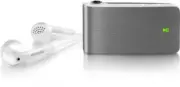
6 2 Your new SA018 SA018 allows you to play MP3 and unprotected WMA files • listen to FM radio • What’s in the box SA018 comes with a box that you can use to store the product or other items. The following accessories are included with SA018: Player Earphones USB cable Quick star t guide Quick star ...
Page 8 - Detailed overview of the controls; Getting started; General overview of SA018
7 h press and hold: turn SA018 on/off Note When SA018 is switched off, it consumes little • or no power. All controls except the on/off control are disabled in ‘off ’ mode. For reasons of power conser vation, it may take a moment to turn on SA018. Detailed overview of the controls SA018 offers the f...
Page 10 - Status indicators and their meanings
9 Status indicators and their meanings LED indicators: Action Control LED indicator slide - FM (FM radio mode) - (repeat mode) - (shuffle mode) (= ok) press - (play) - (back) - (forward) - Vol (increase volume) - Vol (decrease volume) (= ok) - LED lights up with every press action. (= button locked*...
Page 12 - Connect the earphones; Install the Philips Device; Connect the supplied USB cable
11 Connect the earphones This is how to connect the supplied earphones: Install the Philips Device Manager software System requirements: Windows® (2000, XP, Vista) • Pentium III 800 MHz processor or higher • 128 MB R AM • 500 MB hard disk space • Internet connection • Microsoft® Internet Explorer 6....
Page 13 - Organize your music on; Transfer music to SA018
12 Note SA018 requires some free memory capacity • to process software updates. The removal of a music track from the memory of SA018 can fix capacity related issues. Organize your music on SA018 SA018 can store hundreds of music tracks. To organize and facilitate locating your music,SA018 allows yo...
Page 14 - Listen to your music; Enjoy; Turn SA018 on and off
13 Listen to your music SA018 allows you to listen to all your music in a continous loop. SA018 has a shuffle feature, so you can listen to your music in random order. 1 Connect the supplied earphones. 2 Set the slide selector to one of the following music play options: • - Repeat all mode (play all...
Page 15 - Listen to FM radio
14 Listen to FM radio SA018 has a built-in FM radio tuner. Here’s how to listen to FM radio: 1 Connect the supplied earphones. 2 Set the slide selector to position FM . 3 Press and hold for approximately 4 seconds to turn on SA018. Radio star ts automatically. » 4 Press to star t play. 5 Press VOL t...
Page 17 - carry files
16 5 Use SA018 to carry files SA018 allows you to carr y files in Windows Explorer . 1 With SA018 connected to the USB por t of the computer, open Windows Explorer . 2 Create folders in SA018. 3 Use drag and drop actions to sor t your files into the folders. EN
Page 18 - Troubleshooting
17 6 Troubleshooting How do I reset my player? Inser t a pen tip or other object into • the reset hole located at the bottom of SA018. Hold until the player shuts down. If the reset option is unsuccessful, follow • the steps how to recover SA018 with the Philips Device Manager : 1 On your computer, ...
Page 19 - Supported music file formats; Technical data
18 Supported music file formats SA018 suppor ts the following music formats: MP3 • unprotected WMA • 7 Technical data Power Li-ion polymer internal rechargeable battery Play time (music): up to 12 hours System requirements Windows® 2000, XP, Vista Pentium III 800 MHz processor or higher 128 MB R AM ...
Page 20 - Glossary
19 sounds. It also per tains to the function on many electronic devices that is used to control the loudness. W WMA (Windows Media Audio) An audio format owned by Microsoft, is a par t of Microsoft Windows Media technology. Includes Microsoft Digital Rights Management tools, Windows Media Video enco...