Page 2 - Canada
Canada English: This digital apparatus does not exceed the Class B limits for radio noise emissions from digital apparatus as set out in the Radio Interference Regulations of the Canadian Depar tment of Communications.This Class B digital apparatus complies with Canadian ICES-003. Français: Cet appa...
Page 3 - Contents
3 Contents 1 Important 6 Impor tant Safety Instructions 6 Notice 8 Disposal of your old product and batteries 9 2 Your por table DVD player 10 Introduction 10 What’s in the box 10 Over view of the main unit 11 3 Get star ted 13 Charge the batter y 13 Connect additional equipment 14 4 Use your player...
Page 6 - Important; Important Safety Instructions
6 1 Important Important Safety Instructions a Read these instructions. b Keep these instructions. c Heed all warnings. d Follow all instructions. e Do not use this apparatus near water. f Clean only with dry cloth. g D o n o t b l o c k a ny ve n t i l a t i o n o p e n i n g s . I n s t a l l i n a...
Page 7 - Hearing safety
7 o Batter y usage CAUTION – To prevent batter y leakage which may result in bodily injury, property damage, or damage to the unit: Install all batteries correctly, + and - as marked on the unit. Do not mix batteries (old and new or carbon and alkaline, etc.). Remove batteries when the unit is n...
Page 8 - Notice
8 Slowly increase the sound until you can hear it comfor tably and clearly, without distor tion. Listen for reasonable periods of time: Prolonged exposure to sound, even at normally ‘safe’ levels, can also cause hearing loss.Be sure to use your equipment reasonably and take appropriate breaks. ...
Page 9 - Disposal of your old product and batteries
9 Disposal of your old product and batteries Your product is designed and manufactured with high quality materials and components, which can be recycled and reused.Never dispose of your product with other household waste. Please inform yourself about the local rules on the separate collection of ele...
Page 10 - Your portable DVD player; Introduction
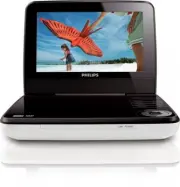
10 2 Your portable DVD player &RQJUDWXODWLRQVRQ\RXUSXUFKDVHDQGZHOFRPHWR3KLOLSV7RIXOO\EHQHÀWIURPWKH suppor t that Philips offers, register your product at www.philips.com/welcome. Introduction Your por table DVD player plays digital video discs that conform to the universal DVD Video standard. Wi...
Page 11 - Overview of the main unit
Page 13 - Get started; Charge the battery
13 3 Get started Caution Use the controls only as stated in this user manual. Always follow the instructions in this chapter in sequence.If you contact Philips, you will be asked for the model and serial number of your player. Find the model number and serial number of this player at the back or t...
Page 14 - Connect additional equipment; Use your player; Turn on
14 Connect additional equipment Caution Turn off your player before connecting to any additional equipment. <RXFDQFRQQHFWWKHSOD\HUWRD79RUDQDPSOLÀHUWRHQMR\'9'VRU.DUDRNH Match the color of the AV cables (the AV cable connected to TV is not supplied) with the jacks: the yellow cable is for the yel...
Page 15 - Play discs
15 2 Select [General Setup Page] > [OSD Language] . 3 Press to select an option. 4 Press / OK WRFRQÀUP 5 Press SETUP to exit. Play discs 1 Slide OPEN on the player. 2 Inser t the disc with label side facing up. 3 Push down to close the disc compar tment. Play star ts automatically. If not, press ...
Page 16 - Adjust settings
16 5 Adjust settings To maximize your play experience, use SETUP WRÀQHWXQH\RXUVHWWLQJV 1 Press SETUP . The setup menu is displayed. » 2 Press to select an option and press / OK WRFRQÀUP [General Setup Page] [OSD Language] Select on-screen display language. [Screen Saver] Activate/deactivate screen s...
Page 17 - Product information
17 6 Product information Note Product information is subject to change without prior notice. Dimensions 195 x 154 x 38 mm Weight 0.7 kg Power supply Input: 100-240V 50/60HzOutput: DC 9V 0.8A Power consumption 9 W Operating temperature range 0-45°C Laser wavelength 650 nm Video system NTSC Frequenc...
Page 18 - Troubleshooting
18 7 Troubleshooting Warning Risk of electric shock. Never remove the casing of the player. To keep the warranty valid, never tr y to repair the system yourself. If you encounter problems when using the player, check the following points before requesting ser vice. If the problem remains unsolved,...