Philips PET7402D/12 - Manual
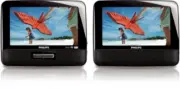
Philips PET7402D/12 – Manual, read for free online in PDF format. We hope this helps you resolve any issues you may have. If you have further questions, please contact us through the contact form.

1
Attach the main unit and the second screen to
the back of the front seat headrests.
2
Connect the supplied AV cable to the
AV OUT
jack on the main unit and the
AV IN
jack on the
second screen.
3
Connect the supplied car adaptor cable to the
DC IN
jacks on the main unit and the second
screen, and to the car cigarette lighter socket.
Prepare (for in-car use)
1
Quick star t guide
Philips Portable DVD Player PET7402/7402D
3
OPEN HERE
1
Slide the
ON/OFF
switch to
ON
to switch on
the main unit.
2
Slide
OPEN
2
on the main unit.
3
Remove the protective card (if any) and load a
disc with the label side facing up.
4
Close the disc compartment.
➜
Playback will start automatically. If not, press
2;
/OK
.
5
To stop playback, press
9
.
2
Enjoy
Note:
During play, you can:
– Press
OPTION
to select some play options: audio,
subtitle, repeat, and time display.
– Press
BRIGHTNESS
on the main unit or rotate
BRIGHTNESS -/+
on the second screen to
adjust brightness of screen to match lighting
conditions.
1
Prepare (for domestic use)
Connect additional equipment (TV for
example)
1
Connect the
AV OUT
socket on the main unit
to the video and audio sockets on a TV as
shown directly.
2
Connect the AC adaptor cable to the
DC IN
Jack on the main unit and the power outlet.
3
Switch on the TV and set to the correct video-
in channel.
➜
You can consult the owner's manual of your
TV. (If your TV does not have Audio and
Video inputs, you will need to purchase a
RF modulator. Please consult your dealer.)
Printed in China WK0903
TV
Main unit
Red
Yellow
Not supplied
Second screen
AV cable
Car adaptor
cable
Cigarette
lighter
White
PET7402-Eng_QSG.qxd 1/12/09 15:06 Page 1
"Loading the manual" means you need to wait until the file loads and becomes available for online reading. Some manuals are very large, and the time they take to appear depends on your internet speed.


