Philips PET726/37 - Quick Guide
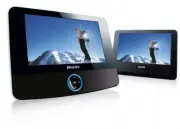
Philips PET726/37 – Quick Guide, read for free online in PDF format. We hope this helps you resolve any issues you may have. If you have further questions, please contact us through the contact form.

TV
A
UDIO IN
VIDEO IN
This por
table D
VD pla
yer is designed with a
built-in lithium batter
y to suppl
y po
w
er to the
pla
yer when y
ou ar
e on tra
vel.
1
Slide the
PO
WER
switch to the
OFF
position
(charging of the D
VD pla
yer onl
y possible in
the po
w
e
r-off mode).
2
Connect the supplied po
w
er ada
ptor cor
d (or
the car ada
ptor) to the pla
yer and
A
C
mains
(or the car cigar
ette lighter outlet) to star
t
charging.
➜
The
CHG
indicator turns r
ed .
➜
When the batter
y is full
y charged,
the
indicator turns off.
3
Disconnect the po
w
er ada
ptor cor
d (or the
car ada
ptor) when the CHG indicator turns
off.
Notes:
–
You can also connect the supplied po
wer adaptor
cor
d (or the car adaptor) to the play
er and
A
C
mains (or the car cigar
ette lighter outlet) dir
ectly
wher
ever possible
.
Charge y
our batter
y
1
Quick star
t guide
Philips P
o
rtable D
VD Pla
yer PET722/PET726
3
OPEN HERE
1
Slide the
PO
WER
switch to
ON
to s
witch on
the D
VD pla
ye
r.
➜
The
PO
WER
indicator turns on.
2
Gentl
y push the fr
ont panel as sho
wn to open
the disc compar
tment.
4
Remo
ve
the pr
otectiv
e car
d (if an
y) and load a
disc with the label side facing up
.
5
Pull the fr
ont panel back to close the disc
compar
tment.
Pla
yback will star
t automaticall
y.
If not,
pr
ess
2;
.
6
To
stop pla
yback,
pr
ess
9
.
2
Enjo
y (Disc operation)
Note:
–
Once the batter
y is fully disc
harg
ed,
immediately
re
charg
e it (r
egar
dless of whether you plan to use
the batter
y or not) in or
der to maximiz
e the
batter
y lif
e
.When the po
wer is lo
w
,the batter
y icon
will be sho
wn on the upper-left corner of the
TFT
for w
arning.
2
Enjo
y (A
V OUT)
Connecting ad
ditional equipment (TV f
o
r
e
xample)
1
Connect the
A
V
OUT sock
et on the set to the
video and audio sock
ets on a
TV as sho
wn
dir
ectl
y.
2
Switch on the
TV and set to the cor
rect video-
in channel.
➜
You can consult the o
wner's man
ual of y
our
TV
.(If y
our
TV does not ha
ve
Audio and
Video
inputs,
you will need to pur
chase a RF
modulator
.Please consult y
our dealer
.)
Printed in China
WK749
White
Red
Yello
w
Not supplied
PET722-Eng_QSG.qxd 2008.1.3 16:22 Page 1
"Loading the manual" means you need to wait until the file loads and becomes available for online reading. Some manuals are very large, and the time they take to appear depends on your internet speed.


