Philips PET721D/12 - Manual
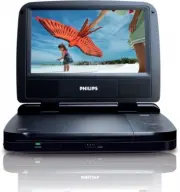
Philips PET721D/12 – Manual, read for free online in PDF format. We hope this helps you resolve any issues you may have. If you have further questions, please contact us through the contact form.


Table of Contents:
- Page 2 – Contents
- Page 3 – Important; Important safety instructions
- Page 4 – Hearing safety
- Page 5 – Notice; Recycling
- Page 6 – Norge
- Page 7 – Your portable DVD player; Introduction
- Page 11 – started; Charge the battery
- Page 12 – Connect additional equipment; TV
- Page 13 – Use your player; Turn on
- Page 14 – Play options; Adjust brightness of screen backlight
- Page 18 – Troubleshooting
Register your product and get support at
www.philips.com/welcome
EN
User manual
PET721D/12
"Loading the manual" means you need to wait until the file loads and becomes available for online reading. Some manuals are very large, and the time they take to appear depends on your internet speed.
Summary
3 English EN Contents 1 Important 4 Impor tant safety instructions 4 Notice 6 2 Your por table DVD player 8 Introduction 8 What’s in the box 9 Over view of the main unit 9 3 Get star ted 12 Charge the batter y 12 Connect additional equipment 13 4 Use your player 14 Turn on 14 Select OSD language 14 ...
4 1 Important Important safety instructions a Read these instructions. b Keep these instructions. c Heed all warnings. d Follow all instructions. e Do not use this apparatus near water. f Clean only with dry cloth. g Do not block any ventilation openings. Install in accordance with the manufacturer’...
5 p This product may contain lead and mercury. Disposal of these materials may be regulated due to environmental considerations. For disposal or recycling information, please contact your local authorities or the Electronic Industries Alliance: www.eiae.org. Warning Never remove the casing of this a...


