Philips OR2200M/10 - User Manual
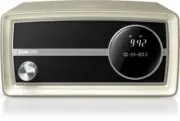
Philips OR2200M/10 – User Manual, read for free online in PDF format. We hope this helps you resolve any issues you may have. If you have further questions, please contact us through the contact form.


Table of Contents:
- Page 3 – Contents
- Page 4 – Safety
- Page 5 – Your clock radio; Introduction
- Page 6 – Overview of the product
- Page 7 – Know about the LCD display
- Page 8 – Assemble the AC power; Replace a plug converter; Connect power; Switch to standby mode; Adjust brightness
- Page 10 – Set an alarm; Deactivate a preset alarm; Stop the alarm
- Page 11 – Search for a radio station
- Page 12 – Display RDS information; RDS program types; Adjust FM settings
- Page 13 – Switch to DAB mode; About special symbols; Tune to a stored radio station
- Page 14 – Display DAB information; Tune to a station manually
- Page 15 – Remove invalid stations; System menus
- Page 17 – Check the current software; Reset the product
- Page 18 – 0 Adjust volume
- Page 21 – 3 Troubleshooting
- Page 22 – information; General information
- Page 23 – Compliance; Copyright
www.philips.com/welcome
User manual
Always there to help you
Register your product and get support at
OR2200
Question?
Contact
Philips
Question?
Contact
Philips
"Loading the manual" means you need to wait until the file loads and becomes available for online reading. Some manuals are very large, and the time they take to appear depends on your internet speed.
Summary
1 EN Contents 1 Safety 2 2 Your clock radio 3 Introduction 3 What's in the box 3 Over view of the product 4 Know about the LCD display 5 3 For the first time use 6 Assemble the AC power adaptor 6 Connect power 6 Power on 6 Adjust brightness 6 4 Set time and date 7 5 Use the alarm timer 8 Set an alar...
2 EN 1 Safety Read and understand all instructions before you use this product. If damage is caused by failure to follow the instructions, the warranty does not apply. Risk of electric shock or fire! • Never remove the casing of the product. • Never expose the product and accessories to rain or wate...
3 EN 2 Your clock radio Congratulations on your purchase, and welcome to Philips! To fully benefit from the suppor t that Philips offers, register your product at www.philips.com/welcome. Introduction With this product, you can: • listen to FM radio stations (RDS suppor ted), • listen to DAB radio s...


