Philips MX6050D/37 - Quick Guide
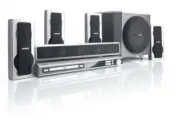
Philips MX6050D/37 – Quick Guide, read for free online in PDF format. We hope this helps you resolve any issues you may have. If you have further questions, please contact us through the contact form.


FRONT
RIGHT
REAR
RIGHT
REAR
LEFT
FRONT
LEFT
SUBWOOFER
FRONT
CENTER
3
MX6050D
P
r/Cr
P
b/Cb
Y
First connect ...
... then play
(see next page)
Front Speaker
(left)
Rear Speaker
(right)
Rear Speaker
(left)
Center Speaker
AM loop antenna
FM antenna
Composite
video cable
12nc: 8239 300 30561
Printed In China
Front Speaker
(right)
Subwoofer
B
C
G
H
A
B
C
J
H
J
D
A
E
F
G
Helpful Hints
To obtain a better picture quality effect, you can
choose to connect an extra video connection if
your TV has the same input connector:
A
or
B
.
If your TV has
this video input jack(s)
A
B
Use this video
cable (not supplied)
S-VIDEO
IN
COMPONENT VIDEO IN
ANTENNA IN
Do not switch the
P-SCAN
to ‘ON’ position
, unless you have
connected the DVD system to a Progressive Scan TV using the
Component (Pr/Cr Pb/Cb Y) video jacks.
When listening to TV programs
, press
TV/AV
button on the remote to
set the DVD system to TV/AV mode in order for the sound to be heard.
For connecting to a VCR
, see page 15 in the owner’s manual for more
details.
P-SCAN
OFF ON
If your TV has only
a single Antenna In
jack
, you will need an
accessory RF
modulator. The RF modulator
converts the video from the
DVD system so it can play
through the TV’s Antenna
connector. Refer to your
owner’s manual for proper
connection (refer to page 13
in the owner’s manual.)
"Loading the manual" means you need to wait until the file loads and becomes available for online reading. Some manuals are very large, and the time they take to appear depends on your internet speed.


