Philips HTS6600/05 - Quick Guide
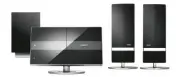
Philips HTS6600/05 – Quick Guide, read for free online in PDF format. We hope this helps you resolve any issues you may have. If you have further questions, please contact us through the contact form.


3
Enjoy
DVD HOME THEATRE SYSTEM
Quick Star t Guide
Connect
Set up
Enjoy
1
2
3
What’s in the box?
Main Unit
Remote Control
and 2 batteries
User
Manual
Start disc playback
A
Press
ç
to open the disc compartment.
B
Place a disc with the disc label facing towards you.
C
Press
ç
to close the disc compartment.
D
Playback starts automatically.
E
If the disc menu appears on the TV, use cursor keys
to select an option in the menu and press
OK
to
start playback.
z
To enjoy the powerful surround sound from the
speakers, press
AMBISOUND
on the remote
control to turn on the multi-channel surround
mode.
F
Press
to stop playback.
Note
When you press
u
button,
playback resumes from where it last
stopped. To start playback from the
beginning, you have to press
.
.
Playback other supported
devices
The connections to other devices are located at the left
side of the main unit.
A
B
USB device
A
Insert your USB device to
A
.
B
Press
DISC/USB
to switch to ‘USB’ mode.
C
Press
u
to start playback.
D
To stop playback, press
DISC/USB
to switch to
‘DISC’ mode. You can unplug your USB device now.
Other portable audio player
A
Use the supplied MP3 LINE-IN cable to connect the
headphone output socket on your portable audio
player to
B
.
B
Press PLAY on your portable audio player.
C
Press
MP3 LINE-IN
to listen to the playback.
DOCK
(optional feature - not available in Europe)
z
This is an advance feature that is compatible only
with the Philips HTD7001 docking station (currently
not available in Europe).
Speakers and subwoofer
FM wire
antenna
AM/MW
loop antenna
MP3 LINE-IN cable
2 sets of speak-
er wall mount-
ing brackets
AMBISOUND
HTS6600
Main unit wall
mounting
bracket
Micro fi bre
cleaning cloth
Need help?
User Manual
See the user manual that came with your Philips DVD Home Theatre System.
Online
Go to www.philips.com/welcome
2007
C
Koninklijke Philips N.V.
All rights reserved.
12 NC 3139 245 25613
www.philips.com
Scart Cable
Audio Cable
Place the
disc here
Power Cable
"Loading the manual" means you need to wait until the file loads and becomes available for online reading. Some manuals are very large, and the time they take to appear depends on your internet speed.


