Page 2 - Know these; safety; symbols; Dear PHILIPS product owner:; For Customer Use; To reduce the risk of fire; ATTENTION; : Pour éviter les choc
Registering your model with PHILIPS makes you eligible for all of the valuable benefits listed below, sodon't miss out. Complete and return your Product Registration Card at once to ensure: Return your Product Registration Card today to get the very most from your purchase. Know these safety symbols...
Page 3 - CAUTION; IMPORTANT SAFETY INSTRUCTIONS; This symbol indicates that the unit has
1. Read these instructions. 2. Keep these instructions. 3. Heed all warnings. 4. Follow all instructions. 5. Do not use this apparatus nearwater. 6. Clean only with dry cloth. 7. Do not block any ventilationopenings. Install in accordance withthe manufacturer´s instructions. 8. Do not install near a...
Page 4 - Canada; This warning label is located on the; WARNING
Canada English: This digital apparatus does not exceedthe Class B limits for radio noiseemissions from digital apparatus as setout in the Radio InterferenceRegulations of the CanadianDepartment of Communications. Français: Cet appareil numérique n'emet pas debruits radioélectriques dépassant leslimi...
Page 5 - Index; English
Index English ------------------------------------------- 6 Français --------------------------------------- 52 Español ---------------------------------------- 88 English Espa ñ o l F ran ç ais This product incorporates copyr ight protection tec hnology that is protected by method c laims of cer ta...
Page 6 - General Information; Laser safety; LASER; Type; Environmental Information
General Information CAUTION(WARNING LOCATION: ON THEBACKPLATE OF THE SET) NEVER MAKE OR CHANGECONNECTIONS WITH THEPOWER SWITCHED ON. Laser safety This unit employs a laser. Due to possibleeye injury, only a qualified service personshould remove the cover or attempt toservice this device. NOTE:PICTUR...
Page 7 - Language Code
English 7 Language Code Abkhazian 6566 Afar 6565 Afrikaans 6570 Amharic 6577 Arabic 6582 Armenian 7289 Assamese 6583 Avestan 6569 Aymara 6589 Azerhaijani 6590 Bahasa Melayu 7783 Bashkir 6665 Belarusian 6669 Bengali 6678 Bihari 6672 Bislama 6673 Bokmål, Norwegian 7866 Bosanski 6683 Brezhoneg 6682 Bul...
Page 8 - Repeating a section within a chapter/track .; Contents
English 8 Language Code ................................................... 7 Introduction Supplied accessories ..................................... 10Cleaning discs ................................................. 10Setup ................................................................. 10 Connec...
Page 9 - DVD Menu Options
English 9 DVD Menu Options General Setup menu ............................... 34-35 Locking/Unlocking the disc for viewing ... 34 Dimming system’s display screen .............. 34 Programming disc tracks ....................... 34-35 OSD Language ............................................... 35 Sl...
Page 10 - Supplied accessories; Introduction; Cleaning discs; Finding a suitable location
English 10 Supplied accessories Remote Controlandtwo AAA batteries Introduction Cleaning discs To clean a disc, use a micro fibre cleaningcloth and wipe the disc from the centerto the edge in a straight line. CAUTION! Do not use solvents such as benzene,thinner, commercially available cleaners, oran...
Page 11 - Connections; Connecting TV; Y Pb Pr; jacks to the corresponding
English 11 Connections Connecting TV IMPORTANT!– You only need to make one videoconnection from the followingoptions, depending on thecapabilities of your TV system.– Connect the DVD system directlyto the TV. Using Composite Video jacks(CVBS) 1 Use the composite video cable (yellow) toconnect the DV...
Page 12 - Using an accessory RF modulator; jack to
English 12 AUDIO INR L VIDEO IN TO TV INT IN CH3 CH4 2 1 Connections IMPORTANT!– If your TV only has a singleAntenna In jack (or labeled as 75ohm or RF In,) you will need an RFmodulator in order to view the DVDplayback on the TV. See yourelectronics retailer or contactPhilips for details on RF modul...
Page 13 - When no disc is loaded,; press; ” may appear on the; Connecting the power cord; NO DISC
English 13 Connections ~ AC MAINS AUDIO OUT V (Pr/Cr) U (Pb/Cb) Y S-VIDEO IN VIDEO IN COMPONENT VIDEO IN After everything is connectedproperly, plug in the AC power cordto the power outlet. Never make or change any connectionswith the power switched on. When no disc is loaded, press STANDBY ON on th...
Page 14 - jacks of; AV Receiver; STEREO
English 14 Connections Stereo system has Dolby Pro Logicor Right / Left Audio In jack 1 Select one of the video connections(CVBS VIDEO IN or COMPONENTVIDEO IN) depending on the optionsavailable on your TV. 2 Use the audio cables (white/red) toconnect AUDIO OUT (L/R) jacks of the DVD Player to the co...
Page 15 - Use a HDMI cable
English 15 Connections HDMI IN HDMI IN HDTV Optional: Connecting to a TVwith HDMI Jack Using HDMI (High DefinitionMultimedia Interface) sockets ● HDMI connects untouched anduncompressed digital transmission for thehighest and cripest sound/image quality. ● It has plug and play capability using onlyo...
Page 16 - Using USB port; Press; USB; button on the remote control
English 16 Connections Optional: Connecting asupported USB devices Using USB port You can only view the content offollowing supported USB devices throughthis DVD system. Editing the data andrecording to a DVD+R/+RW are notpossible. 1 Connect the supported USB devicedirectly to the USB port on the fr...
Page 17 - Functional Overview; Front and Rear Panels; IR Sensor
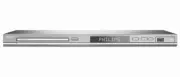
English 17 Functional Overview Front and Rear Panels Caution: Do not touch the inner pins of the jacks on the rear panel.Electrostatic discharge may cause permanent damage to the unit. USB Por t – Input the supported USB device. 9 STOP – Stops playback 2 ; PLAY/PAUSE – Starts or pauses playback HD U...
Page 18 - Remote Control
English 18 Functional Overview Remote Control DISC MENU – Enters or exits the disc contents menu – Switches on or off the playback control mode (for VCD version 2.0 only) RETURN / TITLE – To go back to previous menu / show title menu PREV ( ¡ ) – Skips to the previous title/chapter/ track NEXT ( ™ )...
Page 19 - Getting Started; Open the battery compartment.; Setting up the TV; Or, you may go to channel 1 on your
English 19 Getting Started Step 1: Inserting batteries intothe Remote Control 1 Open the battery compartment. 2 Insert two batteries type R03 or AAA,following the indications ( +- ) inside the compartment. 3 Close the cover. Using the Remote Control tooperate the Player 1 Aim the Remote Controldirec...
Page 20 - OR; to go back to the previous menu item. Press; SETUP; to exit the menu item.
English 20 Setting up Progressive Scan feature(for Progressive Scan TV only) The progressive scan display twice thenumber of frames per seconds thaninterlaced scanning (ordinary normal TVsystem). With nearly double the numberof lines, progressive scan offers higherpicture resolution and quality. IMP...
Page 21 - Before changing the current TV
English 21 Selecting the color system thatcorresponds to your TV This DVD Player is compatible with bothNTSC and PAL. In order for a DVD discto play on this Player, the color system ofthe Disc, the TV and the DVD Playershould match. NTSC TV - - Video Setup Page - - TV Type PAL TV Display Multi Progr...
Page 22 - Setting the OSD Language
English 22 Step 3: Setting languagepreference The language options are differentdepending on your country or region. Itmay not correspond to the illustrationsshown on the user manual. Setting the OSD Language The On-screen language for the systemmenu will remain as you set it, regardlessof various d...
Page 23 - Disc Operations; Playable Discs; Your DVD Player will play:; playback; Region Codes; If you are having trouble playing a
English 23 Disc Operations IMPORTANT!– If the inhibit icon (ø) appears onthe TV screen when a button ispressed, it means the function is notavailable on the current disc or atthe current time.– Depending on the DVD or VIDEOCD, some operations may bedifferent or restricted.– Do not push on the disc t...
Page 24 - Basic playback controls; Screen saver will star t automatically if; Playing discs
English 24 Disc Operations Basic playback controls Unless otherwise stated, all operationsdescribed are based on Remote Controluse. Pausing playback 1 During playback, press PLAY/PAUSE 2; to pause playback and display a stillpicture. ➜ Sound will be muted. 2 To resume normal playback, press PLAY/PAU...
Page 25 - Repeat play mode; (all files in current folder at random; For VCD, repeat playback is not possible
English 25 Disc Operations TIPS: The operating features described here might not be possible for certain discs. Always referto the instructions supplied with the discs. Selecting various repeat/shufflefunctions Repeat play mode The repeat play options vary dependingon the disc type. 1 While playing ...
Page 26 - Using the Disc Menu; LOADING; Slow Motion
English 26 Operations for video playback(DVD/VCD/SVCD) Using the Disc Menu Depending on the disc, a menu mayappear on the TV screen once you load inthe disc. To select a playback feature or item ● Use 1 2 3 4 keys or numeric keypad (0-9) on the remote, then press OK to start playback. To access or r...
Page 27 - Using the OSD menu
English 27 TIPS: The operating features described here might not be possible for certain discs. Always referto the instructions supplied with the discs. Disc Operations Using the OSD menu OSD menu shows the disc playbackinformation (for example, title or chapternumber, elapsed playing time, audio/su...
Page 29 - Special DVD Features; Playing a Title; Special VCD & SVCD Features
English 29 TIPS: The operating features described here might not be possible for certain discs. Always referto the instructions supplied with the discs. Special DVD Features Playing a Title 1 Press DISC MENU . ➜ The disc title menu appears on the TV screen. 2 Use 3 4 1 2 keys or numeric keypad (0-9)...
Page 30 - Playing a DivX disc; Subtitle files with the following filename
English 30 Disc Operations TIPS: The operating features described here might not be possible for certain discs. Always referto the instructions supplied with the discs. Playing a DivX disc This DVD player supports the DivXmovie playback that you download fromyour computer onto a CD-R/RW orDVD±R/RW (...
Page 31 - Thumb
English 31 Disc Operations TIPS: The operating features described here might not be possible for certain discs. Always referto the instructions supplied with the discs. Playing pictures or audio filesfrom the supported USB device This DVD system able to access and viewthe data (JPEG, MP3 or WMA) in ...
Page 32 - Playback selection; It may not be possible to play certain
English 32 Disc Operations TIPS: The operating features described here might not be possible for certain discs. Always referto the instructions supplied with the discs. Playback selection During playback, you can; ● Press PREV ¡ / NEXT ™ to select the previous/next track/file in the currentfolder. ●...
Page 33 - Some files on Kodak or JPEG disc may
English 33 Playing MP3/WMA music and JPEGpicture simultaneously 1 Load a disc that contains music andpicture. ➜ The disc menu appears on the TV screen. 2 Select an MP3/WMA track. 3 During MP3/WMA music playback, selecta picture from the TV screen and press OK . ➜ The picture files will be played bac...
Page 34 - DVD Setup Menu Options; General Setup menu; Dimming player’s display panel
English 34 DVD Setup Menu Options This DVD Player setup is carried out viathe TV, enabling you to customise theDVD Player to suit your particularrequirements. General Setup menu 1 In disc mode, press SETUP . 2 Press 1 2 to select ‘General Setup’ icon. 3 Press OK to confirm. Go to General Setup Page ...
Page 35 - OSD Language; All the downloaded videos from DivX
English 35 DVD Setup Menu Options If you want to remove a track 6 Use 1 2 3 4 keys to move the cursor to the track you want to remove. 7 Press OK to remove this track from the program menu. To start program playback 8 Use 1 2 3 4 keys to highlight {START} on the program menu, then press OK . ➜ Playb...
Page 36 - Audio Setup Menu; Analog Output
English 36 DVD Setup Menu Options Audio Setup Menu 1 In disc mode, press SETUP . 2 Press 1 2 to select ‘Audio Setup’ icon. 3 Press OK to confirm. Go to Audio Setup Page Analog Output Digital Audio Setup Sound Mode CD Upsampling Night Mode - - Audio Setup Page - - Analog Output This options allows yo...
Page 37 - Sound Mode; If DIGITAL OUTPUT is set to ‘All’, all
English 37 DVD Setup Menu Options TIPS: The underlined option is the factory default setting.Press 1 to go back to the previous menu item. Press SETUP to exit the menu item. Sound Mode The options included in Sound ModeSetup are: ‘3D’, ‘Movie Mode’ and ‘MusicMode’. 1 In ‘AUDIO SETUP PAGE’, press 3 4...
Page 38 - ON; CD upsampling feature is only applicable
English 38 DVD Setup Menu Options TIPS: The underlined option is the factory default setting.Press 1 to go back to the previous menu item. Press SETUP to exit the menu item. Night Mode - turning on/off In this mode, the high volume outputs aresoftened. It is useful for watching yourfavorite action m...
Page 39 - Setting the TV Display; Video Setup Menu; TV Type
English 39 DVD Setup Menu Options TIPS: The underlined option is the factory default setting.Press 1 to go back to the previous menu item. Press SETUP to exit the menu item. Setting the TV Display Set the aspect ratio of the DVD Playeraccording to the TV you have connected.The format you select must...
Page 40 - Picture Setting
English 40 DVD Setup Menu Options TIPS: The underlined option is the factory default setting.Press 1 to go back to the previous menu item. Press SETUP to exit the menu item. Picture Setting This DVD Player provides threepredefined sets of picture color settingsand one personal setting which you cand...
Page 41 - Closed Captions
English 41 DVD Setup Menu Options TIPS: The underlined option is the factory default setting.Press 1 to go back to the previous menu item. Press SETUP to exit the menu item. Closed Captions Closed captions are data that are hiddenin the video signal of some discs. Captionsare different from subtitle...
Page 42 - HDMI JPEG Mode; You can also press
English 42 DVD Setup Menu Options HDMI JPEG Mode You can enjoy unsurpassed pictures at itsnative resolution via your HDMIconnection or progressive scan mode. 1 In ‘VIDEO SETUP PAGE’, press 3 4 to highlight {HD JPEG}, then press 2 . ON Displays picture with high quality. OFF Displays picture with sta...
Page 43 - Preference Page; Some DVDs are not encoded with a
English 43 DVD Setup Menu Options TIPS: The underlined option is the factory default setting.Press 1 to go back to the previous menu item. Press SETUP to exit the menu item. Preference Page 1 Press Ç twice to stop playback (if any), then press SETUP . 2 Press 1 2 to select the ‘Preference Page’ icon...
Page 44 - Rating explanations; – Parental Guidance suggested.; ADULT; PBC
English 44 DVD Setup Menu Options TIPS: The underlined option is the factory default setting.Press 1 to go back to the previous menu item. Press SETUP to exit the menu item. Rating explanations 1 KID SAFE – Kids material; recommended especially forchildren and viewers of all ages. 2 G – General Audi...
Page 45 - Changing the Password
English 45 DVD Setup Menu Options TIPS: The underlined option is the factory default setting.Press 1 to go back to the previous menu item. Press SETUP to exit the menu item. Changing the Password The same password is used for bothParental Control and Disc Lock. Enteryour six-digit password when prom...
Page 46 - Restoring to original settings; Setting the DivX Subtitle font
English 46 DVD Setup Menu Options Restoring to original settings Setting the DEFAULT function will resetall options and your personal settings tothe factory defaults, except yourpassword for Parental Control and DiscLock. 1 In ‘PREFERENCE PAGE’, press 34 to highlight {DEFAULT}, then press 2 to selec...
Page 47 - Specifications
English 47 TV STANDARD (PAL/50Hz) (NTSC/60Hz) Number of lines 625 525 Playback Multistandard (PAL/NTSC) VIDEO PERFORMANCE Video DAC 12 bit, 108mHz YPbPr 0.7 Vpp — 75 ohm Video Output 1Vpp — 75 ohm HDMI 480p, 576p, 720p, 1080i, Auto VIDEO FORMAT Digital Compression MPEG 2 for DVD,SVCDMPEG 1 for VCDDi...
Page 48 - Problem; Troubleshooting
English 48 WARNINGUnder no circumstances should you try to repair the system yourself, as this willinvalidate the warranty. Do not open the system as there is a risk of electric shock. If a fault occurs, first check the points listed below before taking the system for repair. Ifyou are unable to rem...
Page 50 - Glossary
English 50 Analog: Sound that has not been turned into numbers. Analog sound varies, while digital sound hasspecific numerical values. These jacks send audiothrough two channels, the left and right. Aspect ratio: The ratio of vertical and horizontal sizes of a displayed image. The horizontal vs. ver...
Page 51 - PHILIPS LIMITED WARRANTY
English 51 Philips, P.O. Box 671539, Marietta, GA. 30006-0026 Ninety (90) Days Free Product Exchange Ninety-One (91) Days-One (1) Year Reduced-Cost Exchange PHILIPS LIMITED WARRANTY PHILIPS CONSUMER ELECTRONICS warrants this product against defect in material or workmanship, subject toany conditions...