Philips DVP3354/12 - Manual
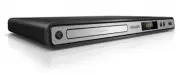
Philips DVP3354/12 – Manual, read for free online in PDF format. We hope this helps you resolve any issues you may have. If you have further questions, please contact us through the contact form.


Table of Contents:
- Page 3 – Contents
- Page 4 – Copyright notice; Trademark notice; Important; Safety and important notice; About Progressive Scan
- Page 5 – Region codes; Product overview; Main unit; Your; Feature highlights
- Page 6 – Connect; Remote control
- Page 7 – Option 2: Connect to scart jack; Connect video cables
- Page 8 – Connect USB fl ash drive; Connect power; started; Prepare the remote control; Connect to digital amplifi er/receiver; Connect analogue stereo system
- Page 9 – Play a disc
- Page 10 – Access VCD menu; Play video
- Page 11 – Play DivX; Play music
- Page 12 – Play musical slideshow; Play photo; Play photo as slideshow
- Page 13 – Create MP3 fi les; Play from USB fl ash drive; Advanced; Media copy
- Page 14 – Audio setup; Adjust; General setup
- Page 15 – Video setup
- Page 16 – Preferences
- Page 17 – Additional; Update software
- Page 18 – Care; Specifi cations
- Page 19 – Troubleshooting
- Page 21 – Language Code
Register your product and get support at
www.philips.com/welcome
EN
User manual
3
DE
Benutzerhandbuch 21
ES
Manual del usuario
42
FR
Mode d’emploi
62
IT
Manuale utente
83
PT
Manual do utilizador
103
DA
Brugervejledning 123
EL
ƆƣƷƥƩƱƟƤƩƯ ƷƱƞƳƧƲ
142
NL
Gebruiksaanwijzing 164
PL
Instrukcja obs
ã
ugi 184
SV
Användarhandbok 205
TR
Kullanım kılavuzu
223
FI
Käyttöopas
242
DVP3350
DVP3354
"Loading the manual" means you need to wait until the file loads and becomes available for online reading. Some manuals are very large, and the time they take to appear depends on your internet speed.
Was this manual helpful?
About this manual
- Brand
- Philips
- Model
- DVP3354/12
- Document type
- Manual
- Language(s)
- English
- Pages
- 22
- File size
- 710.9 KB
- Format
Summary
3 English EN Contents 1 Important 4 Safety and impor tant notice 4 Trademark notice 4 2 Your product 5 Feature highlights 5 Product over view 5 3 Connect 6 Connect video cables 7 Connect audio cables 8 Route audio to other devices 8 Connect USB fl ash drive 8 Connect power 8 4 Get started 8 Prepare t...
4 When this crossed-out wheeled bin symbol is at tached to a produc t it means that the produc t is covered by the European Direc tive 20 02 /96/EC . Please infor m your self about the local separ ate collec tion system for elec trical and elec tronic produc ts.Please ac t according to your local r ...
5 Hi-speed USB link Plug a USB fl ash drive to the USB jack to enjoy the MP3/ WMA /JPEG/DivX fi les. Media copy Copy data fi les (such as MP3, WMA and JPEG) from a disc to a USB drive. Create MP3 fi les Conver t audio tr ack s from an audio CD into MP3 for mat. The created MP3 fi les are saved in the USB...


