Philips DVP3040/37 - Quick Guide
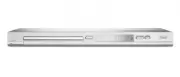
Philips DVP3040/37 – Quick Guide, read for free online in PDF format. We hope this helps you resolve any issues you may have. If you have further questions, please contact us through the contact form.


DVP 3040
DVD Video Player
Quick Star t Guide
What’s in the box?
DVD Video Player
Remote Control
and 2 AAA batteries
User Manual
Quick Start Guide
VIDEO IN
(CVBS)
VIDEO IN
(CVBS)
VIDEO OUT
(CVBS)
1
Connect
A
Use the supplied composite video cable (yellow plug)
to connect the DVD player’s Video Out (CVBS)
socket to the Video In socket (or labeled as A/V In,
Video In, Composite or Baseband) on the TV.
B
To hear the sound of this DVD player from the TV,
use the supplied audio cables (red and white plugs)
to connect {AUDIO OUT L/R} sockets of the DVD
player to the corresponding Audio In sockets on the
TV.
C
Plug in the power cable from the DVD player to an
AC power outlet.
Note
See the accompanying user manual for other
possible connections (e.g. Component Video).
Basic Connection
A
Audio/Video connection to TV
Video cable
(yellow plug)
Audio cables
(red & white plugs)
To Video In
socket on the TV
To Audio In
socket on the TV
From Video Out
socket on the
DVD Player
From Audio Out
sockets on the
DVD player
1_dvd3040_qsg_37_eng1.indd 1
1_dvd3040_qsg_37_eng1.indd 1
2005-12-01 3:03:28 PM
2005-12-01 3:03:28 PM
"Loading the manual" means you need to wait until the file loads and becomes available for online reading. Some manuals are very large, and the time they take to appear depends on your internet speed.


