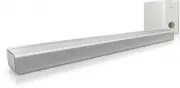
Philips CSS2113/05 – User Manual, read for free online in PDF format. We hope this helps you resolve any issues you may have. If you have further questions, please contact us through the contact form.
1
2
3
4
5
6
7
8
9
10
11
12
13
Table of Contents:
Page 3 – Contents
Page 4 – Help and support; FAQs; Contact Philips; Notice; Compliance
Page 5 – Important; Safety
Page 6 – Your SoundBar; Main unit
Page 7 – Remote control; Replace battery
Page 8 – Subwoofer; Position; Connectors; Side right; Rear left
Page 9 – Connect audio from TV and
Page 10 – Use your SoundBar; Play audio from TV or other; Change treble or bass; Night mode
Page 11 – MP3 player; Play music; Apply factory settings; Wall mount
Page 12 – Amplifier; Troubleshooting; Sound
Loading the manual
CSS2113 CSS2115
Register your product and get support at
www.philips.com/welcome
EN
User manual
"Loading the manual" means you need to wait until the file loads and becomes available for online reading. Some manuals are very large, and the time they take to appear depends on your internet speed.
1 English EN Contents 1 Help and support 2 FAQs 2 Contact Philips 2 2 Notice 2 Compliance 2 Mains fuse 2 Trademarks 2 3 Important 3 Safety 3 Care for your product 3 Care of the environment 3 4 Your SoundBar 4 Main unit 4 Remote control 5 5 Connect your SoundBar 6 Subwoofer 6 Connectors 7 Connect aud...
Page 4 - Help and support; FAQs; Contact Philips; Notice; Compliance
2 EN 1 Help and support FAQs If you have a problem, refer to the frequently asked questions (FAQs) for this SoundBar at www. philips.com/suppor t. If you still need help, contact Philips Consumer Care in your countr y. Warning • Do not attempt to repair your SoundBar yourself. This may cause severe ...
Page 5 - Important; Safety
3 English EN 3 Important Read and understand all instructions before you use your SoundBar. If damage is caused by failure to follow instructions, the warranty does not apply. Safety Risk of electric shock or fire! • Never expose the product and accessories to rain or water. Never place liquid conta...
Page 6 - Your SoundBar; Main unit
4 EN Care for your product Use only microfiber cloth to clean the product. Care of the environment Your product is designed and manufactured with high quality materials and components, which can be recycled and reused. When this crossed-out wheeled bin symbol is attached to a product it means that t...
Page 7 - Remote control; Replace battery
5 English EN Remote control a (Standby-On) Switch the SoundBar on or to standby. b Source buttons • AUX : Switch your audio source to the AUX connection. • OPTICAL : Switch your audio source to the optical connection. • COAXIAL : Switch your audio source to the coaxial connection. • MUSIC iLINK : Sw...
Page 8 - Subwoofer; Position; Connectors; Side right; Rear left
6 EN 5 Connect your SoundBar This section helps you connect your SoundBar to a TV and other devices. For information about the basic connections of your SoundBar and accessories, see the quick star t guide. For a comprehensive interactive guide, see www.connectivityguide.philips.com. Note • For iden...
Page 9 - Connect audio from TV and
7 English EN Rear right AC MAINS~ Connect to the power supply. Connect audio from TV and other devices Play audio from TV or other devices through your SoundBar. Use the best quality connection available on other devices. Note • The audio connections in this user manual are only recommendations. You...
Page 10 - Use your SoundBar; Play audio from TV or other; Change treble or bass; Night mode
8 EN 6 Use your SoundBar This section helps you use the SoundBar to play audio from connected devices. Before you start • Make the necessar y connections described in the quick star t guide and the user manual. • Switch the SoundBar to the correct source for other devices. Play audio from TV or othe...
Page 11 - MP3 player; Play music; Apply factory settings; Wall mount
9 English EN MP3 player Connect your MP3 player to play your audio files or music. What you need • An MP3 player. • A 3.5mm stereo audio cable. Play music 1 Connect the MP3 player to the SoundBar as described in the Quick star t guide. 2 Press MUSIC iLINK . » MUSIC iLINK indicator on the front panel...
Page 12 - Amplifier; Troubleshooting; Sound
10 EN 8 Product specifications Note • Specifications and design are subject to change without notice. Amplifier • Total output power : • Europe/Asia Pacific/China/Russia/India: 60W RMS (30% THD) • Latin America: 48W RMS (10% THD) • Frequency response: 20 Hz-20 kHz / ±3 dB • Signal-to-noise ratio: &g...