Philips CD6452B/37 - Quick Guide
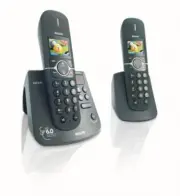
Philips CD6452B/37 – Quick Guide, read for free online in PDF format. We hope this helps you resolve any issues you may have. If you have further questions, please contact us through the contact form.


Table of Contents:
- Page 2 – What’s in the box
- Page 3 – Install; Insert rechargeable batteries and charge; Insert batteries; Connect the base station
- Page 4 – Enjoy
- Page 5 – Set the earpiece volume
- Page 6 – Troubleshooting
Welcome
Quick star t guide
1
Install
Enjoy
2
3
Connect
philips
"Loading the manual" means you need to wait until the file loads and becomes available for online reading. Some manuals are very large, and the time they take to appear depends on your internet speed.
Other Manuals for Philips CD6452B/37
Summary
What’s in the box CD640/CD645 Handset CD645 Base Station Line cord Quick start guide CD640 or CD645 User manual Guarantee 2 x AAA Rechargeable batteries CD640 Base station OR Power supply unit for base station + - + - Welcome Connect Install Enjoy 1 2 3 Quick star t guide The line adaptor may not be...
2 Install Insert rechargeable batteries and charge Insert batteries Charge handset for 24 hours 1 Connect Connect the base station 1. Insert the plug of the power cord into the socket under the base station. 2. Insert the plug of the line cord into the socket under the base station. 3. Connect the o...
3 Enjoy Set the alarm 1. Press to access the main menu 2. Press / to select Clock & Alarm 3. Press and / to select Alarm 4. Press and / to select Off, On Once, or On Daily 5. Press to save the settings Rename your handset 1. Press to access the main menu 2. Press / to select Personal Set 3. Pres...


