Philips CD2451B/05 - Quick Guide
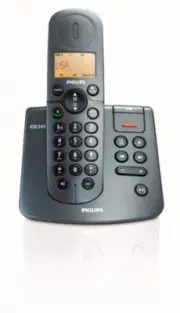
Philips CD2451B/05 – Quick Guide, read for free online in PDF format. We hope this helps you resolve any issues you may have. If you have further questions, please contact us through the contact form.


Welcome
Quick start guide
Connect
Install
Enjoy
1
2
3
What’s in the box
Handset
Base station for CD240
OR
Power supply
2 AAA rechargeable
batteries
Battery door
Guarantee
User manual
*You may find in the box the line adaptor delivered separately from the line cable.
In this
case, you have to connect the line adaptor to the line cord first before plugging the line
cord to the line socket.
In multihandset packs, you will find one or more additional handsets, chargers with power
supply units and additional rechargeable batteries.
WARNING
Always use the cables and batteries that came with your phone.
Quick Start Guide
Line cord*
CD245
Connect
Connect the base station
Install
Insert rechargeable batteries and charge
1
1. Place the base station in a central location near the telephone line socket and electricity socket.
2. Connect the line cord and the power cable to their corresponding connectors at the
back of the base station.
3. Connect the other end of the line cord and power cable to their respective sockets.
2
Configure your phone (if necessary)
After charging your phone for a few minutes, a Welcome screen may appear depending on
the country where you live. If the Welcome screen appears:
1. Press
m
to display a list of countries.
2. Scroll
:
to find your country.
3. Press
m
OK
to confirm your selection.
Set date and time
1. Press
m
in idle mode, scroll
:
to
CLOCK/ALARM
and press
m
OK
, press
m
OK
to enter
DATE & TIME
.
2. The last stored date is displayed. Enter the current date (DD/MM) and press
m
OK
.
3. The last stored time is displayed. Enter the current time (HH:MM) and press
m
OK
to confirm.
A validation tone is emitted and your phone is now ready for use.
Insert batteries
Charge handset for 24 hours
Telephone
CD240
CD245
"Loading the manual" means you need to wait until the file loads and becomes available for online reading. Some manuals are very large, and the time they take to appear depends on your internet speed.


