Philips CD1401B/05 - Quick Guide
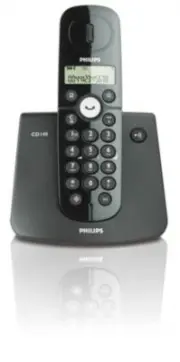
Philips CD1401B/05 – Quick Guide, read for free online in PDF format. We hope this helps you resolve any issues you may have. If you have further questions, please contact us through the contact form.


Welcome
Connect
Install
Enjoy
1
2
3
Quick star t guide
Listen to new messages recorded on answering machine (applicable to
CD145 only)
Press
on the base station to turn on the answering machine, the LED is turned on
Press
again to turn off the answering machine, the LED is turned off
Press
on the base station, playback of the oldest new message will begin
Press
to skip the current message and play the next message
Press
to go back to previous message if it is pressed within one second of
current message playback
Press
to replay current message if it is pressed after one second of current
message playback
Press
to increase or
to decrease speaker volume during message playback
Press
to delete the current message
See CD145 user manual for details about answering machine function
Troubleshooting
For more information, see the user manual that came with your CD140 or CD145.
Problem
Solution
• No dialing tone
• Check the connections
• Charge the batteries for at least 24 hours
• Use the line cable provided
• Poor audio quality
• Move closer to the base station
• Move the base station at least one metre
away from any electrical appliances
• The
icon is blinking
• Register the handset to the base station
• Move closer to the base station
• The handset LCD displays nothing • Tr y again by disconnecting and connecting
the base station power supply and follow
the procedure to register a handset
• Make sure the two supplied rechargeable
batteries have been inser ted into the
batter y compar tment
• Make sure the supplied batteries are
charged up
• Caller Line Identification
• Check your subscription with your
(CLI) ser vice does not work
network operator
Need help?
User Manual
See the User manual that came with your CD140 or CD145.
Online help
www.philips.com/suppor t
3111 285 32531
Country setting table
Code Country
* Default
outgoing
message
language
* Outgoing
message
languages
available
01
Germany
German
1 – German
2 – Turkish
02
Austria
German
03
Turkey
Turkish
04
UK
English
1 – English
05
Ireland
English
06
France
French
1 – French
2 – Italian
3 – Por tuguese
4 – Greek
5 – Spanish
07
Italy
Italian
08
Por tugal
Por tuguese
09
Greece
Greek
10
Spain
Spanish
11-1
Switzerland
German
1 – French
2 – German
3 – Italian
4 – English
11-2
Switzerland
French
11-3
Switzerland
Italian
12
France
French
13
Netherlands
Dutch
1 – Dutch
2 – French
3 – German
4 – English
14-1
Belgium
Dutch
14-2
Belgium
French
Code Country
* Default
outgoing
message
language
* Outgoing
message
languages
available
15
Sweden
Swedish
1 – Sweden
2 – Norwegian
3 – Finnish
4 – Danish
16
Norway
Norwegian
17
Finland
Finnish
18
Denmark
Danish
21
Romania
Romanian
1 – Romanian
2 – Polish
3 – Czech
4 – Hungarian
5 – English
22
Poland
Polish
23
Czech
Czech
24
Hungar y
Hungarian
25
Slovakia
Czech
26
Slovenia
English
27
Croatia
English
28
Bulgaria
English
29
Serbia
English
30
Singapore
English
1 – English
2 – Bahasa
31
Indonesia
English
32
Malaysia
English
35
Australia
English
36
New Zealand
English
39
Brazil
Brazilian
1 – Brazilian
2 – Spanish
40
Mexico
Spanish
* This is applicable to CD145 only. For more information about changing the outgoing message
languages, see section 5.6.5 of the CD145 user manual.
"Loading the manual" means you need to wait until the file loads and becomes available for online reading. Some manuals are very large, and the time they take to appear depends on your internet speed.


