Page 3 - Contents; ČESKA REPUBLIKA
3 English EN Contents 1 Important 4 Safety and impor tant notice 4 2 Your product 5 Feature highlights 5 Product over view 6 3 Connect 8 Connect video/audio cables 8 Route audio to other devices 9 Connect network 1 0 Connect USB device 1 0 Connect power 1 0 4 Get started 1 0 Prepare the remote contr...
Page 4 - Important; Safety and important notice; Disposal of your old product and batteries
4 Copyright notice This product incorporates copyright protection technology that is protected by method claims of cer tain U.S. patents and other intellectual proper ty rights owned by Macrovision Corporation and other rights owners. Use of this copyright protection technology must be authorised by...
Page 5 - Region codes; Your product; Feature highlights
5 BD-Live Connect this product to the movie studios website via the LAN por t to access a variety of up-to-date content (e.g. refreshed previews and exclusive special features). You can also enjoy nex t generation possibilities, such as ringtone/wallpaper downloads, peer-to-peer interactions, live e...
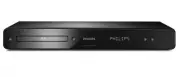
Page 6 - Product overview; Main unit
6 Front panel display Description LOADING Loading a disc. UNSUPP The disc is not suppor ted. BD Blu-ray disc is recognized. HDMI ERR The HDMI video resolution is not suppor ted by TV. FASTFWD Fast for ward mode. FASTBWD Fast reverse mode. SLOWFWD Slow for ward mode. SETTINGS Setup menu is displayed....
Page 7 - Remote control
7 c TOP MENU • BD : Display the top menu. • DVD : Display the title menu. d Access the home menu. • e DISC MENU / POP-UP MENU • BD : Access or exit the pop-up menu. • DVD : Access or exit the disc menu. f OK Confirm an entry or selection. • g Navigate through the menus. • h BACK Return to a previous...
Page 8 - Option 1: Connect to the HDMI jack; Connect; Connect video/audio cables
8 Note You must connect this product directly to a T V. • Option 1: Connect to the HDMI jack 1 Connect an HDMI cable (not supplied) to the • HDMI jack on this product. the HDMI input jack on the TV. • Tip If the T V has a DVI connector only, connect via an • HDMI/DVI adaptor. Connect an audio cable ...
Page 9 - Route audio to other devices; Connect to digital amplifier/receiver; Option 2: Connect to the component
9 Option 3: Connect to the composite video jack 1 Connect a composite video cable to: the • VIDEO jack on this product. the VIDEO input jack on the TV. • 2 Connect the audio cables to: the • AUDIO L/R -AV OUTPUT jacks on this product. the AUDIO input jacks on the TV. • Tip The video input jack on th...
Page 10 - Connect USB device; Connect power; Connect analogue stereo system; Connect network
10 Connect USB device A USB device provides an additional memor y to enjoy software updates and BD-Live bonus content. 1 Connect the USB device to the USB jack on this product. Note This product cannot play any audio/video/photo file • stored on a USB device. Connect a USB device only to the • USB j...
Page 11 - Navigate the menu; Select menu display language; Prepare the remote control; Find the correct viewing channel
11 Navigate the menu 1 When a menu is displayed, press the buttons on the remote control to navigate. Button Action Move up or down.Move left or right. OK Confirm a selection. Enter numbers. Select menu display language Note If this product is connected to a HDMI CEC compliant • T V, skip this setti...
Page 12 - Play; Play a disc; Setup network; Use Philips EasyLink
12 One-touch play 1 Press the STANDBY button to turn on this product. The TV (if the TV suppor ts one-touch play) » automatically turns on and switches to the correct video-in channel.If a disc is loaded in this product, disc play » automatically star ts. One-touch standby 1 Press and hold the STAND...
Page 13 - Change video play; Display menu; Play video; Control video play
13 Change video play 1 Play a title. 2 Use the remote control to change the play. Button Action AUDIO Select an audio language or channel on a disc. SUBTITLE Select the subtitle language on a disc. REPEAT Select or turn off repeat or shuffle mode. Repeat options may vary • from the disc type. For VC...
Page 14 - View video play from different camera; Shift subtitle display; Skip play to a specific time; Repeat play for a specific section
14 Note The marked section for repeat play is only possible • within a track /title. View video play from different camera angles 1 During play, press OPTIONS . The play options menu is displayed. » 2 Select [Angle List] in the menu then press . 3 Select an angle option, then press OK . Play changes...
Page 15 - Play DivX® video; Play music; Control a track
15 Play DivX® video DivX video is a digital media format that retains high quality despite a high rate of compression. You can enjoy DivX video on this DivX cer tified product. 1 Inser t a disc that contains the DivX videos. 2 Press , select [Play Disc] , then press OK . A contents menu is displayed...
Page 16 - Control photo play; Set slideshow interval and animation; Play photo; Play photo as slideshow
16 Control photo play 1 Play a photo slideshow. 2 Use the remote control to control the play. Button Action / Rotate a photo anti-clockwise/ clockwise. / Flip a photo horizontally/ver tically.Stop play. Note Some operations may not work with some discs or files. • Set slideshow interval and animatio...
Page 17 - Adjust settings; Video setup
17 • [4:3 Letterbox] – For 4:3 screen TV: wide- screen display with black bars on the top and bottom of the screen. • [4:3 Panscan] – For 4:3 screen TV: full-height display with the trimmed sides. • [16:9 Widescreen] – For wide-screen TV: display ratio 16:9. • [16:9] – For 16:9 screen TV: display pi...
Page 18 - Audio Setup
18 [Night Mode] Make a loud sound level softer and a soft sound level louder to play the disc at a low volume, without disturbing other persons. • [Auto] - Applicable to tracks with Dolby True HD audio. • [On] – For quiet viewing at night. • [Off ] – For surround sound with a full dynamic range. Not...
Page 19 - EasyLink Setup; Preference Setup
19 1) Press the Numeric buttons to enter the password or your last set password. If you forget the password, enter ‘ 0000 ’, then press OK . 2) Enter the new password. 3) Enter the same password again. 4) Move to [Confirm] in the menu and press OK . [Display Panel] Select a brightness level of the f...
Page 20 - Advanced Setup
20 • [Off ] - Internet access is permitted for all BD- Live contents. [Network] Set up a connection to internet to download updated software and access BD-Live bonus contents. It guides you through a step-by-step network installation procedure. Note For detailed network setup, see “Get star ted” >...
Page 21 - Care; Additional Information; Update software; Update software via network
21 4 In the Home menu, select [Settings] > [Advanced Setup] > [Software Download] > [USB] . 5 Follow the instructions on the TV screen to confirm update operation. Once software update is complete, this » product automatically turns off to standby. 6 Disconnect the power cord for a few seco...
Page 22 - Troubleshooting
22 8 Troubleshooting Warning Risk of electric shock. Never remove the casing of the • product. To keep the warranty valid, never tr y to repair the product yourself. If you encounter problems when using the product, check the following points before requesting ser vice. If the problem remains unsolv...
Page 23 - Glossary; Sound; Play
23 EasyLink feature does not work. Ensure that this product is connected to the • Philips brand EasyLink TV and the [EasyLink] in the menu is set to [On] . The USB device cannot be played on this product. This product cannot play any audio/video/ • photo file stored on a USB device. USB connection w...
Page 25 - Open Source Software
25 Open Source Software This product contains the following open source software packages, which are subject to their respective licenses. 1. Zlib general purpose compression library See http://www.zlib.net/, and in par ticular http://www.zlib.net/zlib_license.html./* zlib.h -- interface of the ‘zli...
Page 29 - NOTICE; SOFTWARE END USER LICENSE AGREEMENT
29 NOTICE SOFTWARE END USER LICENSE AGREEMENT THIS SOFTWARE END USER LICENSE AGREEMENT (“THIS AGREEMENT”) IS A LEGAL AND BINDING AGREEMENT BETWEEN YOU (EITHER AN INDIVIDUAL OR ENTITY) AND PHILIPS CONSUMER LIFESTYLE B.V. A DUTCH LIMITED LIABILITY COMPANY, WITH ITS PRINCIPAL OFFICE AT HIGH TECH CAMPUS...