Page 2 - Table of Contents; Safety precautions and
Table of Contents 1. Important ...................................... 1 1.1 Safety precautions and maintenance ................................. 1 1.2 Notational Descriptions ............ 31.3 Disposal of product and packing material .......................................... 4 2. Setting up the Dis...
Page 3 - Warnings
1 1. Important 1. Important This electronic user’s guide is intended for anyone who uses the Philips Display. Take time to read this user manual before you use your Display. It contains important information and notes regarding operating your Display. The Philips guarantee applies provided the produ...
Page 5 - Notational Descriptions; Notes, Cautions and Warnings
3 1. Important • For transportation information, please refer to “Technical Specifications”. • Do not leave your Display in a car/ trunk under direct sun light. Note Consult a service technician if the Display does not operate normally, or you are not sure what procedure to take when the operating i...
Page 6 - Taking back/Recycling Information for
4 1. Important 1.3 Disposal of product and packing material Waste Electrical and Electronic Equipment-WEEE This marking on the product or on its packaging illustrates that, under European Directive 2012/19/EU governing used electrical and electronic appliances, this product may not be disposed of wi...
Page 7 - Setting up the Display; Package contents; P V; Install the base
5 2. Setting up the Display 2. Setting up the Display 2.1 Installation Package contents *VGA Audio Power *HDMI *USB 3.0 * DP Screw*4 *CD © 2 0 19 T O P V ict ory In ve stm en t Ltd . All rights reserv ed. Unau thorized duplication is a viol a tion of app lica ble la ws . M ad e an d pr in te d in C ...
Page 9 - Operating the Display
7 2. Setting up the Display 2.2 Operating the Display Description of the control buttons Switch display's power ON or OFF. Access the OSD menu. Confirm the OSD adjustment.User preference key. Customize your own preference function from OSD to become the “user key”. Adjust the OSD menu. PIP/PBP 2Win/...
Page 10 - For example, if you selected; Note
8 2. Setting up the Display For example, if you selected [Audio Source] as the function, toggle down , the [Audio Source] menu appears. U Independent audio playback, regardless of video input Your Philips Display can play the audio ...
Page 11 - The OSD Menu; Resolution notification
9 2. Setting up the Display button on the backside of the Display bezel. The single button operates like a joystick. To move the cursor, simply toggle the button in four directions. Press the button to select desired option. The OSD Menu Below is an overall view of the structure of the On-Screen Dis...
Page 12 - MultiView
10 2. Setting up the Display 2.3 MultiView What is it? Multiview enables active variety connect and view so that you can work with multiple devices like PC and Notebook side-by-side simultaneously, making complex multi-tasking work a breeze. Why do I need it? With the ultra high resolution Philips M...
Page 13 - Toggle to the up or down to select
11 2. Setting up the Display 2. Toggle to the up or down to select main menu [ PIP / PBP ], then toggle to the right to confirm. 3. Toggle to the up or down to select [ PIP / PBP Mode ], then toggle to the right. 4. Toggle to the up or down to select [ Off ], [ PIP ], [ PBP 2Win ], [ PBP 3Win ] or [...
Page 14 - • Swap; Remove the Base Assembly; Place the Display face down on a
12 2. Setting up the Display B A (main) A (main) B Top-Left Bottom-Left B A (main) A (main) B • Swap : The main picture source and the sub picture source swapped on the display. Swap A and B source in [ PIP ] mode: B A (main) ↔ B (main) A • Off : Stop MultiView function. Note 1. When you do the SWAP...
Page 15 - Definition Link) introduction; How do I use the MHL function?
13 2. Setting up the Display Note This Display accepts a 200mm x 200mm VESA-Compliant mounting interface. 200mm 200mm 2.5 MHL (Mobile High- Definition Link) introduction What is it? Mobile High Definition Link (MHL) is a mobile audio/video interface for directly connecting mobile phones and other po...
Page 17 - Image Optimization; Enhances text and dampens
15 3. Image Optimization 3. Image Optimization 3.1 SmartImage What is it? SmartImage provides presets that optimize display for different types of content, dynamically adjusting brightness, contrast, color and sharpness in real time. Whether you're working with text applications, displaying images o...
Page 18 - This profile combines color
16 3. Image Optimization and reduce eye strain. This mode significantly enhances readability and productivity when you’re working with spreadsheets, PDF files, scanned articles or other general office applications. • Photo: This profile combines color saturation, dynamic contrast and sharpness enhan...
Page 19 - Technical Specifications; Connectivity
17 4. Technical Specifications 4. Technical Specifications Picture/Display Display Panel Type IPS LCD Backlight W-LED system Panel Size 42.51" (108 cm) Aspect Ratio 16:9 SmartContrast (typ.) 50,000,000:1 Optimum Resolution VGA: 1920 x 1080 @ 60HzHDMI 2.0: 3840 x 2160 @ 60HzHDMI 1.4: 3840 x 2160 ...
Page 20 - Dimensions
18 4. Technical Specifications Heat Dissipation* AC Input Voltage at 100VAC , 50Hz AC Input Voltage at 115VAC , 60Hz AC Input Voltage at 230VAC , 50Hz Normal Operation 426.3 BTU/hr (typ.) 426.6 BTU/hr (typ.) 427.0 BTU/hr (typ.) Sleep (Standby) <1.71 BTU/hr (typ.) <1.71 BTU/hr (typ.) <1.71 B...
Page 21 - Regulatory Approvals
19 4. Technical Specifications Regulatory Approvals CCC,CECP,WEEE,KCC,PSE,VCCI,J-MOSS,BSMI, SEMKO,RCM,CE,FCC Doc,EAC,cULus, TUV ISO9241-307,PSB,KCC, E-standby,SASO,CB,China RoHS, UKRAINIAN, Kuwait KUCAS, ICES-003 Cabinet Color Black Finish glossy and texture Note 1. This data is subject to change wi...
Page 22 - Maximum Resolution
20 4. Technical Specifications 4.1 Resolution & Preset Modes Maximum Resolution 1920 x 1080 @ 60 Hz (analog input) 3840 x 2160 @ 60 Hz (digital input) Recommended Resolution 3840 x 2160 @ 60 Hz (digital input) H. freq (kHz) Resolution V. freq (Hz) 31.47 720 x 400 70.09 31.47 640 x 480 59.94 35.0...
Page 23 - The factory default setting
21 4. Technical Specifications 2. The factory default setting DisplayPort v1.1 supports to the resolution 3840 x 2160 @ 30Hz. For optimized resolution 3840 x 2160 @ 60Hz, please enter to OSD menu and change the setting to DisplayPort v1.2, also please make sure your graphic card supports DisplayPort...
Page 24 - Step 2: Adjust Clear Type Text
22 4. Technical Specifications 4. If you feel the texts in your display is a little fade away, you can adjust your fonts setting in your PC/Notebook as following steps. Step 1: Control panel/All Control Panel Items/Fonts Step 2: Adjust Clear Type Text Step 3: Uncheck "Clear Type"
Page 26 - Customer care and warranty; Customer care and; Philips’ Flat Panel Displays; subpixel; Pixels and Sub pixels
24 6. Customer care and warranty 6. Customer care and warranty 6.1 Philips’ Flat Panel Displays Pixel Defect Policy Philips strives to deliver the highest quality products. We use some of the industry's most advanced manufacturing processes and practice stringent quality control. However, pixel or s...
Page 30 - FAQs; Common Problems
28 7. Troubleshooting & FAQs 7. Troubleshooting & FAQs 7.1 Troubleshooting This page deals with problems that can be corrected by a user. If the problem still persists after you have tried these solutions, contact Philips customer service representative. Common Problems No Picture (Power LED...
Page 34 - press
32 7. Troubleshooting & FAQs the unlock/lock status as shown below illustrators. Attention Display control unlocked Attention Display control locked 7.3 Multiview FAQs Q1: Can I enlarge the PIP sub window ? Ans.: Yes, there are 3 sizes to select: [ Small ], [ Middle ], [ Large ]. You can press t...
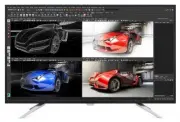


 Philips BDL4245E Manual
 Philips BDL4620QL Manual
 Philips BDL5520QL Manual
 Philips BDL5551EL Manual
 Philips BDL5588XC/00 User Manual
 Philips BDL9870EU/00 User Manual
 Philips BDP2100 Manual
 Philips BDP2180 Manual
 Philips BDP2385/12 User Manual
 Philips BDP2500 Manual
 Philips BDP2500/12 Manual
 Philips BDP2600 Manual