Philips AJ100/37 - Quick Guide
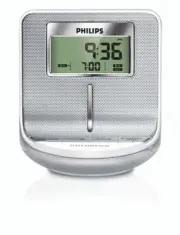
Philips AJ100/37 – Quick Guide, read for free online in PDF format. We hope this helps you resolve any issues you may have. If you have further questions, please contact us through the contact form.


AJ100
Clock Radio
QUICK START
MISE EN SERVICE RAPIDE
INICIO RÁPIDO
Thanks for buying
Philips AJ100 clock radio
.
Our
Quick Star t
guides you through just some of the features on the set.
Please read our instruction booklet to really rise & shine!
ENGLISH
Quick start as easy as ABC!
Step
A
•
Connect the supplied mains adapter to the
set’s 7.5V DC jack and the plug into a wall
outlet.
Step
B
How to set the Clock & Alarm time
1
.
Check the radio is switched off.
2
.
Press and hold
SET TIME
/
SET AL
/
SET AL
.
3
.
Press and hold
HR+
/
MIN+
.
4
.
Press
SET TIME
/
SET AL
/
SET AL
.
Step
C
Selecting the Alarm mode
Press briefly:
•
ALARM
once for radio
or /and
•
ALARM
once for buzzer.
Helpful hints:
–
If you have selected ALARM
, make sure you
have properly tuned to a station before turning
off the set (See TUNING TO RADIO
STATIONS)
.
3
ways to switch off the alarm
•
Either press briefly:
ALARM RESET/SLEEP
or
REPEAT ALARM
/
BRIGHTNESS CONTROL
.
•
Press
ALARM
or
ALARM
Radio
1
.
Press
RADIO ON/OFF
once to switch on the
radio.
2
.
Press
TUNING +/-
one second or more to tune
to your station.
•
To store a preset, hold down briefly on a
PRESET
button
1-5
until you hear a double beep.
DC 7.5V
A
R
B
C/3
3
AJ100_37-QSG
11/12/06, 17:13
1
"Loading the manual" means you need to wait until the file loads and becomes available for online reading. Some manuals are very large, and the time they take to appear depends on your internet speed.


