Philips AECS7000E/00 - User Manual
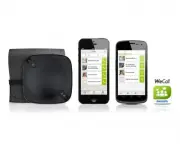
Philips AECS7000E/00 – User Manual, read for free online in PDF format. We hope this helps you resolve any issues you may have. If you have further questions, please contact us through the contact form.


Table of Contents:
- Page 3 – Contents
- Page 4 – Important; Important safety information; About replacement of parts/accessories; Notice
- Page 6 – Introduction; What’s in the box
- Page 7 – Product overview
- Page 8 – Get started; Charge the WeCall speaker; Turn on the WeCall speaker; Connect the WeCall speaker; enabled device
- Page 9 – Option 2: Connect through USB
- Page 10 – Use as a speaker phone; Use together with the WeCall
- Page 11 – Use as a Bluetooth or PC
- Page 13 – Product
- Page 14 – Troubleshooting
www.philips.com/welcome
User manual
Always there to help you
Register your product and get support at
AECS7000E
Question?
Contact
Philips
"Loading the manual" means you need to wait until the file loads and becomes available for online reading. Some manuals are very large, and the time they take to appear depends on your internet speed.
Was this manual helpful?
About this manual
- Brand
- Philips
- Model
- AECS7000E/00
- Document type
- User Manual
- Language(s)
- English
- Pages
- 16
- File size
- 1.9 MB
- Format
Summary
1 English EN Contents Contents 1 Important 2 Impor tant safety information 2 Notice 2 2 Your WeCall speaker 4 Introduction 4 What’s in the box 4 Product over view 5 3 Get started 6 Charge the WeCall speaker 6 Turn on the WeCall speaker 6 Connect the WeCall speaker 6 4 Use the WeCall speaker 8 Use as...
2 EN 1 Important Important safety information The translation of this document is for reference only.In the event of any inconsistency between the English version and the translated version, the English version takes precedence. • Follow all instructions. • Heed all warnings. • Do not use this devic...
4 EN 2 Your WeCall speaker To fully benefit from the suppor t that Philips offers, register your product at www.philips. com/welcome. Introduction This Bluetooth conference speaker (WeCall speaker) allows you to: • connect to a Bluetooth enabled smar tphone and make a mobile or VoIP call directly th...
Ask a question
Related manuals
Popular Philips Other


More Philips Other models
 Philips AE5900 Manual
 Philips AE6565/00 Manual
 Philips AE6775 Manual
 Philips AEA2000 Manual
 Philips AEA2700/12 User Manual
 Philips AEA7000/07 User Manual
 Philips AIS6020/70 User Manual
 Philips AIS8530/20 User Manual
 Philips AJ100/37B Manual
 Philips AJ260 Manual
 Philips AJ260/37 User Manual
 Philips AJ1000 Manual