Philips 86BDL4152E/00 - Quick Guide
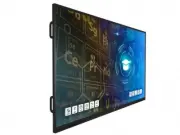
Philips 86BDL4152E/00 – Quick Guide, read for free online in PDF format. We hope this helps you resolve any issues you may have. If you have further questions, please contact us through the contact form.


1
2
LCD display
Remote Control
and AAA Batteries Quick start guide
Unboxing
Input/Output Terminals
3
Connection
Contents
X2
X4
65” 75” 86”
HDMI 2 IN
HDMI OUT
HDMI 1 IN
RS232
IN
RS232
OUT
SPDIF
USB-C 1
USB-B 1
USB 3.0
USB 3.0
* Differences according to regions.
Display design and accessories may differ from those illustrated above.
X2
a
b c
Philips logo
plate
Power Cord
Touch pen
Touch USB
Cleaning
cloth
AC Switch
Cover
Touch USB
c
HDMI
b
AC IN
a
Signage Display
4000 Series
65BDL4152E
75BDL4152E
86BDL4152E
EXPANSION
SLOT
RJ45
OUT
RJ45
IN
MICRO
USB
AUDIO
OUT
IR-OUT
IR-IN
CRD32 Wi-Fi module
"Loading the manual" means you need to wait until the file loads and becomes available for online reading. Some manuals are very large, and the time they take to appear depends on your internet speed.


