Philips 55PML9308/12 - User Manual
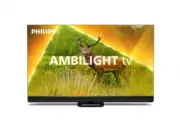
Philips 55PML9308/12 – User Manual, read for free online in PDF format. We hope this helps you resolve any issues you may have. If you have further questions, please contact us through the contact form.


Table of Contents:
- Page 2 – Content
- Page 4 – Overview
- Page 7 – Key Overview
- Page 11 – Instructions; Tips on Placement
- Page 12 – On or Standby
- Page 13 – HDMI
- Page 16 – USB Flash Drive
- Page 20 – Switch Channels; Antenna and Cable
- Page 22 – Satellite
- Page 30 – and Music; View Photos
- Page 32 – Menus; Frequent Settings; Picture Settings
- Page 35 – Sound Settings
- Page 38 – Channels
- Page 39 – General Settings
- Page 41 – Universal Access Settings
- Page 44 – Bar
- Page 45 – Networks; Wireless Connection; Settings
- Page 47 – Apps
- Page 53 – Video
- Page 57 – Update
- Page 59 – Number; Conformity
- Page 60 – Resolution
- Page 65 – Language
- Page 66 – Stability Hazards
- Page 69 – Atmos
- Page 76 – Index
Register your product and get support at
www.philips.com/TVsupport
User Manual
55PML9308
65PML9308
9308
Series
"Loading the manual" means you need to wait until the file loads and becomes available for online reading. Some manuals are very large, and the time they take to appear depends on your internet speed.
Was this manual helpful?
Helpful for 3 of 3 readers
About this manual
- Brand
- Philips
- Model
- 55PML9308/12
- Document type
- User Manual
- Language(s)
- English
- Pages
- 78
- File size
- 1.7 MB
- Format
Other Manuals for Philips 55PML9308/12
Summary
Content 1 Home Screen Overview 4 2 Get Support 5 2.1 Identify and Register your TV 5 2.2 TV Help and User Manual 5 2.3 TV Diagnose and Self-diagnose 5 2.4 Consumer Care / Repair 5 3 Quick Guide 7 3.1 Remote Control 7 3.2 IR sensor 10 3.3 Batteries and Cleaning 10 3.4 Joystick - Local Control 10 4 Se...
1. Home Screen Overview To enjoy the benefits of your Smart TV, connect the TV to the Internet. Press (Home) on your remote control to get your Home screen. Like on your smartphone or tablet, the Home screen is the centre of your TV. From the Home screen you can decide what to watch by browsing en...
3. Quick Guide 3.1. Remote Control Key Overview Top (Type 1) 1 - Standby / On To switch the TV on or back to Standby. 2 - AMBILIGHT To select one of the Ambilight style. 3 - To launch the Amazon prime video App. 4 - To open the Netflix App directly. With the TV switched on or from standby.• If...
Ask a question
Related manuals
Popular Philips Other


More Philips Other models
 Philips 55PML8709/12 User Manual
 Philips 55PML9008/12 Quick Guide
 Philips 55PML9009/12 User Manual
 Philips 55PML9019/12 User Manual
 Philips 55PML9049/12 User Manual
 Philips 55PML9059/12 User Manual
 Philips 55PML9507/12 Quick Guide
 Philips 55POS901F/12 User Manual
 Philips 55POS9002/12 Quick Guide
 Philips 55PP 9352 Manual
 Philips 55PP9501 Manual
 Philips 55PUH4900/88 Quick Guide