Page 2 - Content
Content 1 OLED Screen Care 4 2 Home Screen Overview 6 3 Get Support 7 3.1 Identify and Register your TV 7 3.2 TV Help and User Manual 7 3.3 TV Diagnose and Self-diagnose 7 3.4 Consumer Care / Repair 7 4 Quick Guide 9 4.1 Remote Control 9 4.2 Pair Your Remote Control to TV 10 4.3 IR sensor 11 4.4 Bat...
Page 6 - Overview
2. Home Screen Overview To enjoy the benefits of your Smart TV, connect the TV to the Internet. Press (Home) on your remote control to get your Home screen. Like on your smartphone or tablet, the Home screen is the centre of your TV. From the Home screen you can decide what to watch by browsing en...
Page 9 - Key Overview
4. Quick Guide 4.1. Remote Control Key Overview TopThe feature of Hidden keys Hidden keys will be appeared to extend more control functions while pressing the 123 key . The 123 key is on middle of remote control, which is used to turn on/off hidden keys mode. When hidden key mode is turned on, the n...
Page 10 - to TV
To open Subtitle page. Long press to open or close Text/Teletext. 11 - TV ( ) / EXIT To switch back to watch TV or to stop an interactive TV application. However, it might not work on some applications; behaviour is dependent on third party TV apps. This key will be changed to Number key 0 after 1...
Page 11 - Top Box
Once the remote control is paired, you can check the current remote control software version. (Home) > Settings > Wireless & network > Remote control > Update remote control software Check available remote control software for updates. 4.3. IR sensor The TV can receive commands fro...
Page 13 - Instructions; Tips on Placement
5. Setting Up 5.1. Read the Safety Instructions Please read the safety instructions before you use the TV.To read the instructions, in Help > User manual , press the colour key Keywords and look up Safety and Care . 5.2. TV Placement Tips on Placement • Position the TV where light does not shin...
Page 14 - On or Standby
Although this TV has a very low standby power consumption, unplug the power cable to save energy if you do not use the TV for a long period of time. On or Standby Before you switch on the TV, make sure you plugged in the mains power in the POWER connector on the back of the TV. Switch On Press the s...
Page 15 - HDMI
6. Connections 6.1. Connectivity guide Always connect a device to the TV with the highest quality connection available. Also, use good quality cables to ensure a good transfer of picture and sound.When you connect a device, the TV recognizes its type and gives each device a correct type name. You ca...
Page 18 - USB Storage Device
6.7. Other Device CAM with Smart Card - CI+ About CI+ This TV is ready for the CI+ Conditional Access.With CI+ you can watch premium HD programmes, like movies and sports, offered by digital TV operators in your region. These programmes are scrambled by the TV operator and descrambled with a prepaid...
Page 22 - Switch Channels; Antenna and Cable
8. Channels 8.1. About Channels and Switch Channels To watch TV channels • Press . The TV tunes to the TV channel you last watched. • Press (Home) > TV > Channels and press OK . • Press + or - to switch channels. • If you know the channel number, type in the number with the number keys...
Page 24 - Satellite
shown briefly. You can redo these steps until you have found all available analogue TV channels. Satellite Search for Satellite and Satellite Settings (Home) > Settings > Channels > Satellite installation > Search for satellite Reinstall all channels (Home) > Settings > Channel...
Page 25 - Channel List Copy
will invite you to install its satellite(s) and channels. These CAMs not only install and descramble the channels but also handle regular channel updates. Operator Apps HD+ OpApp HD+ OpApp HD+ OpApp* is an app provided by HD+ for Germany users that can run a virtual set-top box on TV. The app has th...
Page 26 - Channel Options
1 - Verify the country setting of the TV. (To verify this setting, see Reinstall channels section. Start this procedure until you reach the country setting. Press Back to cancel the installation.) If the country is correct continue with step 2. If the country is not correct, you need to start a re...
Page 27 - Open Channel List
Channel Info Select Channel info to view the technical information of the channel.To call up the details of the selected channel… 1 - Tune to the channel. 2 - Press OPTIONS , select Channel info and press OK to open the channel info. 3 - Press OPTIONS again or press Back to close the channel i...
Page 32 - Play
10. Freeview Play (for UK models) 10.1. About Freeview Play To enjoy Freeview Play* , you need to connect your TV to Internet first.Freeview Play offers:• Watch TV programmes you missed from the last seven days. • Watch live TV and on demand, all in one place without entering an app, you can search ...
Page 33 - and Music; View Photos
11. Videos, Photos and Music 11.1. From a USB Connection You can view your photos or play your music and videos from a connected USB flash drive or USB Hard Drive.With the TV switched on, plug in a USB flash drive or a USB Hard Drive to one of the USB connections.Press SOURCES , then select USB, y...
Page 35 - Menus; Frequent Settings; Picture Settings
12. Open TV Setting Menus 12.1. Quick Menu and Frequent Settings Press Quick Menu/MENU key on the remote control to find the Quick Menu , then press the arrows (Left) to find the Frequent settings . * Note: the options on Quick menu and Frequent settings may vary depending on different product f...
Page 39 - Screen Settings
Select one of the motion styles to have different viewing experience on motion video. ( Off , Pure Cinema , Movie , Standard , Smooth , Personal ) Not available for below cases:• Settings > Display and sound > Picture > Picture style / AI Picture style > Monitor • Settings > Displ...
Page 40 - Sound Settings
displayed. Displaying a still image for a prolonged period of time may cause an image sticking. This phenomenon is normal character for OLED panel. Avoid displaying a fixed image on the TV screen for an extended length of time. Auto pixel shift (Home) > Settings > Screen > OLED Screen Set...
Page 44 - Ambilight
the video. Select Off if a sound delay is set on your Home Theatre System. Digital out offset (Only available when Digital outdelay set to On) (Home) > Settings > Sound > Advanced > Digital out offset • If you cannot set a delay on the Home Theatre System, you can set the TV to sync th...
Page 46 - Wireless and Networks
• Slowly transit to weather forecast with matching backdrop. To enter the Sunrise alarm setting menu: 1 - Press Quick Menu/MENU key to open Quick Menu . 2 - Select Sunrise alarm and press OK to open it. - Alarm : set multiple alarms up to 5, for repeat/select days, On/Off settings. - Backdrop : fo...
Page 48 - General Settings
If you have more than one TV in your home network, you can give the TV a unique name. Terms of use (Home) > Settings > General settings > Terms of use You can view the contents of Terms of use, which is displayed when you first time to connect your TV to the Internet. Privacy settings (...
Page 52 - Region and Language Settings
App lock (Home) > Settings > Child lock > App lock You can lock apps unsuited for children. The App lock will ask for a PIN code when you try to start an 18+ rated app. This lock is only valid for 18+ rated apps from the Philips apps. Region and Language Settings Language (Home) > Se...
Page 54 - Bar
13. Gaming Control Bar The Gaming control bar is an integrated centre for information display and setting control while playing game. It is applicable for HDMI source as long as the Picture style is set to Game/HDR Game/Dolby Vision Game . When TV auto switch to Game mode (via game detection), the T...
Page 55 - Apps
14. Smart TV and Apps 14.1. Setup Smart TV The first time you open Smart TV, you need to configure your connection. Read and agree to the terms and conditions to continue.The Smart TV Home screen is your link to the Internet. You can rent movies online, read newspapers, watch videos and listen to mu...
Page 57 - Video
16. Amazon Prime Video With an Amazon prime membership, you gain access to thousands of popular movies and TV show, including exclusive Prime Originals.Press the key to open the Amazon Prime Video app. Your TV must be connected to the Internet to use the app. For more information about Amazon Prim...
Page 61 - Update
20. Software 20.1. Update Software Search for Updates Update from Internet (Home) > Settings > Update software > Search for updates > Internet (Recommended) Look for a software update yourself.• If the TV is connected to the Internet, you may receive a message to update the TV software...
Page 63 - Number
21. Environmental 21.1. European Energy Label The European Energy Label informs you on the energy efficiency class of this product. The greener the energy efficiency class of this product is, the lower the energy it consumes. On the label, you can find the energy efficiency class, the average power ...
Page 64 - Resolution
22. Specifications 22.1. Power Product specifications are subject to change without notice. For more specification details of this product, see www.philips.com/TVsupport Power • Mains power : AC 220-240V +/-10% • Ambient temperature : 5°C to 35°C 22.2. Reception • Aerial input : 75 ohm coaxial (IEC7...
Page 69 - Language
up HDMI Ultra HD . • If there are intermittent sound disruptions, make sure that output settings from the HDMI device are correct. HDMI EasyLink does not work • Check if your HDMI devices are HDMI-CEC compatible. EasyLink features only work with devices that are HDMI- CEC compatible. HDMI eARC is no...
Page 70 - Stability Hazards
24. Safety and Care 24.1. Safety Important Read and understand all safety instructions before you use the TV. If damage is caused by failure to follow instructions, the warranty does not apply. Risk of Electric Shock or Fire • Never expose the TV to rain or water. Never place liquid containers, such...
Page 74 - Atmos
26.7. Dolby Vision and Dolby Atmos Dolby, Dolby Vision, Dolby Atmos, Dolby Audio, and the double-D symbol are registered trademarks of Dolby Laboratories Licensing Corporation. Manufactured under license from Dolby Laboratories. Confidential unpublished works. Copyright © 2012–2022 Dolby Laboratorie...
Page 80 - Index
Index A Advanced Ambilight Settings 45 Advanced Sound Settings 43 AI Equalizer 40 AI Picture Style 35 Alexa 59 Ambient colour temperature optimisation 38 Ambient Dark Detail Optimisation 37 Ambient Intelligence 36 Ambient Light Level Optimisation 37 Ambilight 44 Ambilight Personalisation 44 Ambiligh...
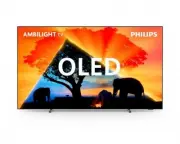


 Philips 55OLED705/12 User Manual
 Philips 55OLED706/12 User Manual
 Philips 55OLED707/12 User Manual
 Philips 55OLED708/12 User Manual
 Philips 55OLED718/12 User Manual
 Philips 55OLED754/12 User Manual
 Philips 55OLED769/12 User Manual
 Philips 55OLED803/12 User Manual
 Philips 55OLED804/12 User Manual
 Philips 55OLED805/12 User Manual
 Philips 55OLED806/12 User Manual
 Philips 55OLED807/12 User Manual