Philips 52PFL5704D/F7 - User Manual
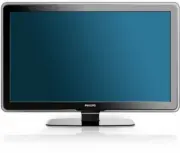
Philips 52PFL5704D/F7 – User Manual, read for free online in PDF format. We hope this helps you resolve any issues you may have. If you have further questions, please contact us through the contact form.


Table of Contents:
- Page 3 – Contents
- Page 4 – Return your Product Registration Card or register online at; Dear PHILIPS product owner:; Know these; safety; symbols; To reduce the risk of fire or; ATTENTION; *Additional Benefits
- Page 5 – Note to the CATV system installer:
- Page 6 – Notice
- Page 7 – Environmental care; Regulatory notices; Important; For further assistance; Product information
- Page 8 – Remote control; Your; Side controls and indicators
- Page 10 – Insert the remote control batteries; Connect the antenna or cable; Get started; Position the TV; Use a Kensington lock
- Page 11 – Disconnect the TV from the power outlet; Manage cables; Connect the power cord
- Page 12 – Switch on and set up the TV; Thank you for your purchase of this PHILIPS TV.
- Page 13 – Adjust volume; Use your; Switch your TV on/off or to standby; Switch channels
- Page 15 – Change picture settings by using the settings assistant; Use more of your TV; Use the quick access menu; Change picture and sound settings; Change picture settings
- Page 16 – Summary of picture settings; Change picture format
- Page 17 – Set the clock; Set the time automatically; Summary of sound settings; Create and use lists of favorite channels; Select a list of favorite channels
- Page 18 – Use child control and rating locks; Set or change your PIN
- Page 19 – Summary of TV ratings; Use the movie ratings lock; Use the TV ratings lock
- Page 20 – Use the region ratings lock
- Page 22 – View your pictures on a USB device; View photos and play music on a USB device; Connect a USB storage device
- Page 23 – Use your TV in HD mode
- Page 24 – Use Philips EasyLink; Activate Master EasyLink; Use the demo mode; Use your TV as a PC monitor; Supported screen resolutions
- Page 25 – Install channels; Set your location to home
- Page 26 – Uninstall and reinstall channels
- Page 27 – Download the software; Update your TV software; Prepare for the software upgrade
- Page 28 – Side connectors; Connect devices; Connection overview; Back connectors
- Page 29 – Composite - Basic quality; Label your connections; Select your connection quality; HDMI - Highest quality
- Page 30 – Connect your devices
- Page 31 – Connect a set-top box via a composite connector
- Page 33 – Download an electronic copy; 0 Troubleshooting
- Page 35 – Power; 2 Product information; Picture enhancement; Sound enhancement; Ease of use; Connections
- Page 36 – 3 Warranty; LIMITED WARRANTY
- Page 39 – LEA CUIDADOSAMENTE ESTE INSTRUCTIVO
52PFL5704D
47PFL5704D
42PFL5704D
52PFL3704D
47PFL3704D
Register your product and get support at
www.philips.com/welcome
EN:
For fur ther assistance, call the customer suppor t ser vice in your countr y.
•
To obtain assistance in the U.S.A., Puer to Rico, or the U.S. Virgin Islands, contact Philips
Customer Care Center at 1-866-771-4018
•
To obtain assistance in Canada, contact Philips Customer Care Center at:
•
1-800-661-6162 (French speaking)
•
1-866-771-4018 (English speaking)
•
To obtain assistance in Mexico, contact Philips Customer Care Center at 01 800 504 6200
Enter below the model and serial numbers located on the back and right side of the TV cabinet.
FR:
Pour obtenir de l’aide supplémentaire, communiquez avec le centre de ser vice à la clientèle de
votre pays.
•
Pour obtenir de l’aide aux États-Unis, à Puer to Rico ou aux Îles Vierges américaines,
communiquez avec le centre de ser vice à la clientèle Philips au : 1-866-771-4018
•
Pour obtenir de l’aide au Canada, communiquez avec le centre de ser vice à la clientèle Philips
au :
•
1-800-661-6162 (pour un ser vice en français)
•
1-866-771 4018 (pour un ser vice en anglais)
•
Pour obtenir l’aide au Mexique, entrez en contact avec le centre de soin de client de Philips à
01 800 504 6200
Entrer ci dessous le modèle et le numéro de série situés dérrière à droite sur le dos du téléviseur.
ES:
Para obtener más información, llame al ser vicio de sopor te al cliente de su país.
•
Para obtener asistencia en los Estados Unidos, Puer to Rico o en las Islas Vírgenes de los
Estados Unidos, comuníquese con Centro de atención al cliente de Philips al 1-866-771-4018
•
Para obtener asistencia en Canadá, comuníquese con Philips Customer Care Center al:
•
1-800-661-6162 (en francés)
•
1-866-771-4018 (en inglés)
•
Solo para Mexico CENTRO DE ATENCIÓN A CLIENTES LADA. 01 800 504 6200 Solo
Para México.
Escriba a continuación el modelo y número de serie que estan localizados en lado derecho y par te
posterior de el gabinete de el televisor.
Model / Modèle / Modelo :
Serial / Série / Serie:
EN
User manual
FR
Manuel d’utilisation
ES
Manual del usuario
"Loading the manual" means you need to wait until the file loads and becomes available for online reading. Some manuals are very large, and the time they take to appear depends on your internet speed.
Other Manuals for Philips 52PFL5704D/F7
Summary
1 Label your connections 27 Connect your devices 28 10 Troubleshooting 31 11 Notes for the use of USB devices 32 12 Product information 33 13 Warranty 34 14 Index 35 Contents 1 Notice 4 2 Important 5 Product information 5 Screen care 5 Environmental care 5 3 Your TV 6 Side controls and indicators 6 ...
2 Registering your model with PHILIPS makes you eligible for all of the valuable benefits listed below, so don't miss out.Complete and return your Product Registration Card at once, or register online at www.philips.com/welcome to ensure: Return your Product Registration Card or register online at w...
3 IMPORTANT SAFETY INSTRUCTIONS Read before operating equipment 1. Read these instructions.2. Keep these instructions.3. Heed all warnings.4. Follow all instructions.5. Do not use this apparatus near water.6. Clean only with a dry cloth.7. Do not block any of the ventilation openings. Install in acc...


