Philips 42M2N8900/27 - Quick Guide
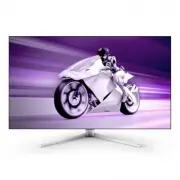
Philips 42M2N8900/27 – Quick Guide, read for free online in PDF format. We hope this helps you resolve any issues you may have. If you have further questions, please contact us through the contact form.

Resolution
3840X2160
60Hz
HDMI 1
Off
Standard
Refresh Rate
Input Source
Adaptive Sync
SmartImage
Select
Console Mode
Standard
FPS
Racing
RTS
Movie
LowBlue Mode
Brightness
Contrast
SmartContrast
Gamma
Sharpness
sRGB
Color Temperature
90
50
Off
2.2
50
Off
6500K
Game Mode
Input
Audio
System
Setup
Close
OK
Close
Ambiglow
SmartImage
Resolution
3840X2160
60Hz
HDMI 1
Off
Standard
Refresh Rate
Input Source
Adaptive Sync
SmartImage
Select
Console Mode
Standard
FPS
Racing
RTS
Movie
LowBlue Mode
Brightness
Contrast
SmartContrast
Gamma
Sharpness
sRGB
Color Temperature
90
50
Off
2.2
50
Off
6500K
Game Mode
Input
Audio
System
Setup
Close
OK
Close
Ambiglow
SmartImage
4
5
1
2
*DP
*HDMI
CAUTION: Place the monitor face down on a smooth surface.
Pay attention not to scratch or damage the screen.
Quick start
Contents
Display design may differ from that illustrated
*Different according to region
42M2N8900
2022 © TOP Victory Investments Ltd. All rights reserved.
This product has been manufactured by and is sold under the
responsibility of Top Victory Investments Ltd., and Top Victory
Investments Ltd. is the warrantor in relation to this product.
Philips and the Philips Shield Emblem are registered trademarks
of Koninklijke Philips N.V. and are used under license.
Speci�cations are subject to change without notice.
Version: 42M2N8900Q1T
Register your product and get support at
FAQ
Software
SmartControl
User
Manual
www.philips.com/support
Printed in China
F41G42M1813-1A----
Energy Labelling
42M2N8900
PIP
B
A
(main)
SWAP
A
B
(main)
SWAP
PBP
B
(main)
A
(main)
B
A
Inputs
HDMI 1 HDMI 2 DisplayPort
HDMI 1
HDMI 2
DisplayPort
USBC
SUB SOURCE POSSIBILITY (xl)
MAIN SOURCE
(xl)
●
●
●
●
●
●
●
●
USBC
●
●
●
●
●
●
●
●
120mm
* USB A-B
The terms HDMI, HDMI High-De�nition Multimedia
Interface, HDMI Trade Dress and the HDMI Logos
are trademarks or registered trademarks of HDMI
Licensing Administrator, Inc.
*USB C-C/A
*USB C-C
*USB C-A
15°
-5°
SmartImage
Resolution
3840X2160
60Hz
HDMI 1
Off
Standard
Refresh Rate
Input Source
Adaptive Sync
SmartImage
Select
HDMI Refresh Rate
OSD Setting
PIP/ PBP
Smart Size
USB Setting
Smart Power
Over Scan
USB-C Setting
USB Standby Mode
KVM
High Resolution
Off
Auto
Game Mode
Ambiglow
Input
Audio
System
Setup
Close
Auto
USB C
USB Up
OK
Back
Register your product and get support at
www.philips.com/welcome
-20°
+20°
USB A-C
a-1
a-2
USB hub
Power
www.evnia.philips
Quick start
42M2N8900
Register your product and get support at
www.philips.com/welcome
VESA Bracket
4
1
3
2
Fast Charger
USB C-C
a-1
a-2
USBC
a
b
OR
USB Type-C
USBC
a
b
USB Type-A
OR
KVM
PC1
PC2
HDMI 1
HDMI 2
USB UP
USBC
USB USB
PC1/PC2
2
USB A-B
1
3
Console Mode
Standard
FPS
Racing
RTS
Movie
LowBlue Mode
EasyRead
Economy
Game1
Game2
OK
SmartImage
GAME
HDR Game
HDR Movie
HDR Vivid
Personal
Off
OK
HDR
SmartImage
HDR
Input
HDMI 1
HDMI 2
DisplayPort
USB C
OK
SmartImage
Resolution
3840X2160
60Hz
HDMI 1
Off
Standard
Refresh Rate
Input Source
Adaptive Sync
SmartImage
Select
Console Mode
Standard
FPS
Racing
RTS
Movie
LowBlue Mode
Brightness
Contrast
SmartContrast
Gamma
Sharpness
sRGB
Color Temperature
90
50
Off
2.2
50
Off
6500K
Game Mode
Input
Audio
System
Setup
Close
OK
Close
Ambiglow
SmartImage
Resolution
3840X2160
60Hz
HDMI 1
Off
Standard
Refresh Rate
Input Source
Adaptive Sync
50
SmartImage
Select
Console Mode
Standard
FPS
Racing
RTS
Movie
LowBlue Mode
Brightness
Contrast
SmartContrast
Gamma
Sharpness
sRGB
Color Temperature
90
50
Off
2.2
50
Off
6500K
Game Mode
Input
Audio
System
Setup
Close
OK
Back
SmartImage
Resolution
3840X2160
60Hz
HDMI 1
Off
Standard
Refresh Rate
Input Source
Adaptive Sync
SmartImage
Adaptive Sync
Crosshair
Dynamic DarkBoost
SharpShooter
Low Input Lag
SmartFrame
Adaptive Sync On
Adaptive Sync Off
Game Mode
Input
Audio
System
Setup
Close
Ambiglow
Select
OK
Back
Ambiglow
SmartImage
Resolution
3840X2160
60Hz
HDMI 1
Off
Standard
Refresh Rate
Input Source
Adaptive Sync
SmartImage
Select
Console Mode
Standard
FPS
Racing
RTS
Movie
LowBlue Mode
Brightness
Contrast
SmartContrast
Gamma
Sharpness
sRGB
Color Temperature
90
50
Off
2.2
50
Off
6500K
Game Mode
Input
Audio
System
Setup
Close
OK
Close
Ambiglow
*Remote control
Batteries AAA R03 1.5V
Screw and screwdriver
M4-10 x 4
M5-20 x 2
"Loading the manual" means you need to wait until the file loads and becomes available for online reading. Some manuals are very large, and the time they take to appear depends on your internet speed.


