Philips 34M2C6500AM/00 - User Manual
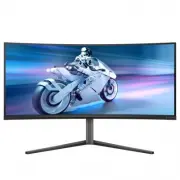
Philips 34M2C6500AM/00 – User Manual, read for free online in PDF format. We hope this helps you resolve any issues you may have. If you have further questions, please contact us through the contact form.


Table of Contents:
- Page 2 – Table of Contents; Safety precautions and; AMD FreeSyncTM Premium; Philips’ Panel Monitors Pixel
- Page 5 – Notational Descriptions
- Page 7 – monitor; Package contents; *Different according to region
- Page 9 – Operating the monitor
- Page 12 – Swivel; Height adjustment; Remove the Base Assembly
- Page 16 – Image Optimization
- Page 19 – Compatible
- Page 20 – Premium Pro
- Page 21 – How to enable Ambiglow
- Page 22 – Rearrange your displays.
- Page 23 – Screen maintenance; • Screen Saver; that you always turn on Pixel Orbiting to protect the screen.
- Page 24 – reaches 16 hours, the screen will refresh automatically.; Compulsory execution message; Note
- Page 25 – LED Indicator; Status
- Page 26 – Ideal working posture
- Page 27 – Technical Specifications; VESA Certified DisplayHDRTM True Black 400
- Page 32 – Power Management; Power Management Definition; Off mode
- Page 33 – Philips’ Panel Monitors; Sub pixels; Pixels and Sub pixels
- Page 37 – FAQs; Troubleshooting; Common Problems
"Loading the manual" means you need to wait until the file loads and becomes available for online reading. Some manuals are very large, and the time they take to appear depends on your internet speed.
Summary
Table of Contents 1. Important ...................................... 1 1.1 Safety precautions and maintenance ..................................1 1.2 Notational Descriptions ..............3 1.3 Disposal of product and packing material ............................................4 2. Setting up the ...
3 • “Burn-in”, “after-imaging”, or “ghost imaging” is a well-known phenomenon in QD OLED panel technology. In most cases, the “burn-in”, “after-imaging” or “ghost imaging” will disappear gradually over some time after the power has been switched off. Warning It is highly recommended that you always ...
5 2. Setting up the monitor 2.1 Installation 1 Package contents *DP *HDMI *USB A-B Screw M4 x 4 VESA Bracket Power Quick Start 34M2C6500AM Register your product and get support at www.philips.com/welcome *Different according to region 2 Install the base 1. To well protect this monitor and avoid scra...


