Philips 34B2U5600C/00 - User Manual
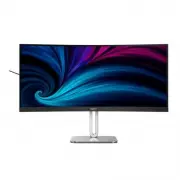
Philips 34B2U5600C/00 – User Manual, read for free online in PDF format. We hope this helps you resolve any issues you may have. If you have further questions, please contact us through the contact form.


Table of Contents:
- Page 2 – Table of Contents; Safety precautions and; Technical Specifications; Philips’ Flat Panel Displays Pixel
- Page 5 – Notational Descriptions
- Page 6 – Waste Electrical and Electronic
- Page 7 – monitor; screw located at the bottom of
- Page 8 – Power Switch
- Page 10 – Operating the monitor; This hot key allows you to setup your; OSD Settings; Now you can press the hotkey directly on
- Page 12 – Tilt
- Page 13 – MultiClient Integrated KVM; Users are now able to switch between
- Page 14 – Note
- Page 15 – Inputs; MAIN
- Page 16 – • PIP Position; Remove the Base Assembly
- Page 18 – Image Optimization
- Page 19 – How to enable LightSensor?; OK
- Page 24 – Adaptive Sync
- Page 25 – Connectivity
- Page 31 – Philips’ Flat Panel Displays; subpixel; Pixels and Sub pixels
- Page 35 – FAQs; Troubleshooting; Common Problems
- Page 36 – * Functionality is different according to
Curved Business
Monitor
5000
Series
Register your product and get support at www.philips.com/welcome
EN
User manual
1
Customer care and warranty
41
Troubleshooting and FAQs
45
34B2U5600C
"Loading the manual" means you need to wait until the file loads and becomes available for online reading. Some manuals are very large, and the time they take to appear depends on your internet speed.
Was this manual helpful?
About this manual
- Brand
- Philips
- Model
- 34B2U5600C/00
- Document type
- User Manual
- Language(s)
- English
- Pages
- 40
- File size
- 6.5 MB
- Format
Summary
Table of Contents 1. Important ����������������������������������������� 1 1.1 Safety precautions and maintenance ...................................1 1.2 Notational Descriptions ................3 1.3 Disposal of product and packing material .............................................4 2� Setting ...
3 also known as “after-imaging” or “ghost imaging”, on your screen. • “Burn-in”, “after-imaging”, or “ghost imaging” is a well-known phenomenon in LCD panel technology. In most cases, the “burn-in”, “after-imaging” or “ghost imaging” will disappear gradually over some time after the power has been s...
4 1.3 Disposal of product and packing material Waste Electrical and Electronic Equipment-WEEE This marking on the product or its packaging illustrates that, under European Directive 2012/19/EU governing used electrical and electronic appliances, this product may not be disposed with normal household...
Ask a question
Related manuals
Popular Philips Other


More Philips Other models
 Philips 32PT6441/37 Manual
 Philips 32PT6441/37, 26PW6341/37, 30PW6341/37 Manual
 Philips 32PW978B Manual
 Philips 32PW6305 Manual
 Philips 34B1U5600CH/00 User Manual
 Philips 34B2U3600C/00 User Manual
 Philips 34B2U6603CH/00 User Manual
 Philips 34E1C5600HE/00 User Manual
 Philips 34E1C5600HE/01 User Manual
 Philips 34M1C5500VA/00 User Manual
 Philips 34M2C3500L/00 User Manual
 Philips 34M2C3500L/01 Installation Manual