Page 2 - Table of Contents; Safety precautions and
Table of Contents 1. Important ....................................... 1 1.1 Safety precautions and maintenance .................................. 1 1.2 Notational Descriptions ............. 31.3 Disposal of product and packing material ........................................... 4 2. Setting up the...
Page 3 - Warnings
1 1. Important 1. Important This electronic user’s guide is intended for anyone who uses the Philips monitor. Take time to read this user's manual before you use your monitor. It contains important information and notes regarding the operation of your monitor. The Philips guarantee applies provided ...
Page 4 - Maintenance
2 1. Important • Excessive usage of monitor can cause eye discomfort, it’s better to take shorter breaks more often at your workstation than longer breaks and less often; for example a 5-10 minute break after 50-60-minute continuous screen use is likely to be better than a 15-minute break every two ...
Page 5 - Notational Descriptions; Notes, Cautions and Warnings
3 1. Important phenomenon in LCD panel technology. In most cases, the “burned in” or “after-imaging” or “ghost imaging” will disappear gradually over a period of time after the power has been switched off. Warning Failure to activate a screen saver, or a periodic screen refresh application may resul...
Page 6 - Setting up the monitor; Disposal of product and
4 2. Setting up the monitor 1.3 Disposal of product and packing material Waste Electrical and Electronic Equipment-WEEE This marking on the product or on its packaging illustrates that, under European Directive 2012/19/EU governing used electrical and electronic appliances, this product may not be d...
Page 7 - monitor; Package contents; P V; Note
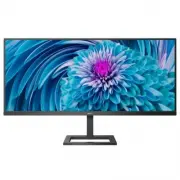
5 2. Setting up the monitor 2. Setting up the monitor 2.1 Installation Package contents Stand/Base Register your product and get support at www.philips.com/welcome Quick Start E Line 343E2E * HDMI * CD * DP AC/DC Adapter 2 0 20 © T O P V ic to ry In ve stm en t L td. A ll rig hts r eserv ed. Un auth...
Page 8 - Connecting to your PC; Operating the monitor; Description of the control button
6 2. Setting up the monitor Connecting to your PC 4 3 6 5 2 1 7 1 Kensington anti-theft lock 2 Audio out 3 USB Type C input 4 DisplayPort input 5 HDMI 2 input 6 HDMI 1 input 7 AC/DC power input Connect to PC 1. Connect the power cord to the back of the monitor firmly. 2. Turn off your computer and u...
Page 9 - Description of the On Screen Display
7 2. Setting up the monitor Description of the On Screen Display What is On-Screen Display (OSD)? On-Screen Display (OSD) is a feature in all Philips LCD monitors. It allows an end user to adjust screen performance or select functions of the monitors directly through an on-screen instruction window....
Page 10 - Resolution notification; Remove the Base Assembly; Place the monitor face down on a
8 2. Setting up the monitor when you are not using the gaming function. Resolution notification This monitor is designed for optimal performance at its native resolution, 2560×1080 When the monitor is powered on at a different resolution, an alert is displayed on screen: Use 2560×1080 for best resul...
Page 12 - Toggle to the right to enter OSD; Inputs
10 2. Setting up the monitor 1. Toggle to the right to enter OSD Menu Screen. 2. Toggle to the up or down to select main menu [PIP / PBP], then toggle to the right to confirm. 3. Toggle to the up or down to select [PIP / PBP Mode], then toggle to the right. 4. Toggle to the up or down to select [PIP...
Page 14 - How to ena; Image Optimization; contents
12 3. Image Optimization How to ena ble SmartImage? 1. Toggle to the left to launch the SmartImage on screen display. 2. Toggle to the up or down to select b etween FPS, Racing, RTS, Gamer 1, Gamer 2, LowBlue Mode, EasyRead and Off. 3. The SmartImage on screen display will remain on screen for 5 sec...
Page 15 - User’s preference settings
13 3. Image Optimization portion can be highlighted for RTS games (through SmartFrame). The picture quality can be adjusted for the highlighted portion. • Gamer 1: User’s preference settings saved as Gamer 1. • Gamer 2: User’s preference settings saved as Gamer 2. • LowBlue Mode: LowBlue Mode for ea...
Page 16 - TM; Operating system
14 4. FreeSync 4. AMD FreeSync TM PC gaming has long been an imperfect experience because GPUs and monitors update at different rates. Sometimes a GPU can render many new pictures during a single update of the monitor, and the monitor will show pieces of each picture as a single image. This is calle...
Page 17 - Technical Specifications; Connectivity
15 5. Technical Specifications 5. Technical Specifications Picture/Display Display Panel Type IPS technology Backlight W-LED system Panel Size 34” W (86.36 cm) Aspect Ratio 21:9 Pixel Pitch 0.31242 x 0.310 mm Contrast Ratio (typ.) 1000:1 Optimum Resolution 2560 x 1080 @ 60 Hz Viewing Angle 178° (H) ...
Page 18 - Power
16 5. Technical Specifications Power Consumption AC Input Voltage at 100VAC , 50Hz AC Input Voltage at 115VAC , 60Hz AC Input Voltage at 230VAC , 50Hz Normal Operation 30.5 W (typ.) 30.4 W (typ.) 30.5 W (typ.) Sleep (Standby mode) 0.5 W 0.5 W 0.5 W Off mode 0.3 W 0.3 W 0.3 W Heat Dissipation* AC Inp...
Page 19 - Cabinet
17 5. Technical Specifications Cabinet Color Black Finish Texture Note 1. This data is subject to change without notice. Go to www.philips.com/support to download the latest version of leaflet.
Page 20 - Maximum Resolution
18 5. Technical Specifications 5.1 Resolution & Preset Modes Maximum Resolution 2560 x 1080 @ 75 Hz Recommended Resolution 2560 x 1080 @ 60 Hz H. freq (kHz) Resolution V. freq (Hz) 31.47 720 x 400 70.09 31.47 640 x 480 59.94 35.00 640 x 480 66.67 37.86 640 x 480 72.81 37.50 640 x 480 75.00 35.16...
Page 22 - Customer care and warranty; Customer care and; Philips’ Flat Panel Monitors; subpixel; Pixels and Sub pixels
20 7. Customer care and warranty 7. Customer care and warranty 7.1 Philips’ Flat Panel Monitors Pixel Defect Policy Philips strives to deliver the highest quality products. We use some of the industry's most advanced manufacturing processes and practice stringent quality control. However, pixel or s...
Page 25 - Philips Customer Care Center number listed below.
23 7. Customer care and warranty 7.2 Customer Care & Warranty For warranty coverage information and additional support requirements valid for your region, please visit www.philips.com/support website for details or contact your local Philips Customer Care Center. For Warranty Period please refer...
Page 26 - FAQs; Common Problems
24 8. Troubleshooting & FAQs 8. Troubleshooting & FAQs 8.1 Troubleshooting This page deals with problems that can be corrected by a user. If the problem still persists after you have tried these solutions, contact Philips customer service representative. Common Problems No Picture (Power LED...