Philips 32PFL9632D/10 - User Manual
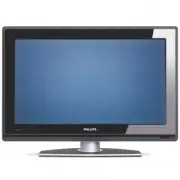
Philips 32PFL9632D/10 – User Manual, read for free online in PDF format. We hope this helps you resolve any issues you may have. If you have further questions, please contact us through the contact form.


Table of Contents:
- Page 3 – Important; Safety
- Page 4 – Television over view; Side controls; Remote control; OK
- Page 5 – Product highlights; Offer s perfect picture quality from any source.; Getting started; Position the TV
- Page 6 – Caution; Koninklijke Philips Electronics N.V. bears; The VESA fixation points; Locate the 4 screws of the TV stand.; Tip; Connections
- Page 7 – Remote control batteries; and; Note; Antenna cable; Antenna; Connect the mains cord; Inser t the mains cord tightly.; First time installation; Tips; • If you notice you have selected a wrong language,
- Page 8 – Switch on or off - Standby; Power
- Page 9 – Watch TV; Adjust volume; Volume; Watch channels from a; Watch connected devices
- Page 10 – Watch a DVD; Play; Select a Teletext page
- Page 11 – Change Ambilight mode
- Page 12 – Use more of your TV; Remote control over view; pπoœ
- Page 13 – TV menu over view; The menu
- Page 14 – Use of the menu; Menu
- Page 15 – Quick access menu; Display the clock; Picture and Sound settings; Settings assistant; Reset to standards
- Page 16 – Picture settings
- Page 19 – TV standby with Ambilight; Teletext; Select pagenumber subpages; Dual screen teletext; Enlarge teletext pages
- Page 20 – Teletext menu; Digital text services
- Page 21 – To set up a favourite list; Select a channel from a favourite list; ‘Now and Next’; Switch on EPG
- Page 22 – Timers and locks
- Page 23 – Activate or deactivate Child lock; Subtitles; Subtitling from analogue TV channels
- Page 26 – Listen to radio channels
- Page 28 – Channel installation; Automatic installation; Step 1 Menu language; Step 2 Select your country
- Page 29 – Rearrange stored channels
- Page 30 – Digital reception test; Factor y settings
- Page 31 – Digital Audio In; Second HDMI in connector.; Connections; Connection over view
- Page 32 – About connecting; HDMI
- Page 33 – Scart; Scar t cable; Video
- Page 34 – Connect your devices; DVD player; Use a scar t cable to connect the device to the; DVD Recorder or Digital Receiver; Use a scar t cable and 2 antenna cables.; DVD Recorder and Digital Receiver; Use 3 scar t cables and 3 antenna cables.
- Page 36 – Use a HDMI cable and 2 antenna cables.
- Page 38 – Connections setup
- Page 39 – Warning; Gently inser t the C AM into the; Common interface menu; Press
- Page 41 – Television and remote control; TV channels
Table of contents
1
Important 3
1.1
Safety 3
1.2
Care of the screen 3
1.3
Recycling 3
2
Your TV 4
2.1
Television overview 4
2.2
Product highlights 5
3
Getting started 5
3.1
Position the TV 5
3.2
Wall mounting - VESA 5
3.3
Remote control batteries 7
3.4
Antenna cable 7
3.5
Connect the mains 7
3.6
First time installation 7
4
Use your TV 8
4.1
Switch on or off - Standby 8
4.2
Watch TV 9
4.3
Watch channels from a digital receiver 9
4.4
Watch connected devices 9
4.5
Watch a DVD 10
4.6
Select a Teletext page 10
4.7
Change Ambilight mode 11
5
Use more of your TV 12
5.1
Remote Control overview 12
5.2
TV menu overview 13
5.3
Picture and sound settings 15
5.4
Ambilight 18
5.5
Teletext 19
5.6
Create favourite channel lists 20
5.7
Electronic Programme Guide 21
5.8
Timers and locks 22
5.9
Subtitles 23
5.10 View and play photos, MP3... 24
5.11 Listen to digital radio channels 26
5.12 Software update 26
6
Channel installation 28
6.1
Automatic channel installation 28
6.2
Manual channel installation 29
6.3
Rearrange stored channels 29
6.4
Automatic channel management 30
6.5
Digital reception test 30
6.6
Factory settings 30
7
Connections (DVD, receiver, ...) 31
7.1
Connections overview 31
7.2
About connecting 32
7.3
Connect your devices 34
7.4
Connections setup 38
7.5
Preparing for digital services 39
8
Technical data 40
9
Troubleshooting 41
10
Index 43
Register your product and get support at
www.philips.com/welcome.
Table of contents
1
ENGLISH
2702.1 en 20-09-2007 08:28 Pagina 1
"Loading the manual" means you need to wait until the file loads and becomes available for online reading. Some manuals are very large, and the time they take to appear depends on your internet speed.
Was this manual helpful?
Helpful for 3 of 3 readers
About this manual
- Brand
- Philips
- Model
- 32PFL9632D/10
- Document type
- User Manual
- Language(s)
- English
- Pages
- 44
- File size
- 1.8 MB
- Format
Summary
ENGLISH Impor tant 3 1 Important Read this user manual before you star t to use thisproduct. Pay attention to this section and closely follow theinstr uctions. The warranty does not apply todamage caused by not taking into account theinstr uctions. 1.1 Safety • To avoid shor t circuit, do not expose...
2 Your TV This section gives you an over view of the controlsand functions of this TV. 2.1 Television over view Side controls 1 Volume up and down 2 Menu 3 Program or Channel up and down 4 Power switch 5 Led indicator (Blue: On; Red: Standby) 6 Remote control sensor Side connectors To connect a came...
ENGLISH 2.2 Product highlights Your new TV is equipped with some of the mostmodern audio or video innovations.Your TV offer s the following advantages ... Ambilight For a more relaxed viewing experience andimproved perceived picture quality. Perfect Pixel HD Offer s perfect picture quality from any ...
Ask a question
Related manuals
Popular Philips Other


More Philips Other models
 Philips 32PFL7864H/12 Quick Guide
 Philips 32PFL7962D/12 Quick Guide
- Philips 32PFL8404H Manual
 Philips 32PFL8404H/12 User Manual
 Philips 32PFL8605H/12 User Manual
- Philips 32PFL9604H Manual
 Philips 32PFS4131/12 Quick Guide
 Philips 32PFS5362/12 Quick Guide
 Philips 32PFS5501/12 User Manual
 Philips 32PFS5603/12 Quick Guide
 Philips 32PFS5803/12 User Manual
 Philips 32PFS5823/12 Quick Guide