Philips 32PFL7562D/10 - User Manual
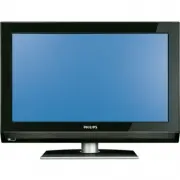
Philips 32PFL7562D/10 – User Manual, read for free online in PDF format. We hope this helps you resolve any issues you may have. If you have further questions, please contact us through the contact form.


Table of Contents:
- Page 3 – About this User Manual; Digital Broadcasting; • when Digital Video Broadcasting Terrestrial; Analogue Broadcasting
- Page 4 – Important; Care of the screen
- Page 5 – and; Before you start
- Page 7 – Getting started; AUDIO OUT
- Page 8 – using cursor up and down; Notes; PHILIPS
- Page 9 – Settings assistant; Installation
- Page 10 – TV settings; TV menu
- Page 12 – Use of the remote control; Ò ‡ π
- Page 14 – Dual screen; Press the; Quick access
- Page 15 – Use of the TV menu
- Page 17 – Picture
- Page 18 – Light sensor; Picture format
- Page 19 – Manufactured under license from Dolby Laboratories.; Sound
- Page 24 – OK; key to start the demo.
- Page 26 – • if you select a wrong country, the channel; (only with digital TV
- Page 27 – Installation update
- Page 28 – Channels
- Page 29 – Rename
- Page 31 – Decoder
- Page 33 – Create your favourite list
- Page 34 – All channels
- Page 35 – with Digital TV channels); Note
- Page 37 – Multimedia Browser
- Page 38 – πo
- Page 39 – screen
- Page 40 – Teletext
- Page 41 – Menu; Reveal
- Page 42 – Text info; or; in the Features menu.
- Page 43 – To make video and audio connections
- Page 44 – PB; Rear panel overview
- Page 51 – Troubleshooting
- Page 53 – Philips TV software; Software upgrade
- Page 55 – Warning
- Page 56 – Introduction
- Page 57 – General Format
- Page 58 – title
- Page 59 – Digital camera and USB; Digital Camera Issues
- Page 60 – Digital Content Issues; • The maximum size of any multimedia file
- Page 61 – Issues referring to; HDMI IN; HD
- Page 62 – Index; Installation menu 25
- Page 63 – Navigate through the menus 10
- Page 64 – EN; Recycling
ENGLISH
PB
Table of contents
1
About this User Manual ....................3
1.1 Digital Broadcasting ..................................... 3
1.2 Analogue Broadcasting ................................. 3
2
Important ...........................................4
2.1 General ............................................................ 4
2.2 Care of the screen ........................................ 4
2.3 Stationary images on the TV screen ......... 4
2.4 Electric, Magnetic and Electromagnetic
Fields ('EMF') .................................................. 4
3
Before you start .................................5
3.1 Overview of the rear connector panel .... 5
3.2 Common Interface Slot ............................... 5
3.3 Overview of the side connector panel .... 6
3.4 Keys at the side of the TV .......................... 6
3.5 Lights indicator on the TV .......................... 6
4
Getting started ..................................7
4.1 Connect the antenna .................................... 7
4.2 Connect the mains ........................................ 7
4.3 Remote control ............................................. 7
4.4 Switch on the TV .......................................... 7
4.5 First time installation .................................... 7
4.6 How to navigate through the menus ...... 10
5
Use of the remote control ..............12
5.1 Use of the option key ................................ 13
6
Use of the TV menu settings..........15
6.1 Adjust picture menu settings .................... 16
6.2 Adjust sound menu settings ...................... 19
6.3 Adjust feature menu settings .................... 21
6.4 Search for and store TV channels ........... 25
6.5 Rearrange the rename the channel list .. 29
6.6 Set your preferences .................................. 30
6.7 Select your connections ............................ 31
6.8 Select a Decoder channel number .......... 31
6.9 Reset the Factory settings ......................... 32
6.10 How to upgrade the TV software ........... 32
7
Create your favourite list ...............33
7.1 To select a channel from the displayed
favourite list .................................................. 33
7.2 To select another favourite channel
list ................................................................... 33
7.3 To create a favourite list or to modify the
list ................................................................... 33
7.4 To select only TV or only radio channels
on the All channels list ............................... 34
8
EPG (Electronic Programme Guide)
(Only with Digital TV channels) ....35
9
Multimedia Browser ........................37
9.1 To view content from a USB device....... 37
9.2 To insert a USB device .............................. 37
9.3 To remove the USB device ....................... 37
9.4 Multimedia Browser menu ........................ 37
9.5 Function keys at the bottom of the
screen............................................................. 39
9.6 Multimedia function keys on the remote
control ........................................................... 39
10 Teletext ............................................40
11 To make video and audio
connections ......................................43
11.1 Side panel overview .................................... 43
11.2 Rear panel overview ................................... 44
11.3 Connect a DVD or VCR recorder ......... 45
11.4 Connect a decoder and a VCR ................ 45
11.5 Connect two VCRs or VCR and DVD
recorder ........................................................ 46
11.6 Connect a satellite receiver ...................... 46
11.7 Connect a DVD player, Cable box or
game console ................................................ 47
11.8 Connect a DVD player, satellite receiver
or Cable Box ............................................... 48
11.9 Connect a PC ............................................... 49
11.10 Connect a Home Cinema amplifier ........ 50
12 Troubleshooting ..............................51
"Loading the manual" means you need to wait until the file loads and becomes available for online reading. Some manuals are very large, and the time they take to appear depends on your internet speed.
Summary
ENGLISH About this User Manual This manual contains all information you will need to initially install and operate your new TV. Also read the help text which are being displayed at the bottom of the screen. If this instruction manual does not give an answer or if ‘Troubleshooting’ does not solve you...
Important 2.1 GeneralDo not insert the power plug in a wall socket or hang the TV to the wall before all connections are made. • Place or hang the TV wherever you want, but make sure that air can circulate freely through the ventilation slots. • Do not install the TV in a confined space such as a bo...
ENGLISH 3.1 Overview of the rear connector panel There is a wide range of audio and video equipment that can be connected to your TV. See 'To make video and audio connections', p. 43. ExT1 can handle CVBS, RGB and Audio L/R; ExT2 can handle CVBS, S-VIDEO, RGB and Audio L/R; ExT3 can handle YPbPr, RG...


