Philips 32PFL6472/F7 - Quick Guide
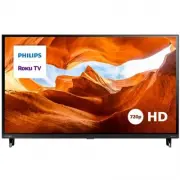
Philips 32PFL6472/F7 – Quick Guide, read for free online in PDF format. We hope this helps you resolve any issues you may have. If you have further questions, please contact us through the contact form.


Table of Contents:
- Page 2 – What’s in the box; Mount base onto TV; Caution
- Page 3 – Controls; Using the remote; How to install the batteries in the remote; indicated inside battery compartment of the remote.; T V
- Page 4 – Tip
- Page 6 – Important safety instructions; safety; CAUTION; RISK OF ELECTRIC SHOCK
- Page 7 – Notice
- Page 8 – Limited warranty
6 series
Quick Start Guide
Register your product:
www.philips.com/my-tv
•
Early access to exclusive offers and more!
•
Keep track of your product warranty coverage
•
Get easy access to product support
Scan to register
User manual:
www.philips.com/support
For a detailed manual, please visit our
support page and enter your TV model
number to download.
Scan to download
Call us:
1-833-978-3323
To obtain assistance, contact Philips customer
care center; In the U.S.A., Canada, Puerto Rico,
or the U.S. Virgin Islands
Scan to call
Chat with us:
http://tinyurl.com/y2e29xsq
For a detailed manual, please visit our
support page and enter your TV model
number to download.
Scan to chat
"Loading the manual" means you need to wait until the file loads and becomes available for online reading. Some manuals are very large, and the time they take to appear depends on your internet speed.
Summary
What’s in the box M4 x 0.709” (18 mm) Quick Start Guide TV TV remote with batteries TV stands Screws Quick start guide 1 What you need (not included) • Phillips screw driver • Wireless router (needed to connect your TV to the Internet) • Internet connection (needed for streaming) • Computer, tablet,...
3 -2 Controls 1 Press to turn the TV on/select input sources. Press and hold to turn the TV off. 2 Remote control sensor 3 Press and hold about 10 seconds for factory reset. 1* 2 3 Front Rear * Power button is located at the bottom side of the TV Caution A factory reset clears the majority of data f...
5 Plug in and turn on TV Connect the AC power cord to the AC outlet. Press the power button on the TV’s remote control. 6 Follow the on-screen instructions 1. Once your Roku TV powers on, follow the on-screen instructions. Your Roku TV will walk you through initial setup and help connect to your pre...


