Philips 32PFL3008H/12 - Manual
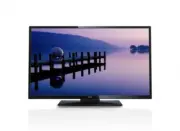
Philips 32PFL3008H/12 – Manual, read for free online in PDF format. We hope this helps you resolve any issues you may have. If you have further questions, please contact us through the contact form.


Table of Contents:
- Page 2 – English; Contents; Specifications; this TV or battery as; Products Battery
- Page 3 – TV; Use your TV; Remote control; NOTE; Teletext; TEXT
- Page 4 – To switch the TV on; Standby Cause; OK; To switch the TV off; First time installation; Aerial installation; Select the; Cable installation; Select; Play media files from a USB drive
- Page 5 – Slow forward; Change TV settings
- Page 6 – Program options; In; Set Timer on Event; Update your TV; Automatic update from digital broadcast; Sound options
- Page 7 – Troubleshooting; Recording unavailable; Index; PC input typical display modes
- Page 8 – Receiving Channels; AV and HDMI signal compatibility
- Page 9 – Movie; Supported file formats in USB mode
Register your product and get support at
www.philips.com/welcome
Mode d'emploi
Manual del usuario
User manual
Manuale utente
Manual do utilizador
"Loading the manual" means you need to wait until the file loads and becomes available for online reading. Some manuals are very large, and the time they take to appear depends on your internet speed.
Was this manual helpful?
About this manual
- Brand
- Philips
- Model
- 32PFL3008H/12
- Document type
- Manual
- Language(s)
- English
- Pages
- 10
- File size
- 1.4 MB
- Format
Summary
English - 1 - Contents Important ............................................................... 1 Use your TV .......................................................... 2 Remote control .................................................. 2 Notifications, features and accessories .............. 3 Ene...
English - 2 - 1. Standby 2. Stop (in Media Browser mode) 3. Play (in Media Browser mode) / Play- Slideshow (in Media Browser) 4. Rapid reverse (in Media Browser mode) 5. AV / Source selection 6. TV 7. Electronic program guide(in DVB channels) 8. Navigation buttons (Up/Down/Left/Right) 9. Program rec...
English - 3 - Switching on/off To switch the TV on To switch on the TV from standby mode either:• Press the “ ” button, CH- or CH+ or a numeric button on the remote control. • Press the side function switch until the TV comes on from standby. Note: If the TV has been left on and not been operated fo...
Ask a question
Related manuals
Popular Philips Other


More Philips Other models
 Philips 32PFK4101/12 Quick Guide
 Philips 32PFK4309/12 Quick Guide
 Philips 32PFK5300/12 Quick Guide
 Philips 32PFK5500/12 Quick Guide
 Philips 32PFK6500/12 Quick Guide
 Philips 32PFK6509/12 Quick Guide
 Philips 32PFL3017H/12 Quick Guide
 Philips 32PFL3088H/12 Quick Guide
 Philips 32PFL3107H/12 Quick Guide
 Philips 32PFL3158H/12 Quick Guide
 Philips 32PFL3208H/12 Quick Guide
 Philips 32PFL3258H/12 Quick Guide