Philips 27M1C3200VL/00 - User Manual
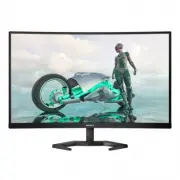
Philips 27M1C3200VL/00 – User Manual, read for free online in PDF format. We hope this helps you resolve any issues you may have. If you have further questions, please contact us through the contact form.


Table of Contents:
- Page 2 – Table of Contents; Safety precautions and; Technical Specifications; Philips’ Flat Panel Monitors Pixel
- Page 3 – procedures other than those specified
- Page 5 – Notational Descriptions
- Page 6 – dropping off such waste electrical and
- Page 7 – monitor; Package contents; *Different according to region
- Page 8 – Operating the monitor; Confirm the OSD adjustment.
- Page 9 – work your way around the different; screen flickering. It is recommended
- Page 10 – Physical Function; Remove the Base Assembly
- Page 11 – * Display design may differ from those
- Page 12 – Image Optimization; optimize display for different types
- Page 14 – Adaptive Sync; update at different rates. Sometimes
- Page 15 – Connectivity
- Page 18 – Power Management Definition; Note
- Page 19 – Philips’ Flat Panel Monitors; in flat panel m; subpixel; Pixels and Sub pixels
- Page 23 – FAQs; Common Problems
- Page 26 – or Ghost Image in LCD panels?; Q14: Where can I find Important
EN
User manual
Customer care and warranty
Troubleshooting and FAQs
27M1C3200VL
Register your product and get support at www.philips.com/welcome
"Loading the manual" means you need to wait until the file loads and becomes available for online reading. Some manuals are very large, and the time they take to appear depends on your internet speed.
Other Manuals for Philips 27M1C3200VL/00
Summary
Table of Contents 1. Important ....................................1 1.1 Safety precautions and maintenance ..................................1 1.2 Notational Descriptions ..............3 1.3 Disposal of product and packing material ............................................4 2. Setting up the mon...
1 1. Important This electronic user’s guide is intended for anyone who uses the Philips monitor. Take time to read this user manual before you use your monitor. It contains important information and notes regarding operating your monitor.The Philips guarantee applies provided the product is handled ...
3 Important information for Burn-in/Ghost image • Always activate a moving screen saver program when you leave your monitor unattended. Always activate a periodic screen refresh application if your monitor will display unchanging static content. Uninterrupted display of still or static images over a...


