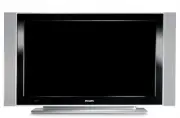
Page 3 - Warning concerning stationary images on the TV screen; Avertissement concernant les images fixes sur l’écran du TV; English; en perpétuel changement qui remplissent l’écran.; Warnhinweise zu Standbildern auf dem Fernsehbildschirm; costanti o contenuti di immagine che riempiono lo schermo.; Advarsel vedrørende stationære billeder på tv-skærmen; endrer seg konstant og som dessuten fyller skjermen.; Varning för permanenta efterbilder på TV-skärmen; näkyvien kuvien tulisi liikkua ja vaihtua jatkuvasti.
A characteristic of Plasma Display Panels is that displaying the same image for a long time can cause a permanent after-image to remain on the screen. This is called phosphor burn in. Normal use of the TV should involve the showing of pictures that contain constantly moving and changing images that ...
Page 4 - Особенности отображения неподвижного изображения на экране; Pyccкий; que rellenan la pantalla.; Español; constantes que preencham o ecrã.; Português; TV ekran›ndaki sabit görüntülerle ilgili uyar›; Eλληνικα; de¤iflen görüntüleri içermelidir.; Türkçe; Ostrzeżenie co do nieruchomych obrazów na ekranie telewizora; Polski; Upozornění na statické obrázky na obrazovce; Česky; Varovanie týkajúce sa statických obrázkov na TV obrazovke; Slovenský; ¶ÚÔÂȉÔÔ›ËÛË Û ̄ÂÙÈο Ì ÙËÓ ÚÔ‚ÔÏ‹ ·Î›ÓËÙˆÓ ÂÈÎfiÓˆÓ ÛÙËÓ ÔıfiÓË ÙË ̃ ÙËÏÂfiÚ·
Характеристики плазменной панели таковы, что при длительном отображении на экране статичного изображения возможно появление т.н. «остаточных явлений» в виде цветовых пятен на экране. Этот эффект называют «выжигом люминофора». Штатная работа телевизора предполагает показ постоянно движущегося и меняю...
Page 5 - Recycling; for correct disposal.; Disposal of your old product; negative consequences for the environment and human health.
1 Thank you for purchasing this television set. This handbook has been designed to help you install and operate your TV set. We strongly recommend that you read it thoroughly. Introduction Table of Contents Safety Information/Useful Tips . . . . . . . . . . . . . . . . . . . . . . . . . . . . . . . ...
Page 6 - Safety Information
2 Safety Information X 10 cm 10 cm 10 cm Avoid placing your TV set under direct sunlight or heat. To prevent fire or shock hazard, do not expose your TV to rain or moisture. X X Take care not to connect too many equipment to the same mains socket as it may cause overloading resulting in fire or elec...
Page 7 - Television keys and connectors; Plasma; CAUTION
3 Television keys and connectors AUDIO IN R L VIDEO IN S-VIDEO 6 7 EXT. 4 EXT.2 /SVHS2 EXT. 1 DVI (AUDIO IN) HDMI 2 HDMI 1 AUDIO R L IN Pr Pb Y L R 5 AC in ~ 11 12 13 14 8 10 9 – – . 1 2 3 4 1 2 3 4 37”/42” TV 14 42” Plasma TV 37” LCD TV 5 5 MAINS ~ AC in ~ 6 7 8 9 10 12 13 11 HDMI 2 HDMI 1 EXT 4 Pr...
Page 9 - Remote Control keys; The
5 Remote Control keys Standby To set the TV to standby mode. To switch the TV set on again, press , to or the + P(age) – key. Mode selector To activate the remote control in TV, DVD or AUX mode (see page 6). Cancel In digital mode, it functions as an exit key forMHEG teletext when no coloured key li...
Page 10 - Note : To return to digital video mode, press the
6 TV Guide (See page 16). Programme selection To access the next or previous programme (or page in digital menu. Alternate channel / Edit or back space In Analogue/Digital mode, it allows you to alternate the previously viewed programme and the current programme. It also used as an edit or back spac...
Page 11 - What is Digital Television?; DIGITAL; Digital or; Í Æ; Setup; Favourites
7 What is Digital Television? Digital Television offers a far wider choice of TV viewing, free from the interference that you may experience on analogue TV. It promises to transform television viewing into a whole new experience. There is a greater selection of widescreen programming . Many of your ...
Page 12 - Overview of Digital main menu and sub-menus
8 Overview of Digital main menu and sub-menus Setup Preferences Type of Selection Language Audio Basque, Catalan, Croatian, Czech, Danish, Dutch, Subtitle/Teletext English, Finnish, French, Gaelic, Gallegan, German, Greek, Hungarian, Italian, Norwegian, Polish, Portuguese, Russian, Serb, Slovak, Spa...
Page 13 - Installation
9 Overview of Digital main menu and sub-menus Setup Installation Service lists Rearrange services View new TV channels. Listen to new Radio Stations. Service setup Add new services Search TV channels found. Radio station found. Other services found. Store Discard Reinstall all services Search TV cha...
Page 14 - Switch on for the first time; Language; channel numbering will not be according to the
10 Switch on for the first time The first time the TV set is switched on, acongratulation message will appear on screen.The language of which changes every 5 seconds.If the message is not displayed, press and hold down the MENU key on the side of the TV set for 5 seconds to display the message. &...
Page 15 - Understanding the information on the banner; A white colour; Rearrange services; Service lists
11 Understanding the information on the banner When you select a digital programme, aninformation banner is displayed for a few seconds at the top of the screen. Banner description The banner contains information on thepreset number, channel name, programmeduration, transmission clock, programme tit...
Page 16 - Test reception; Service setup; Test reception
12 This menu allows you to check the availabilityof new TV channels or new radio stations thathave been launched by the broadcaster afterthe initial installation. & From the digital mode, press the key to display the setup menu. é Use the ï key to select Installation and press Æ twice to select ...
Page 17 - Language and location preferences; Location
13 Test reception This menu allows you to check the strengh ofthe signal you are receiving through your aerial. & From the digital mode, press the key to display the setup menu. é Use the ï key to select installation and press Æ key to display the installation menu. “ Use the ï key to select Tes...
Page 18 - Access restrictions; Setting up your favourite list
14 Access restrictions This menu allows you to setup the access restrictions of the digital channels. & From the digital mode, press the key to display the setup menu. é Use the ï key to select Access restriction and press Æ key. “ Press the Æ key to enter into the Set pin code protection menu. ...
Page 19 - Using the Options menu; The “none” option deactivate any favourite list.; Options; Information; Off Air Downloading of new software
15 Information This menu provides information about the software version and the installation of new software. & From the digital mode, press the key to display the setup menu. é Use the ï key to select information and press Æ key twice. The software version is displayed. “ Use the Æ key to ente...
Page 20 - TV guide
16 TV guide The TV guide is an Electronic Programme Guidethat provides you with a quick and easy way to view a complete list of digital programmes as you would in a newspaper or TV magazine. You can navigate through the list of digital programmes and obtain detailed information on the programmes. Yo...
Page 21 - Recording function; Service
17 Recording function This feature enables you to record a digitalchannel while the TV is in standby mode. Youwill still have to programme your video recorder.If you wish to continue watching another digitalchannel after setting a timer, you can do so bychanging channels in the normal way.IMPORTANT ...
Page 22 - Æ Î ï; Note; Analogue teletext in Digital mode; Available in all countries
18 Digital Teletext (MHEG) Available in U.K. only Digital teletext services differ greatly from analogue teletext. When you switch to a Digital teletext service, the images you see contain graphics and text which are laid out and controlled in a manner decided by the broadcaster. Some digital channe...
Page 23 - Using the Conditional Access Module (CAM); Conditional Access Module
19 Using the Conditional Access Module (CAM) HDMI 2 HDMI 1 EXT 4 Pr Pb Y AUDIO R L IN DVI (AUDIO IN) EXT 2 /SVHS2 EXT 1 ANTENNA R L The Conditional Access Module (CAM) menu provides access to functions contained on the CAM. The module can be inserted into the Common Interface (CI) slot located at th...
Page 24 - Automatic tuning of analogue programmes; Program Sort; Î ï
20 Automatic tuning of analogue programmes This menu allows you to automatically searchfor all the analogue programmes available in your region. Before you automatically search for all the analogue programmes, ensure the TV is in analogue mode. If it is in digital mode, press the A/D (Analogue / Dig...
Page 25 - Manual tuning of analogue programmes; Naming of Channel; Auto Store
21 6 7 8 9 10 11 Search : Press the Æ / OK key. The search starts. Once a programme is found, the scanning stops and its name is displayed (if available). Go to the next step. If you know the frequency of the required programme, this can be entered directly using the to keys. If no picture is found,...
Page 26 - Using the Sleeptimer Feature; Timer function
22 Using the Sleeptimer Feature Sleep feature allows you to select a *time period in which the set will switch to standby mode automatically upon reaching the selected time period. Select Off option to deactivate feature. Press the TV MENU key. With the ï key, select Features and the Æ / OK key to e...
Page 27 - Picture and Sound Settings; Contrast; Description of the Picture settings; You can also access these settings with the
23 Picture and Sound Settings Press the TV MENU key. Use the Î ï key to select Picture or S ound . Use the Í Æ / OK key to enter Picture or Sound menu. Use the Î ï keys to select a Picture or Sound setting and the Í Æ key to adjust. To return to previous menu, press the TV MENU key. To exit the menu...
Page 28 - NOTE
24 Using the PIP (Picture-in-Picture) Feature “ Use the Î ï keys to select PIP ‘ Use the Æ key to enter PIP menu. ( Use the Î ï keys to select PIP menu items. § Use the Í Æ Î ï keys to access the PIP menu items, make the following adjustments or options. § To exit the PIP screen, select PIP Size . f...
Page 29 - Screen Formats; If your televison is equipped with a 16:9 screen; Press the; Subtitle Zoom; The picture is displayed in the correct proportions of images
25 Screen Formats The pictures you receive may be transmitted in 16:9 format (wide screen) or 4:3 format (conventional screen). 4:3 pictures sometimes have a black band at the left and right of the screen (letterbox format). This function allows you to optimise the picture display on screen. If your...
Page 31 - Teletext; Teletext call; to
27 Teletext Teletext is an information system broadcast by certain channels which can be consulted like a newspaper. It also offers access to subtitles for viewers with hearing problems or who are not familiar with the transmission language (cable networks, satellite channels, etc.). Teletext call 1...
Page 33 - Using the TV as a PC Monitor; Source List; Using the PC menus; : PC connection is only available via; VGA; connection is not supported.
29 PIP PIP Size Horizontal Vertical HDMI Æ Æ Æ Æ HDMI Supported PC Resolutions 640 x 480, 60 Hz 800 x 600, 72 Hz 640 x 480, 67 Hz 800 x 600, 75 Hz 640 x 480, 72 Hz 1024 x 768, 60 Hz 640 x 480, 75 Hz 1024 x 768, 70 Hz 800 x 600, 56 Hz 1024 x 768, 75 Hz 800 x 600, 60 Hz Using the TV as a PC Monitor Yo...
Page 34 - Using the TV in HD (High Definition) Mode; HD Mode; Using the HD menus; HD Install menu; Supported HD format; Please note that this is not a defect of the TV set.
30 Using the TV in HD (High Definition) Mode HD Mode The HD (High Definition) mode allows you to enjoy clearer and sharper pictures if you are using a HD equipment that can transmit high definition programming. IMPORTANTFor the TV to function in HD mode, the following steps must be taken : & HDM...
Page 35 - Troubleshooting Tips; key on the remote control.
31 Troubleshooting Tips Below is a list of symptoms you may encounter with your TV. Before you call for service, make these simple checks. Symptom Possible Causes What you should do No display on screen • Faulty power supply • Check whether power cord is properly connected • TV’s Power not turned in...
Page 36 - work; (For more details on connection to the PC
32 Troubleshooting Tips Symptom Possible Causes What you should do • Press the key to exit menu from screen. Press the key again to display menu. Press the ï key to select the menu second item on the menu and the Æ key to enter into the next menu level. Press the Æ key again and use the ï key to sel...
Page 37 - Glossary; : Process by which digital sound; (Multimedia and Hypermedia information; : Television pictures are not broadcast in the; can be; (Audio Coding 3) also known as Dolby Digital is; MPEG; nickname given to a family of International Standards
33 Glossary DVI (Digital Visual Interface) : A digital interface standard created by the Digital Display Working Group (DDWG) to convert analog signals into digital signals to accommodate both analog and digital monitors. RGB signals : These are the three video signals, Red Green Blue, which make up...
Page 39 - Specifications
35 Specifications 26PF5xxxx 32PF5xxxx 37PF5xxxx 42PF5xxxx Panel screen size 660 mm (26”) 800 mm (32”) 940 mm (37”) 1070 mm (42”) Audio output 2 x 5 W 2 x 15 W 2 x 15 W 2 x 15 W TV System PAL, SECAM Video playback NTSC, PAL, SECAM Sound System Mono, Nicam Stereo, Virtual Dolby Surround Connectivity R...