Page 2 - Table of Contents; Safety precautions and; USB docking display; How to operate USB docking; Power Delivery and Smart; Power delivery through DC; Designs to prevent computer; Philips’ Flat Panel Monitors
Table of Contents 1. Important ...................................... 1 1.1 Safety precautions and maintenance ................................. 1 1.2 Notational Descriptions ............ 31.3 Disposal of product and packing material .......................................... 4 2. Setting up the mon...
Page 3 - Warnings
1 1. Important 1. Important This electronic user’s guide is intended for anyone who uses the Philips monitor. Take time to read this user manual before you use your monitor. It contains important information and notes regarding operating your monitor. The Philips guarantee applies provided the produ...
Page 5 - Notational Descriptions; Note
3 1. Important Important information for Burn-in/Ghost image • Always activate a moving screen saver program when you leave your monitor unattended. Always activate a periodic screen refresh application if your monitor will display unchanging static content. Uninterrupted display of still or static ...
Page 7 - Setting up the monitor; Package contents; Start; *Different according to region
5 2. Setting up the monitor 2. Setting up the monitor 2.1 Installation 1 Package contents *DP *HDMI *DC *USB C-C/A *USB C-C *USB C-A Register your product and get support at www.philips.com/welcome Quick Start B Line 243B1 AC/DC Adapter *Different according to region Note Use only the AC/DC adapter ...
Page 10 - Operating the monitor; Description of the control buttons
8 2. Setting up the monitor 2.2 Operating the monitor 1 Description of the control buttons 7 6 2 5 4 3 1 Switch monitor’s power ON and OFF. Access the OSD menu. Confirm the OSD adjustment.Adjust the OSD menu. PowerSensorChange the signal input source. Return to previous OSD level. SmartImage. There ...
Page 11 - Description of the On Screen Display; Resolution notification
9 2. Setting up the monitor 3 Description of the On Screen Display What is On-Screen Display (OSD)?On-Screen Display (OSD) is a feature in all Philips LCD monitors. It allows an end user to adjust screen performance or select functions of the monitors directly through an on-screen instruction window...
Page 12 - Physical Function; Warning
10 2. Setting up the monitor Note If your Ethernet connection seems slow, please enter OSD menu and select USB3.2 which supports the LAN speed to 1G. 5 Physical Function Tilt 30 ° -5 ° Swivel -180 ° +180 ° Height adjustment 150mm Pivot 90 ° -90 ° 0 ° 0 ° Warning • To avoid potential screen damage, s...
Page 13 - Remove the Base Assembly
11 2. Setting up the monitor 2.3 Remove the Base Assembly for VESA Mounting Before you start disassembling the monitor base, please follow the instructions below to avoid any possible damage or injury. 1. Extend the monitor base to its maximum height. 2. Place the monitor face down on a smooth surfa...
Page 14 - Image Optimization; How to enable SmartImage?
12 3. Image Optimization 3. Image Optimization 3.1 SmartImage What is it? SmartImage provides presets that optimize display for different types of content, dynamically adjusting brightness, contrast, color and sharpness in real time. Whether you're working with text applications, displaying images o...
Page 16 - How to enable LightSensor?; OK
14 3. Image Optimization 3.3 LightSensor What is it? Light Sensor is a unique and intelligent way of optimizing picture quality by measuring and analyzing the incoming signal to automatically adjust picture quality settings. Light Sensor uses a sensor to adjust the picture brightness depending on th...
Page 19 - USB docking display introduction; the input source list.; How to operate USB docking; If your laptop doesn’t have USB-C; DisplayLink installation procedure:
17 5.USB docking display introduction 5. USB docking display introduction Philips USB-docking monitors deliver universal port replication, for a simple, clutter-free, notebook connection. Securely connect to networks, transmit data, video and audio from laptop only using a single USB cable. Even mor...
Page 20 - User Account Control panel will pop
18 5.USB docking display introduction 2. User Account Control panel will pop out, click “Yes” to install DisplayLink software for DisplayLink Graphics. 3. Click “Install”, then DisplayLink start to install, once it complete, click “Finish” 4. After the installation has completed, your laptop will be...
Page 21 - Setting Audio source; Setting USB docking Ethernet
19 5.USB docking display introduction 3 Setting Audio source Once USB-C to A cable connects between the monitor and the device, this USB docking monitor audio becomes the default sound track output. 1. Click on the DisplayLink icon, then, click “Audio Setup” 2. Sound panel pop out, it shows the defa...
Page 22 - The Network Connections window
20 5.USB docking display introduction 2. The Network Connections window opens. Locate and select the “Realtek USB GbE Family Controller “for preferred network source. 3. Right click on the Realtek USB GbE Family Controller icon and click “Enable”, now you can surf the internet. 5 Power delivery This...
Page 23 - Power Delivery and Smart Power; Power Delivery and
21 6.Power Delivery and Smart Power 6. Power Delivery and Smart Power You can power your compatible device with up to 90 Watts of power from this monitor. This monitor offers two methods for power delivery, through either the DC OUT port or USB-C with Smart Power enabled. 6.1 Power delivery through ...
Page 25 - Landscape/Portrait mode
23 7. PowerSensor™ 7. PowerSensor™ How does it work? • PowerSensor works on principle of transmission and reception of harmless “infrared” signals in order to detect user-presence. • When the user is in front of the monitor, the monitor operates normally, at the predetermined settings that the user ...
Page 27 - DisplayPort multi-streaming over USB
25 8. Daisy-chain function 8. Daisy-chain function DisplayPort Multi-Stream feature enables multiple monitor connections. This Philips display is equipped with DisplayPort interface and DisplayPort over USB-C which enables daisy-chaining to multiple displays. Now you can daisy chain and use multiple...
Page 29 - Designs to prevent computer vision syndrome; Designs to prevent
27 9. Designs to prevent computer vision syndrome 9. Designs to prevent computer vision syndrome (CVS) Philips monitor is designed to prevent eye strain caused by prolonged computer use. Follow below instructions and use Philips monitor to efficiently reduce fatigue and maximum working productivity....
Page 30 - Technical Specifications; Connectivity
28 10.Technical Specifications 10. Technical Specifications Picture/Display Monitor Panel Type IPS Technology Backlight LED Panel Size 23.8" W (60.5 cm) Aspect Ratio 16:9 Pixel Pitch 0.2745 (H) mm x 0.2745 (V) mm Contrast Ratio(typ.) 1000:1 Optimum Resolution 1920 x 1080 @ 60 Hz Viewing Angle 17...
Page 31 - Convenience
29 10.Technical Specifications Convenience Built-in speaker 3 W x 2 User Convenience Built-in Webcam 2.0 megapixel camere with microphone and LEDindicator (for Windows 10 Hello) OSD Languages English, German, Spanish, Greek, French, Italian, Hungarian, Dutch, Portuguese, Brazil Portuguese, Polish, R...
Page 32 - Weight
30 10.Technical Specifications Product with packaging (WxHxD) 730 x 450 x 139 mm Weight Product with stand 4.88 kg Product without stand 3.27 kg Product with packaging 7.56 kg Operating Condition Temperature range (operation) 0°C to 40 °C Relative humidity (operation) 20% to 80% Atmospheric pressure...
Page 33 - Maximum Resolution
31 10.Technical Specifications 10.1 Resolution & Preset Modes Maximum Resolution 1920 x 1080 @ 75 Hz Recommended Resolution 1920 x 1080 @ 60 Hz H. freq (kHz) Resolution V. freq (Hz) 31.47 720 x 400 70.09 31.47 640 x 480 59.94 35.00 640 x 480 66.67 37.86 640 x 480 72.81 37.50 640 x 480 75.00 35.1...
Page 34 - Power Management; Power Management Definition
32 11.Power Management 11. Power Management If you have VESA DPM compliance display card or software installed in your PC, the monitor can automatically reduce its power consumption when not in use. If an input from a keyboard, mouse or other input device is detected, the monitor will 'wake up' auto...
Page 35 - Customer care and warranty; Customer care and; subpixel; Pixels and Sub pixels
33 12.Customer care and warranty 12. Customer care and warranty 12.1 Philips’ Flat Panel Monitors Pixel Defect Policy Philips strives to deliver the highest quality products. We use some of the industry's most advanced manufacturing processes and practice stringent quality control. However, pixel or...
Page 36 - Proximity of Pixel Defects
34 12.Customer care and warranty Proximity of Pixel Defects Because pixel and sub pixels defects of the same type that are near to one another may be more noticeable, Philips also specifies tolerances for the proximity of pixel defects. Pixel Defect Tolerances In order to qualify for repair or repla...
Page 39 - FAQs; Troubleshooting; Common Problems
37 13.Troubleshooting & FAQs 13. Troubleshooting & FAQs 13.1 Troubleshooting This page deals with problems that can be corrected by a user. If the problem still persists after you have tried these solutions, contact Philips customer service representative. Common Problems No Picture (Power L...


 Philips 242E1GAJ/01 User Manual
 Philips 242S1AE/01 User Manual
 Philips 242S9JML/00 User Manual
 Philips 242V8A/00 User Manual
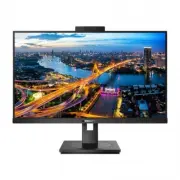
 Philips 243B1/00 User Manual
 Philips 243B1JH/00 User Manual
 Philips 243S1/00 User Manual
 Philips 243S7EHMB/00 User Manual
 Philips 243V5LHAB/00 User Manual
 Philips 243V5LHSB/00 User Manual
 Philips 243V5LSB/27 User Manual
 Philips 243V7QDAB/01 User Manual