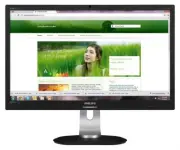
Page 2 - Table of Contents; Safety precautions and maintenance .1; Technical Specifications; Philips’ Flat Panel Monitors Pixel
Table of Contents 1. Important ............................................... 1 1.1 Safety precautions and maintenance .1 1.2 Notational Descriptions ............................2 1.3 Disposal of product and packing material ...............................................................3 2. Settin...
Page 3 - Warnings
1 1. Important 1. Important This electronic user’s guide is intended for anyone who uses the Philips monitor. Take time to read this user manual before you use your monitor. It contains impor tant information and notes regarding operating your monitor.The Philips guarantee applies provided the produ...
Page 4 - Notational Descriptions; Notes, Cautions and Warnings
2 1. Important • Temperature: 0-40°C 32-95°F • Humidity: 20-80% RH Important information for Burn-in/Ghost image • Always activate a moving screen saver program when you leave your monitor unattended. Always activate a periodic screen refresh application if your monitor will display unchanging stati...
Page 5 - Waste Electrical and Electronic Equipment-
3 1. Important 1.3 Disposal of product and packing material Waste Electrical and Electronic Equipment- WEEE This marking on the product or on its packaging illustrates that, under European Directive 2002/96/EC governing used electrical and electronic appliances, this product may not be disposed of w...
Page 6 - Setting up the monitor; Package contents; Star t; Install the base
4 2. Setting up the monitor 2. Setting up the monitor 2.1 Installation Package contents VGA (optional) USB(optional) DVI (optional) Register your product and get support at www.philips.com/welcome Quick Star t 231P4QPYK Install the base 1. Place the monitor face down on a smooth surface. Pay attenti...
Page 7 - Connecting to your PC; Operating the monitor; Description of the control buttons
5 2. Setting up the monitor Connecting to your PC 1 2 3 5 6 7 10 8 9 4 2 3 6 1 Kensington anti-theft lock 2 VGA input 3 DVI input 4 DisplayPor t 5 Audio input 6 AC power input 7 Zero power Switch 8 USB downstream 9 USB upstream 10 Earphone jack Connect to PC 1. Connect the power cord to the back of ...
Page 8 - Confirm the OSD adjustment.
6 2. Setting up the monitor 231P4QRY: 8 7 6 2 5 4 3 1 Switch monitor’s power ON and OFF. Access the OSD menu. Confirm the OSD adjustment. Adjust the OSD menu. ErgoSensor. Adjust the speaker volume. Return to previous OSD level. Smar tImage hot key. There are 6 modes to select: Office, Photo, Movie, ...
Page 9 - Description of the On Screen Display
7 2. Setting up the monitor Description of the On Screen Display What is On-Screen Display (OSD)? On-Screen Display (OSD) is a feature in all Philips LCD monitors. It allows an end user to adjust screen performance or select functions of the monitors directly through an on-screen instruction window....
Page 10 - The OSD Menu
8 2. Setting up the monitor The OSD Menu Below is an overall view of the structure of the On-Screen Display. You can use this as a reference when you want to work your way around the different adjustments later on.231P4QPY/231P4QPYK: Main menu Sub menu Picture OSD Settings Setup Language Color Audio...
Page 11 - Resolution notification
9 2. Setting up the monitor Resolution notification This monitor is designed for optimal performance at its native resolution, 1920 × 1080 @ 60 Hz. When the monitor is powered on at a different resolution, an aler t is displayed on screen: Use 1920 × 1080 @ 60 Hz for best results.Display of the nati...
Page 12 - Remove the Base Assembly for; Before you star t disassembling the monitor
10 2. Setting up the monitor 2.3 Remove the Base Assembly for VESA Mounting Before you star t disassembling the monitor base, please follow the instructions below to avoid any possible damage or injur y.1. Place the monitor face down on a smooth surface. Pay attention not to scratch or damage the sc...
Page 13 - Image Optimization; How to enable SmartImage?
11 3. Image Optimization 3. Image Optimization 3.1 SmartImage What is it? Smar tImage provides presets that optimize display for different types of content, dynamically adjusting brightness, contrast, color and sharpness in real time. Whether you're working with text applications, displaying images ...
Page 14 - readable text for office work. By reducing your; Philips SmartControl Premium; Installation
12 3. Image Optimization reduce eye strain. This mode significantly enhances readability and productivity when you’re working with spreadsheets, PDF files, scanned ar ticles or other general office applications. • Photo: This profile combines color saturation, dynamic contrast and sharpness enhancem...
Page 15 - Start with Standard pane
13 3. Image Optimization First launch -Wizard • The first time after installation of Smar tControl Premium, it will automatically go to Wizard for first time launch. • The wizard will guide you through adjustment your monitor performance step by step. • You can go to Plug-in menu to launch wizard la...
Page 16 - Color menu
14 3. Image Optimization Color menu • Color Menu allows you to adjust RGB, Black Level, White Point, Display Gamma, Calibration, Smar tImage, and Smar tKolor. • You can follow the instruction and do the adjustment. • Refer to below table for sub-menu item base on your input. • Example for Color Cali...
Page 17 - Cancel
15 3. Image Optimization 2. Star t - star ts the 6-step color calibration sequence. 3. Quick View loads the before/after images. 4. To return to Color home pane, click the Cancel button. 5. Enable color calibration - by default is on. If unchecked, does not allow for color calibration to happen, dim...
Page 19 - Options>Theft Deterrence
17 3. Image Optimization Option>Auto Pivot. Options>Input - Will only be active when selecting Input from the drop-down Options menu. On a non-suppor ted display capable of DDC/CI, only the Help and Options tabs are available. All other Smar tControl Premium tabs are not available. • Display t...
Page 20 - Help menu
18 3. Image Optimization Help menu Help>User Manual - Will only be active when selecting User Manual from the drop-down Help menu. On a non-suppor ted display capable of DDC/CI, only the Help and Options tabs are available. Help>Version - Will only be active when selecting Version from the dro...
Page 21 - The task tray has five entries:; SmartDesktop Guide; SmartDesktop
19 3. Image Optimization The task tray has five entries: • Help - Access to User Manual file: Open User Manual file using the default browser window. • Technical Support - Displays the tech suppor t page. • Chec k for Update - Takes the user to PDI Landing and checks the user’s version against the m...
Page 22 - Drag and Drop Windows
20 3. Image Optimization Drag and Drop Windows Once the par titions are configured and Align to par tition is selected a window can be dragged into the region and it will automatically align. When the window and mouse cursor are within the region, the region will become highlighted. Note If the outl...
Page 23 - Desktop Partition
21 3. Image Optimization 2. Desktop Partition – Desktop Par tition shows the current selected par tition and allows the user to quickly change to any of the par titions shown in the drop down. Note If more than one display is attached, the user can select the targeted display to change the par titio...
Page 24 - Task Tray Right
22 3. Image Optimization Task Tray Right ClickThe task tray also contains most of the features suppor ted in the title bar (with the exception of automatically sending a window to any par tition). • Find Windows – In some cases, the user may have sent multiple windows to the same par tition. Find Wi...
Page 25 - SmartDesktop Partition Definitions
23 3. Image Optimization SmartDesktop Partition Definitions Name Description Image Full Desktop Applies all settings to the entire desktop. Ver tical Assesses the screen resolution and divides the display into two evenly sized ver tical regions. For 90/270 maintain ver tical configuration. Horizonta...
Page 26 - Setting
24 3. Image Optimization 4. PowerSensor™ (Available for 231P4QPY & 231P4QPYK) How does it work? • PowerSensor works on principle of transmission and reception of harmless “infrared” signals in order to detect user- presence. • When the user is in front of the monitor the monitor operates normall...
Page 27 - If PowerSensor is not operating correctly
25 4. PowerSensor™ 4. PowerSensor™ (Available for 231P4QPY & 231P4QPYK) How does it work? • PowerSensor works on principle of transmission and reception of harmless “infrared” signals in order to detect user- presence. • When the user is in front of the monitor the monitor operates normally, at ...
Page 29 - Built-in Webcam with Microphone; Microphone; PC system requirements; Note
27 6 Built-in Webcam with Microphone 6. Built-in Webcam with Microphone (Available for 231P4QPYK) Note USB connection between the monitor and PC is required for the webcam to operate. The webcam allows you to hold interactive video and audio conference calls over the internet. It provides the most c...
Page 30 - Technical Specifications; Connectivity
28 7. Technical Specifications 7. Technical Specifications Picture/Display Monitor Panel Type LCD Backlight LED Panel Size 23" W (58.4cm) Aspect Ratio 16:9 Pixel Pitch 0.265 x 0.265 mm Brightness 250 cd/m² Smar tContrast 20,000,000:1 Contrast Ratio (typ.) 1000:1 Response Time 14ms(GtG) Smar tRes...
Page 31 - Specific Substances
29 7. Technical Specifications Off(AC switch) 0W (typ.) 0W (typ.) 0W (typ.) Heat Dissipation* AC Input Voltage at 100VAC , 50Hz AC Input Voltage at 115VAC , 60Hz AC Input Voltage at 230VAC , 50Hz Normal Operation 105 .8 BTU/hr 105.1 BTU/hr 99.32 BTU/hr Sleep (Standby) 1.023 BTU/hr 1.023 BTU/hr 1.023...
Page 32 - Maximum Resolution
30 7. Technical Specifications 7.1 Resolution & Preset Modes Maximum Resolution 1920 x 1080 @ 60 Hz (analog input) 1920 x 1080 @ 60 Hz (digital input) Recommended Resolution 1920 x 1080 @ 60 Hz (digital input) H. freq (kHz) Resolution V. freq (Hz) 31.47 720 x 400 70.09 31.47 640 x 480 59.94 35.0...
Page 34 - Regulatory Infomation; Regulatory Information; TCO Certified Edge; Some of the Usability features of the TCO
32 9. Regulatory Infomation 9. Regulatory Information TCO Certified Edge Congratulations, Your display is designed for both you and the planet! The display you have just purchased carries the TCO Cer tified Edge label. This ensures that your display is designed, manufactured and tested according to ...
Page 35 - Regulatory Infomation; EPEAT
33 9 Regulatory Infomation Lead-free Product Lead free display promotes environmentally sound recover y and disposal of waste from electrical and electronic equipment. Toxic substances like Lead has been eliminated and compliance with European community’s stringent RoHs directive mandating restricti...
Page 36 - Energy Star Declaration
34 9. Regulatory Infomation Energy Star Declaration (www.energystar.gov) As an ENERGY STAR ® Par tner, we have determined that this product meets the ENERGY STAR ® guidelines for energy efficiency. Note We recommend you switch off the monitor when it is not in use for a long time. Federal Communicat...
Page 37 - Toutes modifications n'ayant pas reçu
35 9 Regulatory Infomation Cependant, rien ne peut garantir l'absence d'interférences dans le cadre d'une installation par ticulière. Si cet appareil est la cause d'interférences nuisibles pour la réception des signaux de radio ou de télévision, ce qui peut être décelé en fermant l'équipement, puis ...
Page 38 - North Europe (Nordic Countries) Information
36 9. Regulatory Infomation North Europe (Nordic Countries) Information Placering/Ventilation VARNING: FÖRSÄKRA DIG OM ATT HUVUDBRYTARE OCH UTTAG ÄR LÄTÅTKOMLIGA, NÄR DU STÄLLER DIN UTRUSTNING PÅPLATS. Placering/Ventilation ADVARSEL: S Ø R G V E D P L A C E R I N G E N F O R , AT NETLEDNINGENS STIK ...
Page 39 - China RoHS; 环保使用期限
37 9 Regulatory Infomation China RoHS The People's Republic of China released a regulation called "Management Methods for Controlling Pollution by Electronic Information Products" or commonly referred to as China RoHS. All products produced and sold for China market have to meet China RoHS r...
Page 40 - Customer care and warranty; Types of Pixel Defects; Customer care and; used in flat panel monitors are sometimes; subpixel; Pixels and Sub pixels
38 10. Customer care and warranty black pixel. Other combinations of lit and dark sub pixels appear as single pixels of other colors. Types of Pixel Defects Pixel and sub pixel defects appear on the screen in different ways. There are two categories of pixel defects and several types of sub pixel de...
Page 41 - 0 Customer care and warranty
39 10 Customer care and warranty Note A red or blue bright dot must be more than 50 percent brighter than neighboring dots while a green bright dot is 30 percent brighter than neighboring dots. Black Dot Defects Black dot defects appear as pixels or sub pixels that are always dark or 'off'. That is,...
Page 42 - Contact Information for WESTERN EUROPE region:
40 10. Customer care and warranty 10.2 Customer Care & Warranty For warranty coverage information and additional suppor t requirement valid for your region, please visit www.philips.com/suppor t website for details. You may also contact your local Philips Customer Care Center number listed below...
Page 43 - Contact Information for CENTRAL AND EASTERN EUROPE region:; Country
41 10 Customer care and warranty Contact Information for CENTRAL AND EASTERN EUROPE region: Country Call center ASC Consumer care number Belarus NA IBA +375 17 217 3386 Bulgaria NA LAN Ser vice +359 2 960 2360 Croatia NA Renoprom +385 1 333 0974 Estonia NA FUJITSU +372 6519900 Latvia NA “Ser viceNet...
Page 44 - Contact Information for APMEA region:
42 10. Customer care and warranty Contact Information for APMEA region: Country Call center ASC Consumer care number Australia NA AGOS NETWORK PTY LTD 1300 360 386 New Zealand NA Visual Group Ltd. 0800 657447 Hong Kong / Macau NA Smar t Pixels Technology Ltd. Hong Kong:Tel: +852 2619 9639 Macau:Tel:...
Page 45 - AUTO button doesn't function
43 11. Troubleshooting & FAQs 11. Troubleshooting & FAQs 11.1 Troubleshooting This page deals with problems that can be corrected by a user. If the problem still persists after you have tried these solutions, contact Philips customer ser vice representative. Common Problems No Picture (Power...
Page 46 - SmartControl Premium FAQs
44 11. Troubleshooting & FAQs • Eliminate the ver tical bars using the Phase/ Clock of Setup in OSD Main Controls. It is valid only in VGA mode. Image appears blurred, indistinct or too dark • Adjust the contrast and brightness on On-Screen Display. An "after-image", "burn-in" or...
Page 47 - ask for legitimate identification and
45 11. Troubleshooting & FAQs Q3. After installing SmartControl Premium, when clicking on SmartControl Premium tab, nothing shows up after a while or a failure message shows, what happened? Ans.: It might be your graphic adaptor is not compatible with the Smar tControl Premium. If your graphic a...
Page 49 - ErgoSensor FAQs
47 11. Troubleshooting & FAQs may cause "burn in", also known as "after-imaging" or "ghost imaging", on your screen. "Burn-in", "after-imaging", or "ghost imaging" is a well-known phenomenon in LCD panel technology. In most cases, the "burned i...