Page 2 - Table of contents
Table of contents 1 Important � � � � � � � � � � � � � � � � � � � � � � 3 1.1 Safety . . . . . . . . . . . . . . . . . . . . . . . . . . . 31.2 Screen care . . . . . . . . . . . . . . . . . . . . . . 41.3 Environmental care . . . . . . . . . . . . . . . . 4 2 Your TV � � � � � � � � � � � � � � � ...
Page 4 - Important; Safety
EN-3 EN Important 1 Congratulations on your purchase and welcome to Philips! Read this user manual before you start to use this product. Pay close attention to this section and follow the safety and screen care instructions. The product warranty does not apply if damage is caused by failing to follo...
Page 5 - Recycling your packaging
EN-4 When disconnecting the TV from the mains, • be sure to: Turn off the TV, then the mains power • (if available). Unplug the mains cord from the mains • socket outlet. Unplug the mains cord from the power • connector at the back of the TV. Always pull the mains cord by the plug. Do not pull the m...
Page 6 - Your TV; �1 TV overview; Section 7 Connect devices
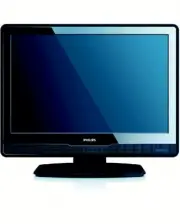
EN-5 EN Your TV 2 This section gives you an overview of commonly-used TV controls and functions. 2�1 TV overview Side controls and indicators POWER PROGRAM MENU VOLUME 1 2 4 3 5 POWER 1. PROGRAM +/- 2. MENU 3. VOLUME +/- 4. Power indicator/remote control sensor 5. Side connectors Use the TV side con...
Page 7 - Section 5.1 Remote control over view; Remote control
EN-6 . 1. Power SOURCE 2. TELETEXT 3. Colour keys 4. From left, red, green, yellow, blue Í 5. , Æ , Î , ï , OK Navigation or cursor keys MENU 6. P +/- 7. Program up or down ” 8. +/- Volume up or down For advanced information about the remote control, see Section 5.1 Remote control over view . Remote...
Page 8 - Get started; Quick Start Guide; �1 Position the TV; �2 Wall mount the TV; be performed by qualified installers.; None; Step 3 Connect
EN-7 EN 3 Get started This section helps you position and install the TV and supplements the information provided in the Quick Start Guide . Note D Refer to the Quick Start Guide for stand mounting instructions. 3�1 Position the TV In addition to reading and understanding the safety instructions in ...
Page 12 - Use your TV; Section 5 Use more; Switch your TV on/off or to
EN-11 EN Use your TV 4 This section helps you perform basic TV operations. Instructions on advanced TV operations are provided in Section 5 Use more of your TV . Switch your TV on/off or to 4�1 standby Switch on your TV If the power indicator (1) is off, press • POWER on the side of the TV. 1 POWER ...
Page 13 - Watch TV; Section; �3 Watch connected devices
EN-12 Watch TV 4�2 Switch channels Press a number (1 to 99) or press 1. P + / - on your remote control.Press 2. PROGRAM +/- on the side controls of the TV. Press 3. on the remote control to return to the previously-viewed TV channel. Adjust volume Press 1. ” + or - on the remote control, or Press VO...
Page 14 - Tip; Press; TELETEXT; again to switch off
EN-13 EN Tip E Press to return to the previously viewed page.Press 2. TELETEXT again to switch off teletext. Note (for UK users only) D Some digital TV channels offer dedicated digital text services (for example, BBC1). For advanced information on teletext, see Section 5.5 Use advanced teletext feat...
Page 15 - Use more of your TV; Remote control overview
EN-14 Use more of your TV 5 Remote control overview 5�1 1 2 21 20 19 18 17 16 15 14 13 3 4 5 6 7 8 9 10 11 12 . 1. Switches the TV on from standby or back to standby. SOURCE 2. Selects connected devices. ∏ 3. Selects a picture format. SUBTITLE 4. Activates or deactivates subtitles. Colour keys 5. Se...
Page 16 - Use TV menus
EN-15 EN Use TV menus 5�2 On-screen menus help you install your TV, adjust picture and sound settings and access other features. This section describes how to navigate the menus. Access the main menu Press 1. MENU on the remote control to display the main menu. The following menu appears. TV Menu Sm...
Page 18 - Change picture format
EN-17 EN Adjust picture and sound 5�3 settings Adjust picture settings Press 1. MENU on the remote control and select Picture . TV Menu Smart settings Picture SoundFeatures BrightnessColorSharpnessTintColor temperaturePicture formatNoise Reduction Install Contrast Smart settings PHILIPS Press 2. Æ t...
Page 19 - Press ∏
EN-18 Change picture format Change the picture format to suit your content. Press ∏ 1. (PICTURE FORMAT) on your remote control. Alternatively, press MENU and select Picture > Picture format . Press 2. Î or ï to select one of the following picture formats: Super zoom • (Not for HD) Removes the bla...
Page 20 - • Auto volume leveling:; �4 Change to Shop or Home
EN-19 EN Adjust sound settings This section describes how to adjust sound settings. Press 1. MENU on the remote control and select Sound . Press 2. Æ to enter the list. TV settings Sound Picture Sound Features Incredible surround Audio language Volume - visually impaired Dual l-ll Auto volume leveli...
Page 21 - Section 5.8 Subtitles; �6 Use Electronic Programme; The first time you use EPG, you may be
EN-20 Use advanced teletext 5�5 features Your TV has a 100 page memory that stores broadcasted teletext pages and subpages. Select teletext subpages A teletext page can hold several subpages. Subpages are displayed on a bar next to the main page number. Press 1. TELETEXT on the remote control. Selec...
Page 22 - Adjust feature settings
EN-21 EN Use the colour keys on the remote control 2. to activate available actions. PHILIPS Viewing Date: 01/03/2002 Current Time: 01/03/2002 Thu 16:49:22 BBCi BBC CHOICE BBC TWO BBC Knowledge BBC PARLMNT TERRA NOVA Eurosport BBC NEWS 24 2 7 10 11 12 13 800 801 16:30 17:15 Ready Steady Cook The Wea...
Page 24 - �8 Use subtitles; �9 Listen to digital radio; Section 6.3 Rearrange the channels; �10 Update your TV software
EN-23 EN To lock or unlock one or more channels and connected devices In the 1. Auto Lock menu, select Lock program . Press 2. Æ to enter. Press 3. Î or ï to select channel lock� Press 4. Æ to lock or unlock the channel. To set parental ratings Some digital broadcasters rate their programmes accordi...
Page 25 - Install channels; Re-installing channels modifies the All; �1 Automatically install
EN-24 Check your current software version Press 1. MENU on the remote control and select Install Æ Current software info . Update software (digital broadcasts) If using (DVB-T) digital broadcasts, your TV automatically receives software updates. If you receive a message on-screen prompting you to up...
Page 26 - • Hearing impaired:; �2 Manually install channels
EN-25 EN In addition to menu language, you can configure the following language settings via the Languages menu (digital channels only): Preferred audio • language: Select one of the available audio languages as your preferred audio language. For more information, see Section 5.3 Adjust sound settin...
Page 29 - Connect devices; Connection overview
EN-28 Connect devices 7 Connection overview 7�1 EXT 3 DIGITAL AUDIO OUT 13 1 6 7 4 5 3 2 10 89 11 12 Back connectors EXT 1 1. : First SCART connector for DVD players, VCRs, digital receivers, game consoles and other SCART devices. Supports Audio L/R, CVBS in/out, RGB. EXT 3 2. : Component video (Y P...
Page 30 - �2 Select connection quality; devices; HDMI - Highest quality; Section 7.5 Use Philips EasyLink; Note; Management that protects high definition; SCART - Good quality
EN-29 EN 7�2 Select connection quality This section describes how you can enhance your audio visual experience by connecting your devices with the best possible connectors. After connecting your devices, be sure to enable them as described in Section 7.4 Setup devices . HDMI - Highest quality HDMI p...
Page 31 - Composite - Basic quality
EN-30 S-Video - Good quality An analogue connection, S-Video provides better picture quality than composite video. When connecting your device with S-Video, plug the S-Video cable to the S-Video connector on the side of the TV. You must connect a separate Audio L/R cable from the device to the red a...
Page 32 - �3 Connect devices; examples provided in the; Caution; Disconnect the mains cord before connecting devices.; availability and your needs.; DVD player; For DVD video, connect a SCART cable as illustrated:
EN-31 EN 7�3 Connect devices This section describes how to connect various devices with different connectors and supplements examples provided in the Quick Start Guide . Caution C Disconnect the mains cord before connecting devices. Note D Different types of connectors may be used to connect a devic...
Page 33 - antenna cable and SCART cable as illustrated:; HD digital receiver; antenna cables and HDMI cable as illustrated:; Combined DVD recorder and digital receiver
EN-32 Satellite receiver To receive analogue channels via antenna and digital channels via a satellite receiver, connect an antenna cable and SCART cable as illustrated: EXT 3 DIGITAL AUDIO OUT Satellite receiver HD digital receiver To receive analogue channels via antenna and digital channels via a...
Page 34 - Separate DVD recorder and receiver; DVD recorder and home theatre system; audio cables as illustrated:; connectors on the back of the TV.
EN-33 EN Separate DVD recorder and receiver To receive analogue channels via antenna and record programmes on a separate DVD recorder and receiver, connect three antenna cables and one SCART cables as illustrated: EXT 3 DIGITAL AUDIO OUT DVD Recorder / Receiver / Cable box I N OUT DVD recorder and h...
Page 35 - Section 8 Technical specifications; Wide; picture format; To connect a PC to the back of the TV
EN-34 Game console or camcorder The most practical connection for a mobile game console or camcorder may be at the side of the TV. You can, for example, connect the game console or camcorder to VIDEO/S-Video and AUDIO L/R connectors at the side of the TV. A HDMI connector is also available for high-...
Page 36 - �4 Setup devices; Use Philips EasyLink; Assign devices to connectors
EN-35 EN 7�4 Setup devices Assign a channel decoder Decoders that decode digital channels can be connected to SCART. You have to assign the TV channel as a channel to be decoded. Then assign the connection where the decoder is connected. Press 1. MENU on the remote control and select Install > De...
Page 38 - Supported display resolutions
EN-37 EN 8 Technical specifications Supported display resolutions Computer formats (PC) • Resolution Refresh rate 720 x 400 70Hz 640 x 480 60Hz 640 x 460 67Hz 800 x 600 60Hz 1024 x 768 60Hz 1440 x 900 60Hz 1680 x 1050 (22” only) 60Hz • Video formats Resolution Refresh rate 480i 60Hz 480p 60Hz 576i 5...
Page 39 - Troubleshooting; General TV issues
EN-38 TV channel issues 9�2 Previously installed channels do not appear in the channel list: Verify that the correct list is selected. • The channel may have been uninstalled to • the Rearrange menu. To access the menu, press MENU on the remote control and select Install > Channel installation &g...
Page 41 - Contact us
EN-40 Contact us 9�7 If you cannot resolve your problem, refer to the FAQ for this TV at www.philips.com/support. If the problem remains unresolved, contact the Customer Support Centre in your country as listed in this user manual. WARNING B Do not attempt to repair the TV yourself� This may cause s...
Page 42 - Index
EN-41 EN Index 10 A Analogue Channel installation 25 Antenna Connect 9 Audio language 19Automatic Channel installation 24 B Back connectors 5Brightness 17 C Care Environment 4 Channels Rename 26Test digital reception 27Uninstall 26 Contrast 17Country Selection 25 D Devices Watch 12 Digital Radio 24S...