Philips 20PF4121/05 - User Manual
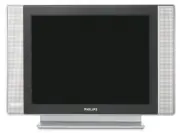
Philips 20PF4121/05 – User Manual, read for free online in PDF format. We hope this helps you resolve any issues you may have. If you have further questions, please contact us through the contact form.


Table of Contents:
- Page 2 – Recycling
- Page 3 – For more details on connections see page 12.
- Page 4 – Remote Control Keys for LCD TV Functions; ÓŸÅ
- Page 6 – Quick installation; Positioning the television set; Installing your television set
- Page 7 – choice; France; keys; Program sort
- Page 8 – Description of the adjustments:; You can also access; Feature settings; Sleep : to select an automatic standby period.
- Page 9 – Screen Formats; If your television is equipped with a 4:3 screen.; Press the
- Page 10 – Teletext
- Page 11 – Using in PC monitor mode
- Page 13 – Other equipment; Connecting peripheral equipment; key on the remote control to display; and select; or peripheral; Video recorder; DVI Audio In
- Page 14 – keys are used to adjust the volume level.; For more information on using HD mode see page 11.; Side connections
- Page 15 – Glossary; graphics display system for PCs.; Tips
- Page 16 – Information for users in the UK
"Loading the manual" means you need to wait until the file loads and becomes available for online reading. Some manuals are very large, and the time they take to appear depends on your internet speed.
Was this manual helpful?
About this manual
- Brand
- Philips
- Model
- 20PF4121/05
- Document type
- User Manual
- Language(s)
- English
- Pages
- 17
- File size
- 1.8 MB
- Format
Summary
1 Introduction Table of Contents Thank you for purchasing this television set.This handbook has been designed to help you install and operate your TV set.We would strongly recommend that you read it thoroughly. InstallationPresentation of the LCD Television . . . . . . . . . . . . . . . . . . . . . ...
2 DVI-I In EXT 1 Presentation of the LCD Television Remote control & Television keys: • POWER : to switch the TV on or off. • VOLUME -/+ : to adjust sound level. • MENU : to access or close menus. The PROGRAM -/+ keys can be used to selectan adjustment and the VOLUME -/+ keys tomake that adjustm...
3 Remote Control Keys for LCD TV Functions 1) . (STANDBY) To set the TV to standby mode. To switch the TV set onagain, press P –/+ , 0 to 9 or AV keys. 2) Sleeptimer To select the length of time before the set automaticallyswitches to standby (from 0 to 240 minutes) 3) AV To display Source List to s...
Ask a question
Related manuals
Popular Philips Other


More Philips Other models
 Philips 19PFL3403D Manual
 Philips 19PFL3404/12 Quick Guide
 Philips 19PFL3504D/F7 User Manual
 Philips 19PFL4322/10 User Manual
 Philips 19S4LSB Manual
 Philips 20MC4206 Manual
 Philips 20PF5120/28 User Manual
 Philips 20PFL4122/10 User Manual
 Philips 20PHH4109/88 User Manual
 Philips 20PT 653R Manual
 Philips 20PT6446/37 Manual
 Philips 21 PT 1666 Manual