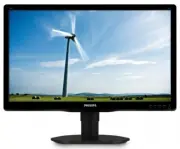
Page 2 - Table of Contents; Safety precautions and maintenance .1; Technical Specifications; Philips’ Flat Panel Monitors Pixel
Table of Contents 1. Important ............................................... 1 1.1 Safety precautions and maintenance .1 1.2 Notational Descriptions ............................2 1.3 Disposal of product and packing material ...............................................................3 2. Settin...
Page 3 - Warnings
1 1. Important 1. Important This electronic user’s guide is intended for anyone who uses the Philips monitor. Take time to read this user's manual before you use your monitor. It contains impor tant information and notes regarding the operating of your monitor.The Philips guarantee applies provided ...
Page 4 - Notational Descriptions; Notes, Cautions and Warnings
2 1. Important • Temperature: 0-40°C 32-104°F • Humidity: 20-80% RH Important information for Burn-in/Ghost image • IMPORTANT: Always activate a moving screen saver program when you leave your monitor unattended. Always activate a periodic screen refresh application if your monitor will display unch...
Page 5 - Waste Electrical and Electronic Equipment-
3 1. Important 1.3 Disposal of product and packing material Waste Electrical and Electronic Equipment- WEEE This marking on the product or on its packaging illustrates that, under European Directive 2012/19/EU governing used electrical and electronic appliances, this product may not be disposed of w...
Page 6 - Setting up the monitor; Package contents; Install the base
4 2. Setting up the monitor 2. Setting up the monitor 2.1 Installation Package contents 200S4 6 保留备用 使用产品前请阅读使用说明 *CD *Audio *VGA * Different according to region. Install the base 1. Place the monitor face down on a smooth surface. Pay attention not to scratch or damage the screen. 2. Snap in the ba...
Page 7 - Connecting to your PC; Operating the monitor; Description of the control buttons
5 2. Setting up the monitor Connecting to your PC 10 1 2 3 5 5 1 2 3 4 6 1 AC power input 2 DP input 3 VGA input 4 Kensington anti-theft lock 5 Audio input 6 Earphone jack Connect to PC 1. Connect the power cord to the back of the monitor firmly. 2. Turn off your computer and unplug its power cable....
Page 8 - Description of the On Screen Display
6 2. Setting up the monitor Description of the On Screen Display What is On-Screen Display (OSD)? On-Screen Display (OSD) is a feature in all Philips LCD monitors. It allows an end user to adjust screen performance or select functions of the monitors directly through an on-screen instruction window....
Page 9 - Resolution notification
7 2. Setting up the monitor Resolution notification This monitor is designed for optimal performance at its native resolution, 1600 × 900 @ 60 Hz. When the monitor is powered on at a different resolution, an aler t is displayed on screen: Use 1600 × 900 @ 60 Hz for best results.Display of the native...
Page 10 - Remove the Base Assembly for; Before you star t disassembling the monitor
8 2. Setting up the monitor 2.3 Remove the Base Assembly for VESA Mounting Before you star t disassembling the monitor base, please follow the instructions below to avoid any possible damage or injur y. 1. Place the monitor face down on a smooth surface. Pay attention not to scratch or damage the sc...
Page 11 - Note
9 2. Setting up the monitor Note This monitor accepts a 100mm x 100mm VESA-Compliant mounting interface. 100mm 100mm
Page 12 - Image Optimization; How to enable SmartImage?
10 3. Image Optimization 3. Image Optimization 3.1 SmartImage What is it? Smar tImage provides presets that optimize display for different types of content, dynamically adjusting brightness, contrast, color and sharpness in real time. Whether you're working with text applications, displaying images ...
Page 13 - readable text for office work. By reducing your
11 3. Image Optimization moving objects on screen, enhance contrast ratio for bright and dark scheme, this profile delivers the best gaming experience for gamers. • Economy: Under this profile, brightness, contrast are adjusted and backlighting finetuned for just right display of ever yday office ap...
Page 14 - Technical Specifications; Connectivity
12 4. Technical Specifications 4. Technical Specifications Picture/Display Monitor Panel Type LCD Backlight LED Panel Size 19.5" W (49.5cm) Aspect Ratio 16:9 Pixel Pitch 0.27 x 0.27 mm Smar tContrast 20,000,000:1 Response time 5ms Optimum Resolution 1600 x 900 @ 60Hz Viewing Angle 170° (H) / 160...
Page 15 - Specific Substances
13 4. Technical Specifications Heat Dissipation* AC Input Voltage at 100VAC , 50Hz AC Input Voltage at 115VAC , 60Hz AC Input Voltage at 230VAC , 50Hz Normal Operation 40.58 BTU/hr 39.08 BTU/hr 40.24 BTU/hr Sleep (Standby) 1.024 BTU/hr 1.024 BTU/hr 1.024 BTU/hr Off 1.024 BTU/hr 1.024 BTU/hr 1.024 BT...
Page 17 - Maximum Resolution
15 4. Technical Specifications 4.1 Resolution & Preset Modes Maximum Resolution 1600 x 900 @ 60 Hz (analog input) 1600 x 900 @ 60 Hz (digital input) Recommended Resolution 1600 x 900 @ 60 Hz (digital input) H. freq (kHz) Resolution V. freq (Hz) 31.47 720x400 70.09 31.47 640x480 59.94 35.00 640x4...
Page 19 - Regulatory Infomation; Regulatory Information; Corporate Social Responsibility:
17 6. Regulatory Infomation 6. Regulatory Information Congratulations! This product is designed for both you and the planet! TCO Development works for sustainable IT - manufacture, use and recycling of IT products. reflecting environmental, social and economic responsibility. TCO Cer tified is a thi...
Page 20 - EPEAT
18 6. Regulatory Infomation Lead-free Product Lead free display promotes environmentally sound recover y and disposal of waste from electrical and electronic equipment. Toxic substances like Lead has been eliminated and compliance with European community’s stringent RoHs directive mandating restrict...
Page 21 - Energy Star Declaration
19 6. Regulatory Infomation Energy Star Declaration (www.energystar.gov) As an ENERGY STAR ® Par tner, we have determined that this product meets the ENERGY STAR ® guidelines for energy efficiency. Note We recommend you switch off the monitor when it is not in use for a long time. Federal Communicat...
Page 22 - Toutes modifications n'ayant pas reçu
20 6. Regulatory Infomation nuisibles aux communications radio. Cependant, rien ne peut garantir l'absence d'interférences dans le cadre d'une installation par ticulière. Si cet appareil est la cause d'interférences nuisibles pour la réception des signaux de radio ou de télévision, ce qui peut être ...
Page 23 - North Europe (Nordic Countries) Information
21 6. Regulatory Infomation North Europe (Nordic Countries) Information Placering/Ventilation VARNING: FÖRSÄKRA DIG OM ATT HUVUDBRYTARE OCH UTTAG ÄR LÄTÅTKOMLIGA, NÄR DU STÄLLER DIN UTRUSTNING PÅPLATS. Placering/Ventilation ADVARSEL: S Ø R G V E D P L A C E R I N G E N F O R , AT NETLEDNINGENS STIK ...
Page 24 - China RoHS; 环保使用期限; 《废弃电器电子产品回收处理管理条例》; EU Energ Lable; XYZ; XYZ; The European Energy Label informs you on
22 6. Regulatory Infomation China RoHS 中国大陆 RoHS 根据中国大陆《电器电子产品有害物质限制使用管理办法》 (也称为中国大陆 RoHS ),以下部分列出了本产 品中可能包含的有害物质的名称和含量。 部件名称 有害物质 铅 ( Pb ) 汞 ( Hg ) 镉 ( Cd ) 六价铬 ( Cr(VI) ) 多溴联苯 ( PBB ) 多溴二苯醚 ( PBDE ) 外壳 ○ ○ ○ ○ ○ ○ 液晶显示屏 × ○ ○ ○ ○ ○ 电路板组件 * × ○ ○ ○ ○ ○ 电源适配器 × ○ ○ ○ ○ ○ 电源线 / 连接线 × ○ ○ ○ ○ ○ 本表格依据S...
Page 25 - Customer care and warranty; Customer care and; used in flat panel monitors are sometimes; subpixel; Pixels and Sub pixels
23 7. Customer care and warranty 7. Customer care and warranty 7.1 Philips’ Flat Panel Monitors Pixel Defect Policy Philips strives to deliver the highest quality products. We use some of the industr y's most advanced manufacturing processes and practice stringent quality control. However, pixel or ...
Page 27 - Customer Care & Warranty; Contact Information for WESTERN EUROPE region:
25 7. Customer care and warranty Customer Care & Warranty For warranty coverage information and additional suppor t requirements valid for your region, please visit www.philips.com/suppor t website for details or contact your local Philips Customer Care Center.For extended warranty, if you would...
Page 28 - Contact Information for China:; Country
26 7. Customer care and warranty Por tugal Mainteq 800 780 902 Free of charge Mon to Fri : 8am - 5pm Spain Mainteq +34 902 888 785 € 0.10 Mon to Fri : 9am - 6pm Sweden Infocare +46 08 632 0016 Local call tariff Mon to Fri : 9am - 6pm Switzerland ANOVO CH +41 02 2310 2116 Local call tariff Mon to Fri...
Page 29 - Contact Information for CENTRAL AND EASTERN EUROPE region:
27 7. Customer care and warranty Contact Information for CENTRAL AND EASTERN EUROPE region: Country Call center CSP Consumer care number Belarus NA IBA +375 17 217 3386 +375 17 217 3389 Bulgaria NA LAN Ser vice +359 2 960 2360 Croatia NA MR Ser vice Ltd +385 (01) 640 1111 Czech Rep. NA Asuppor t 420...
Page 30 - Contact Information for APMEA region:
28 7. Customer care and warranty Contact Information for APMEA region: Country ASP Consumer care number Opening hours Australia AGOS NETWORK PTY LTD 1300 360 386 Mon.~Fri. 9:00am-5:30pm New Zealand Visual Group Ltd. 0800 657447 Mon.~Fri. 8:30am-5:30pm Hong Kong Macau Company: Smar t Pixels Technolog...
Page 31 - AUTO button doesn't function
29 8. Troubleshooting & FAQs 8. Troubleshooting & FAQs 8.1 Troubleshooting This page deals with problems that can be corrected by a user. If the problem still persists after you have tried these solutions, contact Philips customer ser vice representative. Common Problems No Picture (Power LE...