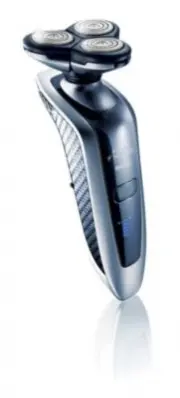
Page 2 - ENGLISH 4
2 ENGLISH 4 1090X/1060X/1059X/1050X Congratulations on your purchase and welcome to Philips Norelco! To fully benefit from the support that Philips Norelco offers, register your product at www.philips.com/norelco ¡Felicitaciones en su compra y recepción a Philips Norelco! Beneficiar completamente de...
Page 3 - ENGLISH
plugged in. For assistance call 1-800-243-3050. 4. Keep the razor, charging stand/pod, cord and charging plug away from heated surfaces. 5. Never drop or insert any object into any opening. 6. Do not charge razor or plug in charging stand/pod outdoors or operate where aerosol (spray) products are be...
Page 4 - Table of Contents
7 Table of Contents Features .........................................................8-9Multi-Purpose Display........................... 10-14Charge Meter ............................................... 14Before First Use ..................................... 14-15Charging ............................
Page 5 - How the Unique Philips Norelco Lift and Cut; Features
8 9 ENGLISH ENGLISH How the Unique Philips Norelco Lift and Cut Shaving System Makes Close Comfortable: Groove channels beard closer to cutting system Lifter raises hair Slots to cut long hairs Holes to cut short hairs even closer Precision Tube Trimmer Automatic Worldwide Voltage 100V to 240V AC Cl...
Page 6 - Multi-Purpose Display
10 11 ENGLISH Multi-Purpose Display ◗ Remove any sticker or protective foil from the display before using razor. ◗ Depending on the razor model, there are 3 different types of displays: C Display for Model 1090X C Display for Models 1060X and 1059X C Display for Model 1050X The display provides the ...
Page 7 - Remaining Battery Capacity; Cleaning Indicator
12 13 ENGLISH C -Model 1050X When the batteries have been fully charged, the batter y symbol lights up continuously. ◗ Remaining Battery Capacity C -Model 1090X The number on the display shows remaining shaving time in minutes. C -Models 1060X and 1059X The amount of charge level arrowheads indicate...
Page 8 - Charge Meter; Important; Travel Lock
14 15 ENGLISH head assembly symbol and faucet symbol with exclamation mark remain on the display, immediately replace the Razor Head Assembly (see ‘Replacing Razor Head Assembly’). Charge Meter ◗ Charge Meter monitors amount of remaining battery power (Models 1060X and 1059X) and actual shaving minu...
Page 9 - Charging in the Power Pod; Charging in the Charging Stand; The power cord will automatically conver t to
16 17 ENGLISH ◗ A fully charged razor has a shaving time of up to 65 minutes. ◗ You may recharge when the recharge indicators appear on the razor. ◗ Do not charge/recharge or use razor until fully dried. Charging in the Power Pod C 1 Connect the small plug of cord to power pod. Connect the power plu...
Page 10 - Recharging; Always unplug charging stand/pod from the; Quick Charge; When batteries are totally depleted, recharging; Put It To The Test & Shaving Tips; How To Shave With Razor
ENGLISH 3 The display on the razor will indicate razor is charging. 4 Charging requires one full hour. A fully charged razor has a cordless shaving time of up to 21 days. Recharging 1 Recharging requires one full hour. Recharge when the recharge indicators appear on the razor. Always unplug charging...
Page 11 - Trimming
ENGLISH 3 Turn razor OFF by pressing the on/off button once. The display lights up for a few seconds and then shows the remaining batter y capacity (Models 1090X, 1060X and 1059X only). C 4 Put the Protective Razor Head Cap on the razor to protect razor heads. C For optimal shaving results, replace ...
Page 12 - Activating the Travel Lock; The razor unlocks automatically when you place; Cleaning; Razor Head Assembly: After Each Use
ENGLISH Activating the Travel Lock C 1 Press the ON/OFF button for 3 seconds until the lock symbol appears on the display. For model 1090X only, you will also hear a beep. 2 The travel lock has now been activated. Deactivating the Travel Lock 1 Press the ON/OFF button for 3 seconds. 2 The razor turn...
Page 13 - Razor Head Assembly: With A Brush
ENGLISH Note: Individual shaving heads are not removable from the Razor Head Assembly. C 3 Rinse all three shaving heads and three hair chambers under hot tap water by letting the water run in and around all the openings for at least 30 seconds. BE CAREFUL TO TEST WATER FIRST SO AS NOT TO BURN OR SC...
Page 14 - Replacing Razor Head Assembly; Maintenance
ENGLISH C 3 Clean the trimmer with the short-bristled side of the brush supplied. Brush up and down along the trimmer teeth. 4 Turn the trimmer ON and OFF. Repeat step 3. 5 Lubricate trimmer teeth twice a year with one drop of mineral oil. C 6 Push the trimmer slide switch backward to retract the tr...
Page 15 - Storage; Assistance; or visit our website:
ENGLISH Storage ◗ The razor can be stored in the power pod supplied. The power pod will provide extra protection during travel. ◗ The razor can be placed in the charging stand/power pod for safe storage. Remove the plug from outlet as soon as the razor is fully charged. ◗ If storing razor in power p...
Page 16 - Accessories; Replacement Razor Head Assembly
FULL TWO YEAR WARRANTYPhilips Electronics North America Corporation warrants each new Philips Norelco Product, Models 1090X/1060X/1059X/1050X (except cutters and combs) against defects in materials or workmanship for a period of two years from the date of purchase, and agrees to repair or replace an...