Page 2 - Bundled Items
Thank you for purchasing the PENTAX Auto-flash AF360FGZ.In addition to easy daylight sync photography with TTL auto, the AF360FGZ also allows wireless TTL auto (P-TTL auto) photography and high-speed sync. It is clip-on type flash which enables accurate focus adjustments even in dark locations with ...
Page 3 - FOR SAFE USE OF YOUR FLASH UNIT; WARNING
1 FOR SAFE USE OF YOUR FLASH UNIT Although we have carefully produced this flash unit for safe operation, please be sure to especially follow warnings and cautions given on page 2. WARNING This mark indicates precautions that, if not followed, could result in serious injury to the user. CAUTION This...
Page 5 - Precautions for Your Flash Unit
3 Precautions for Your Flash Unit l Never use organic solvents such as paint thinner, alcohol or benzene to clean the flash unit. l Avoid leaving the flash unit for extend period in places where the humidity and temperature are very high such as in a car. l Be careful not to subject the flash unit t...
Page 6 - Cautions Regarding Batteries
4 n Cautions Regarding Batteries l This flash unit uses 4 AA-size alkaline, lithium, or nickel metal hydride batteries. Do not use any other type of batteries. The flash unit may not be able to operate correctly or demonstrate sufficient performance, or the flash unit itself may generate heat, depen...
Page 7 - Table of Contents; Camera Format and Flash
5 Table of Contents FOR SAFE USE OF YOUR FLASH UNIT ........... 1Precautions for Your Flash Unit ....................... 3 Cautions Regarding Batteries ............................. 4 Names of Parts ................................................... 6 LCD Panel Indicator...............................
Page 8 - Names of Parts
6 Names of Parts Bounce angle adjustment LCD panel Flash mode button Select button Adjustment dial LCD panel illumination button/ Format button Zoom button/ Channel button Test button/ Modeling button/ Ready lamp Setting switch Power switch Wireless mode switch Sync mode swit...
Page 10 - LCD Panel Indicator
8 n LCD Panel Indicator Zoom indicator : A.Zoom Ý M.Zoom xxmm = 20, 24, 28, 35, 50, 70, 85 (35 mm format) 35, 45, 55, 70, 100, 135, 150 (645 format)55, 60, 70, 90, 120, 180, 190 (67 format)13, 16, 19, 24, 34, 48, 58 (Digital camera) Format indicator : 35mm Ý 645 Ý 67 Flash mode indicator : P-T...
Page 11 - Auto Check Display
9 When in poorly lit locations and the LCD panel cannot be seen, pressing the LCD panel illumination button (LIGHT) will illuminate the panel for about 10 seconds. Pressing it again will turn off the illumination. l The camera's LCD panel lights up also when you press the LCD illumination button (LI...
Page 12 - Inserting the Batteries
10 Inserting the Batteries Slide the battery chamber cover as shown in the figure to open. Insert four AA-size batteries, making sure the plus/minus marking ( + , - ) match the diagram inside the battery chamber cover. 1 2 00_AF360FGZ.book Page 10 Tuesday, June 13, 2006 12:09 PM
Page 13 - Types of Batteries
11 Types of Batteries This flash unit uses four AA-size batteries of the same type, as shown below.- Alkaline battery (LR6)- Lithium battery (FR6)- Nickel-Metal Hydride battery (Ni-MH) (Nickel manganese (Ni-Mn) and nickel cadmium (Ni-Cd) batteries cannot be used.) l For information about recycling t...
Page 14 - Mounting to Camera; ) direction and lock the flash unit to the
12 Mounting to Camera Remove the hot shoe cover from the camera. Attach the flash unit to the camera. Turn the locking lever of the flash unit in the direction opposite to that indicated by (FIX Ý ) (clockwise from the direction of the LCD panel). Slide the hot shoe bracket of the flash unit int...
Page 15 - Turning the Power On; œŦŢťźġŭŢŮű
13 Turning the Power On Sliding the power switch to the (ON) position will turn on the power. The ready lamp will light up when the flash is charged. Sliding it to the (OFF) position will turn off the power. If charging time takes more than 20 seconds, the batteries have been exhausted and should be...
Page 17 - Procedure
15 Select Button (S)/Adjustment Dial Functions 4 types of settings are available as shown on the following pages for the select button (S) and the adjustment dial. Procedure Press the select button (S) so that the number to adjust blinks. Turn the adjustment dial and adjust the blinking number. 1 2 ...
Page 19 - Camera Format and Flash Coverage Angle
17 Camera Format and Flash Coverage Angle The AF360FGZ’s flash coverage angle can be adjusted to match the angle of view of the lens being used, which enables effective distribution of the flash light.The flash coverage angle is indicated by the focal lengths of available lenses in the LCD panel of ...
Page 21 - Zoom Positions by Camera format; Digital camera
19 Zoom Positions by Camera format * With the wide-angle panel l When the wide-angle panel is used, the zoom button (ZOOM) will not work. (The wide-angle panel is in a slit on the top of the flash head. Pull it out so that it covers the front of the flash head. If the catchlight panel is not necessa...
Page 23 - Camera
21 l In the (A.Zoom) mode, the flash coverage angle will be adjusted automatically to suit the lens focal length when you press the shutter release button halfway, and the camera exposure metering timer is on. l A warning signal appears as follows when the flash cannot cover the focal length of the ...
Page 24 - Using the Flash Modes; Whether your camera supports the desired flash
22 Using the Flash Modes The AF360FGZ has the following flash modes. Select the mode best suited for the subject.Before photographing, confirm the following. 1. Whether your camera supports the desired flash mode. Ý Cameras that Support Each Flash Mode (Page 57) 2. Whether you can use the desired fu...
Page 26 - TTL Auto Flash
24 n TTL Auto Flash Refer to page 22 for the features and conditions of use of this flash mode. Procedure Turn on the flash unit. Press the flash mode button (MODE) until (TTL) is displayed on the LCD panel.Set the sync mode switch to leading curtain sync ( ), trailing curtain sync ( ), or contrast-...
Page 27 - Auto Flash
25 n Auto Flash Refer to page 22 for the features and conditions of use of this flash mode. 00_AF360FGZ.book Page 25 Tuesday, June 13, 2006 12:09 PM
Page 29 - Manual Flash; Refer to page 79 for the guide number table.
27 n Manual Flash Refer to page 22 for the features and conditions of use of this flash mode. Procedure Turn on the power switch. Press the flash mode button (MODE) to display (M) (1/xx) on the LCD panel. l You can set the flash output from 1/1 to 1/32. See page 15. Set the zoom position. (The setti...
Page 31 - Using the Sync Mode; Whether your camera supports the desired sync; Leading Curtain Sync Mode
29 Using the Sync Mode The AF360FGZ has the following sync modes. Select the mode best suited for the subject.Before photographing, confirm the following. 1. Whether your camera supports the desired sync mode. Ý Cameras that Support Each Sync Mode (Page 59) 2. Whether you can use the desired sync mo...
Page 32 - Trailing Curtain Sync Mode
30 n Leading Curtain Sync Mode Refer to page 29 for the features and conditions of use of this sync mode. Procedure Set the power switch to the (ON) position. Set the sync mode switch to leading curtain sync ( ). Confirm that the subject is within the effective flash range and the ready lamp is lit....
Page 33 - ) will be shown on the LCD panel only
31 n High-Speed Sync Mode Refer to page 29 for the features and conditions of use of this sync mode. l As can be seen in the table on page 81, the guide number becomes smaller as the shutter speed becomes faster in high-speed synch mode. Accordingly, it should be noted that the distance for taking p...
Page 35 - Contrast Control Sync Flash
33 n Contrast Control Sync Flash Refer to page 29 for the features and conditions of use of this sync mode. l Refer to “Connecting the AF360FGZ with the Extension Cord” on page 56 on using the AF360FGZ detached from the camera. Procedure Turn on the power switch. Set the sync mode switch to contrast...
Page 37 - Advanced Functions; Wireless Mode; Whether your camera supports this function.; Notes on Wireless Flash Control
35 Advanced Functions n Wireless Mode With the AF360FGZ, you can take photographs with the flash unit separated from the camera wirelessly in P-TTL mode.Combine the flash unit with the built-in flash unit of the camera or another AF360FGZ attached to the camera. l The AF540FGZ can be used interchang...
Page 39 - Using the AF360FGZ in Combination with a Built-in Flash Unit
37 l The AF360FGZ can be used in combination with a built-in flash unit only when used with the following cameras.*ist D, *ist, MZ-S, MZ-L/ZX-L/MZ-6 Using the AF360FGZ in Combination with a Built-in Flash Unit ŔŦŵŵŪůŨġŴŸŪŵŤũ 00_AF360FGZ.book Page 37 Tuesday, June 13, 2006 12:09 PM
Page 40 - The flash mode on the camera must be set to
38 Firstly, set the wireless mode and channel of the AF360FGZ, and register the channel on the camera. Turn the camera off and then attach the AF360FGZ to the hot shoe of the camera. Set the power switch of the flash unit to (WIRELESS). Set the wireless mode switch to (S), so that SLAVE is dis...
Page 41 - (Preparation of Flash Unit Attached to Camera); When Attaching the AF360FGZ to the Camera for Control Flash
39 (Preparation of Flash Unit Attached to Camera) Firstly, set the wireless mode and channel of the AF360FGZ attached to the camera, and register the channel on the camera. Attach the AF360FGZ to the hot shoe of the camera after turning the camera off. Set the power switch of the flash unit to (...
Page 45 - Wireless High-Speed Sync Photography
43 (Using the AF360FGZ in Combination with a Built-in Flash Unit) Firstly, set the wireless mode and channel of the AF360FGZ, and register the channel on the camera. Turn the camera off and then attach the AF360FGZ to the hot shoe of the camera. Set the power switch of the flash unit to (WIRELES...
Page 49 - Slave; Whether you can use this function with the
47 n Slave With the AF360FGZ, you can take photographs with the flash unit separated from the camera wirelessly in auto or manual mode.Combine the flash unit with the built-in flash unit of the camera or another flash unit attached to the camera. Before photographing, confirm the following. 1. Wheth...
Page 51 - Slave Mode Setting
49 n Slave Mode Setting To properly control the slave flash, it is necessary to set the slave mode settings. Procedure Slide the setting switch up. Press the LCD panel illumination button (LIGHT) for 2 seconds or more. SLAVE1 will be displayed.Pressing the select button (S) switches between 1 and 2....
Page 53 - Bounce Flash
51 n Bounce Flash With the AF360FGZ, you can tilt the flash head to aim at the ceiling or wall to bounce the flash before it reaches the subject. Doing so creates softer light and shadows to make the picture look more natural. Bouncing the flash will decrease the flash intensity by the time it reach...
Page 54 - Manual Flash Photography
52 l A click stop is provided for each bounce angle. l To change the angle, move the flash head of the flash unit while pressing the bounce lock release button. l When using bounce flash, ( ) will be displayed on the LCD panel. l The effective flash range will blink only when the bounce angle is set...
Page 55 - AF Spotbeam
53 n AF Spotbeam The AF360FGZ features a built-in red spotbeam projector to assist the autofocus system in dim light and low-contrast conditions. When using the flash with autofocus camera in dark conditions, the spotbeam will be projected automatically depending on the ambient lighting conditions. ...
Page 56 - Catchlight panel
54 n Wide-Angle Panel and Catchlight Panel The AF360FGZ has a built-in wide-angle panel and catchlight panel at the top of the flash head.Execute the following if necessary. Pull out both the wide-angle panel and catchlight panel.Store the panel you are not using.. l When storing the wide-angle pane...
Page 57 - Modeling Flash/Test Flash; Modeling Flash
55 n Modeling Flash/Test Flash Before taking the picture, firing a modeling flash helps you to see how shadows are cast on the subject. Modeling Flash Slide the setting switch down (yellow dot). Check that the ready lamp is lit, then press the modeling button (MODELING). The flash will fire continuo...
Page 58 - . If you use the hot
56 n Connecting the AF360FGZ with the Extension Cord When using the AF360FGZ separately from the camera connected by an extension cord, use the optional extension cord F5P. Attach the extension cord F5P to the camera using the optional hot shoe adapter F G or the optional hot shoe adapter F (refer t...
Page 59 - Supported Functions for Pentax Cameras; Cameras that Support Each Flash Mode; Flash Mode
57 Supported Functions for Pentax Cameras n Cameras that Support Each Flash Mode Cameras that support each of the flash modes are listed below.Please note that functions related to each flash mode differ. Refer to "Functions Related to Each Flash Mode" (page 61 - 68). Flash Mode Camera Notes...
Page 61 - Cameras that Support Each Sync Mode; Sync Mode
59 n Cameras that Support Each Sync Mode Cameras that support each of the sync modes are listed below.Please note that the conditions under which they can be used differ depending on camera type and settings. For details, refer to the restrictions reference pages. Sync Mode Camera Restrictions Refer...
Page 62 - Cameras that Support Wireless Mode; Function
60 n Cameras that Support Wireless Mode You can use the slave flash instead, if your camera does not support wireless mode. In this case, the available flash modes are auto and manual (page 47). Function Camera Notes Wireless Mode( ) Digital single lens reflex cameras *ist DL2, *ist DS2, *ist DL, *i...
Page 64 - Cameras that Support P-TTL Auto Flash Mode
62 1. Cameras that Support P-TTL Auto Flash Mode * 1 : For the *ist DS2, *ist DS, and *ist D, when the exposure mode is automatic, it will switch to (P-TTL) or (TTL) while the exposure meter of the camera is on. For details, see page 57. * 2 : For Type A, only *ist D can perform wireless mode photog...
Page 65 - Cameras that Support TTL Auto Flash Mode
63 2. Cameras that Support TTL Auto Flash Mode <Film cameras (35mm autofocus single lens reflex cameras)> * 1 : Only when combined with cameras provided with red-eye reduction. * 2 : Only when the AF360FGZ is detached from the camera and connected by an extension cord. Type A: MZ-60/ZX-60, MZ-...
Page 68 - Cameras that Does not Support P-TTL and TTL Auto Flash Mode
66 3. Cameras that Does not Support P-TTL and TTL Auto Flash Mode <Film cameras (35mm autofocus single lens reflex cameras)> Type A: SF7/SF10 Flash Mode (P-TTL) P-TTL auto flash photography (TTL) TTL auto flash photography (A) auto flash photography (M) manual flash photography (SB) AF spotbea...
Page 71 - Sync Mode Restrictions; Leading Curtain Sync Photography (
69 n Sync Mode Restrictions Leading Curtain Sync Photography ( ) This sync mode can be used with all Pentax single lens reflex cameras provided with a hot shoe. However, there are restrictions depending on camera type and settings. Trailing Curtain Sync Photography ( ) Cameras that support this sync...
Page 72 - ) is displayed on the LCD panel only in the following case:; Camera Category
70 *1: The minimum shutter speed varies depending on the focal length of the lens you are using.*2: The minimum shutter speed varies depending on ambient light. l Under the following condition, the flash mode automatically switches to P-TTL auto flash:the flash mode is set to manual flash (M), and t...
Page 73 - Contrast Control Sync Photography (
71 Contrast Control Sync Photography ( ) Flash units that support this sync mode are as follows.However, the flash modes, cameras, and camera shutter speeds that can be used differ depending on the flash unit. Set the shutter speed to the speed shown in the shutter speed column below. Flash Unit Fla...
Page 76 - Camera Model
74 Slow-Speed-Sync Photography Restrictions Be sure to set the camera as follows. You cannot perform slow-speed-sync photography with settings other than B (Bulb Exposure) with the following cameras:- Cameras that are not capable of setting the shutter speed slower than the flash X-sync speed- Camer...
Page 78 - Precautions When Photographing with a Slave Flash; Be sure to set the camera as follows:
76 n Precautions When Photographing with a Slave Flash l Be sure to set the camera as follows: - Exposure mode: M (manual) or B (Bulb Exposure) * Exposure modes other than those above are not compatible with this photographic method. l Set the slave mode of the flash unit to SLAVE2 (refer to page 49...
Page 79 - Flash Effective Range
77 Flash Effective Range n Calculating the Flash Effective Range When setting the lens to manual f/stop, calculate the guide number at full flash with the use of flash's zoom position and ISO. Divide the resulting guide number by the aperture in use. Thus, the maximum distance is obtained. The minim...
Page 80 - Display of Flash Effective Range
78 The shooting distance parameters will be displayed on the LCD panel. Make sure that you are within the flash effective range before taking pictures. l The effective flash range is displayed for the following camera and lens combinations. If the maximum distance exceeds 22 meters, ( ) will light u...
Page 83 - High-Speed Sync Guide Number
81 High-Speed Sync Guide Number *With the wide-angle panel attached ISO Shutter speed Camera format Zoom position 35mm 85mm 70mm 50mm 35mm 28mm 24mm *20mm DIGITAL 58mm 48mm 34mm 24mm 19mm 16mm *13mm ISO100 250 16.0 14.7 13.4 11.1 9.8 9.4 6.2 500 12.7 11.6 10.6 8.8 7.7 7.4 4.9 1000 9.5 8.7 7.9 6.6 5....
Page 84 - P-TTL and TTL Auto Flash Effective Range
82 n P-TTL and TTL Auto Flash Effective Range (Unit: m) Camera format Zoom position ISO 100 ISO 200 35mm 20mm 24mm 28mm 35mm 50mm 70mm 85mm 20mm 24mm 28mm 35mm 50mm 70mm 85mm 645 35mm 45mm 55mm 70mm 100mm 135mm 150mm 35mm 45mm 55mm 70mm 100mm 135mm 150mm 67 55mm 60mm 70mm 90mm 120mm 180mm 190mm 55mm...
Page 86 - Optional Accessories; Hot Shoe Adapter F; Hot Shoe Grip 67
84 Optional Accessories A number of dedicated accessories are available for this flash unit. Off-camera Shoe Clip CL-10 Setting clip for using the AF360FGZ as a wireless slave flash. Hot Shoe Adapter F G Adapter for using the AF360FGZ as a separate flash unit using the extension cord F5P. It can be ...
Page 87 - Specifications
85 Specifications Type Clip-on, TTL auto zoom flash unit with serial control Guide No. ISO 100 ISO 200 Maximum 36 (ISO 100/m)In manual mode, six-step adjustment from M1/1 to M1/32. The focal lengths in the table below are for 35 mm single lens reflex cameras. (when using 35mm format camera) *Wide-an...
Page 90 - MEMO
88 MEMO 00_AF360FGZ.book Page 88 Tuesday, June 13, 2006 12:09 PM
Page 93 - Warranty Policy
91 Warranty Policy All Pentax cameras purchased through authorized bona fide photographic distribution channels are guaranteed against defects of material or workmanship for a period of twelve months from date of purchase. Service will be rendered, and defective parts will be replaced without cost t...
Page 95 - Information on disposal for users
93 Information on disposal for users Used electric/electronic equipment must be treated separately and in accordance with legislation that requires proper treatment, recovery and recycling of these products.Following the implementation by member states, private households within the EU states may re...


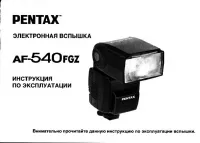
 Pentax 3, 3 Plus Manual
 Pentax 10 Manual
 Pentax 28-W Manual
 Pentax 30 Manual
 Pentax 60S Manual
 Pentax 67 Manual
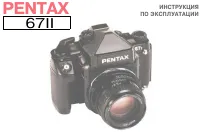 Pentax 67II Manual
 Pentax 105SW Manual
 Pentax 105WR Manual
 Pentax 110 Manual
 Pentax 140M Manual
 Pentax 140V Manual
 Pentax 150SL Manual
 Pentax 160 Manual
 Pentax 550 Manual
 Pentax 645 Manual
 Pentax 645D Manual