Page 5 - User
English 5 Warning Listening to music at high volumes for long periods can lead to hearing problems. We do not • recommend using these headphones at maximum volume, particularly for long periods of time. To protect your hearing, turn down the volume of your music player before connecting your • headp...
Page 6 - Getting started
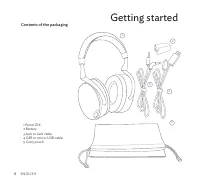
English 6 Getting started Contents of the packaging 1 Parrot ZIK 2 Battery 3 Jack to Jack cable 4 USB to micro-USB cable 5 Carry pouch 1 3 4 2 5
Page 9 - Music
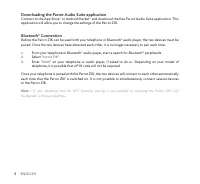
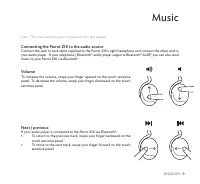
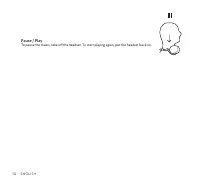
English 9 Music Note : The touch sensitive panel is located on the right speaker. Connecting the Parrot ZIK to the audio source Connect the Jack to Jack cable supplied to the Parrot ZIK’s right headphone and connect the other end to your audio player. If your telephone / Bluetooth ® audio player sup...
Page 11 - Parrot Audio Suite
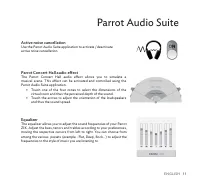
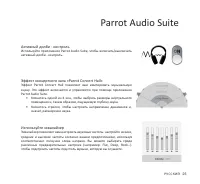
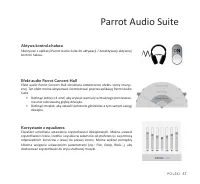
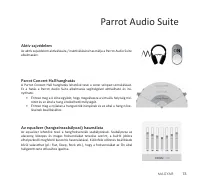
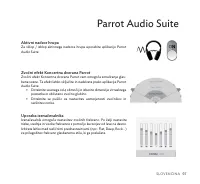
English 11 Parrot Audio Suite Active noise cancellation Use the Parrot Audio Suite application to activate / deactivate active noise cancellation. Parrot Concert Hall audio effect The Parrot Concert Hall audio effect allows you to simulate a musical scene. This effect can be activated and controlled...
Page 12 - Telephone
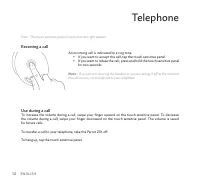
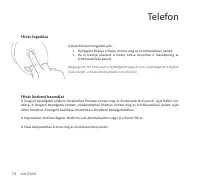
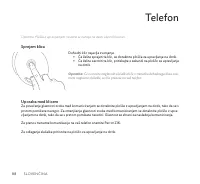
English 12 Telephone Note : The touch sensitive panel is located on the right speaker. Receiving a call Use during a call To increase the volume during a call, swipe your finger upward on the touch sensitive panel. To decrease the volume during a call, swipe your finger downward on the touch sensiti...
Page 14 - Troubleshooting
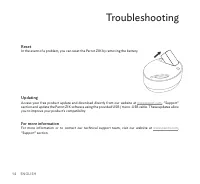
English 14 Troubleshooting Reset In the event of a problem, you can reset the Parrot ZIK by removing the battery. Updating Access your free product update and download directly from our website at www.parrot.com , “Support” section and update the Parrot ZIK software using the provided USB / micro-US...
Page 15 - General information
English 15 General information Security information Do not disassemble, open, drop (mechanical abuse), crush, bend, deform, puncture, or shred. • Do not modify or remanufacture, attempt to insert foreign objects into the battery, immerse or ex- • pose to water or other liquids, or expose to fire or ...
Page 19 - Способ
Р У С С К И Й 19 Предупреждение об уровне громкости при прослушивании Длительное прослушивание музыки с большим уровнем громкости может вызвать нарушения • органов слуха. Рекомендуется не использовать наушники на максимальной громкости, особенно в течение длительного времени. Во избежание повреждени...
Page 20 - Первое использование
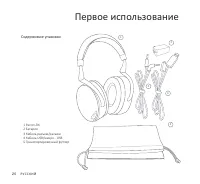
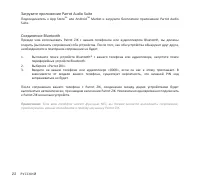
Р У С С К И Й 20 Первое использование Содержимое упаковки 1 Parrot ZIK 2 Батарея 3 Кабель разъем/разъем 4 Кабель USB/микро - USB 5 Транспортировочный футляр 1 3 4 2 5
Page 23 - Музыка
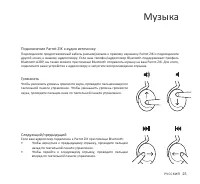
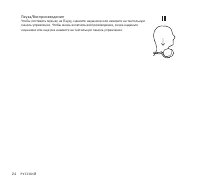
Р У С С К И Й 23 Музыка Подключение Parrot ZIK к аудио источнику Подсоедините предоставляемый кабель разъем/разъем к правому наушнику Parrot ZIK и подсоедините другой конец к вашему аудиоплееру. Если ваш телефон/аудиоплеер Bluetooth поддерживает профиль Bluetooth A2DP, вы также можете при помощи Blu...
Page 26 - Телефон
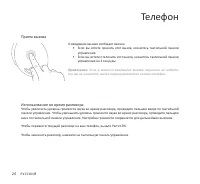
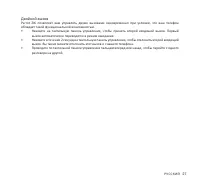
Р У С С К И Й 26 Телефон Прием вызова Использование во время разговора Чтобы увеличить уровень громкости звука во время разговора, проведите пальцем вверх по тактильной панели управления. Чтобы уменьшить уровень громкости звука во время разговора, проведите пальцем вниз по тактильной панели управлен...
Page 28 - В случае проблем
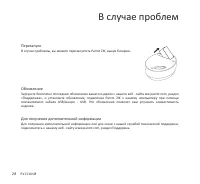
Р У С С К И Й 28 В случае проблем Перезапуск В случае проблемы, вы можете перезапустить Parrot ZIK, вынув батарею. Обновление Загрузите бесплатно последнее обновление вашего изделия с нашего веб - сайта ww.parrot.com, раздел «Поддержка», и установите обновление, подключив Parrot ZIK к вашему компьют...
Page 29 - Общая информация
Р У С С К И Й 29 Общая информация Информация по безопасности Длительное прослушивание на полной громкости аудиоплеера может повредить уши пользователя. Не разбирать, не открывать, не бросать о препятствие, не раздавливать, не сгибать или • деформировать, не протыкать или разрезать. Не модифицировать...
Page 31 - Instrukcja obsługi
Polski 31 Ostrzeżenie dotyczące poziomu głośności Długie słuchanie głośnej muzyki może być szkodliwe dla słuchu. Odradza się słuchanie muzyki w kasku • przy maksymalnej głośności, w szczególności przez dłuższy okres czasu. Aby uniknąć uszkodzenia słuchu, należy ściszyć głośność odtwarzacza muzyki pr...
Page 32 - Przed pierwszym użyciem; Zawartość opakowania
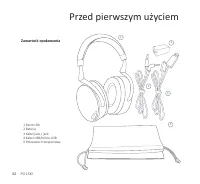
Polski 32 Przed pierwszym użyciem Zawartość opakowania 1 Parrot ZIK 2 Bateria 3 Kabel jack / jack 4 Kabel USB/mikro-USB 5 Pokrowiec transportowy 1 3 4 2 5
Page 33 - Bateria; Włączanie / wyłączanie Parrot ZIK
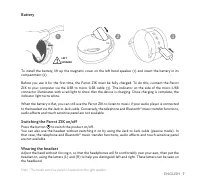
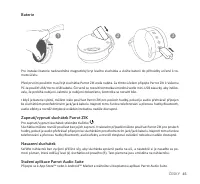
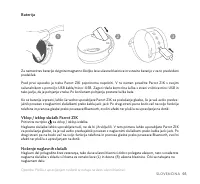
Polski 33 Bateria Aby zainstalować baterię, usunąć magnetyczną osłonę lewej słuchawki i włożyć baterię w miejscu do tego pr- zewidzianym. Należy całkowicie naładować Parrot ZIK przed pierwszym użyciem. Można również podłączyć Parrot ZIK do swo- jego PC za pomocą kabla USB / mikro-USB. Czerwona lampk...
Page 35 - Muzyka
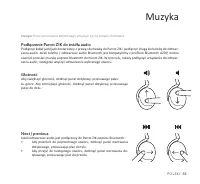
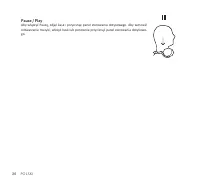
Polski 35 Muzyka Uwaga: Panel sterowania dotykowego znajduje się na prawej słuchawce. Podłączenie Parrot ZIK do źródła audio Podłączyć kabel jack/jack dostarczony z prawą słuchawką do Parrot ZIK i podłączyć drugą końcówkę do odtwar- zacza audio. Jeżeli telefon / odtwarzacz audio Bluetooth jest kompa...
Page 38 - Telefon
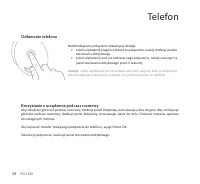
Polski 38 Telefon Odbieranie telefonu Korzystanie z urządzenia podczas rozmowy Aby zwiększyć głośność podczas rozmowy, dotknąć panel dotykowy, przesuwając palec do góry. Aby zmniejszyć głośność podczas rozmowy, dotknąć panel dotykowy, przesuwając palec do dołu. Głośność zostanie zapisana do następny...
Page 40 - W razie problemu; Ponowne uruchomienie
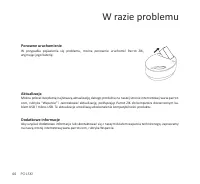
Polski 40 W razie problemu Ponowne uruchomienie W przypadku pojawienia się problemu, można ponownie uruchomić Parrot ZIK, wyjmując jego baterię. Aktualizacja Można pobrać bezpłatną najnowszą aktualizację danego produktu na naszej stronie internetowej www.parrot. com, rubryka “Wsparcie” i zainstalowa...
Page 41 - Ogólne informacje; Informacje odnośnie bezpieczeństwa
Polski 41 Ogólne informacje Informacje odnośnie bezpieczeństwa Słuchanie muzyki ustawionej na maksymalny poziom głośności może spowodować uszkodzenie ucha użytkownika. Nie demontować, nie otwierać, nie rzucać, nie przygniatać, nie zginać, nie odkształcać, nie przebijać ani • nie podrzucać urządzenia...
Page 43 - Návod k použití
čEsky 43 Výstraha k hlasitosti poslechu Dlouhodobý poslech hudby při vysoké hlasitosti může vyvolat potíže se sluchem. Doporučuje se • nepoužívat tato sluchátka na maximální hlasitost, zejména pak ne dlouhodobě. Abyste předešli poškození sluchu, snižte před připojením sluchátek hlasitost svého přehr...
Page 44 - První použití
čEsky 44 První použití Obsah balení 1 Parrot ZIK 2 baterie 3 jack/jack kabel 4 USB/micro-USB kabel 5 přepravní pouzdro 1 3 4 2 5
Page 47 - Hudba
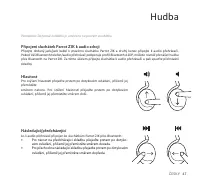
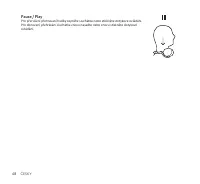
čEsky 47 Hudba Poznámka: Dotykové ovládání je umístěno na pravém sluchátku. Připojení sluchátek Parrot ZIK k audio zdroji Připojte dodaný jack/jack kabel k pravému sluchátku Parrot ZIK a druhý konec připojte k audio přehrávači. Pokud Váš Bluetooth telefon/audio přehrávač podporuje profil Bluetooth A...
Page 52 - V případě problému
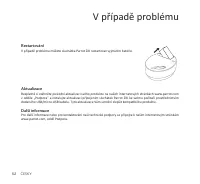
čEsky 52 V případě problému Restartování V případě problému můžete sluchátka Parrot ZIK restartovat vyjmutím baterie. Aktualizace Bezplatně si stáhněte poslední aktualizaci svého produktu na našich internetových stránkách www.parrot.com v oddíle „Podpora” a instalujte aktualizaci připojením slucháte...
Page 53 - Všeobecné informace
čEsky 53 Všeobecné informace Bezpečnostní pokyny Dlouhodobý poslech sluchátek při plném výkonu může vést k poškození sluchu uživatele. Nerozebírejte, neotevírejte, neházejte proti překážce, nemačkejte, neohýbejte, nedeformujte, • neprorážejte ani netrhejte. Neupravujte baterii, nepokoušejte se do ba...
Page 55 - Návod na
slovakia 55 Upozornenia o hladine hluku Pri dlhodobom počúvaní hlasnej hudby môže dôjsť k poruchám sluchu. Pri týchto slúchadlách sa nesmie • hlasitosť nastavovať na maximum, predovšetkým dlhodobo. Pred zapnutím slúchadiel znížte hlasitosť prehrávača hudby, aby sa predišlo poškodeniu sluchu. Po • za...
Page 56 - Prvé použitie
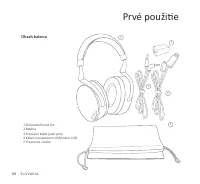
slovakia 56 Prvé použitie Obsah balenia 1 Slúchadlá Parrot ZIK 2 Batéria 3 Prepájací kábel (jack-jack) 4 Kábel s konektorom USB/mikro-USB 5 Prepravné vrecko 1 3 4 2 5
Page 62 - Telefón
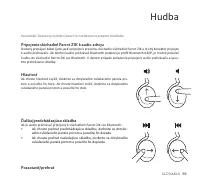
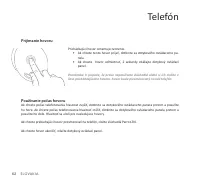
slovakia 62 Telefón Prijímanie hovoru Používanie počas hovoru Ak chcete počas telefonovania hlasitosť zvýšiť, dotknite sa dotykového ovládacieho panela prstom a posuňte ho hore. Ak chcete počas telefonovania hlasitosť znížiť, dotknite sa dotykového ovládacieho panela prstom a posuňte ho dole. Hlasit...
Page 64 - V prípade problému
slovakia 64 V prípade problému Opätovné zapnutie V prípade problému môžete slúchadlá Parrot ZIK znova zapnúť vytiahnutím batérie. Aktualizácia Najnovšiu aktualizáciu výrobku je možné si prebrať z webovej lokality www.parrot.com (sekcia „Support“ (Po- dpora) a aktualizáciu nainštalujte po pripojení s...
Page 65 - Všeobecné informácie
slovakia 65 Všeobecné informácie Bezpečmostné informácie Pri predĺženom používaní prehrávača pri plnom výkone sa môže poškodiť sluch používateľa. Výrobok nerozoberajte, neotvárajte, nehádžte o prekážky, neskladajte ani nedeformujte, neprepichujte • ani nerozbíjajte. Batériu neupravujte, do batérie s...
Page 67 - Használati utasítás
Magyar 67 Figyelmeztetés a zenehallgatás hangerejével kapcsolatban A nagy hangerővel, hosszú ideig tartó zenehallgatás hallásproblémákat okozhat. Ajánlatos a fejhallgatót • nem maximális hangerővel használni, különösen hosszabb időtartamra. Hallása károsodásának elkerülése érdekében ügyeljen arra, h...
Page 68 - Első használat
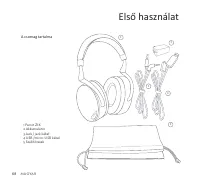
68 Magyar Első használat A csomag tartalma 1 Parrot ZIK 2 Akkumulátor 3 Jack / jack kábel 4 USB /micro-USB kábel 5 Szállítótasak 1 3 4 2 5
Page 71 - Zene
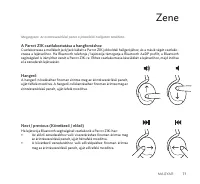
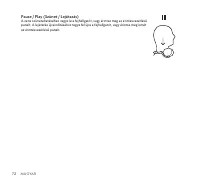
Magyar 71 Zene Megjegyzés: Az érintésvezérlésű panel a jobboldali hallgatón található. A Parrot ZIK csatlakoztatása a hangforráshoz Csatlakoztassa a mellékelt jack/jack kábelt a Parrot ZIK jobboldali hallgatójához, és a másik végét csatlako- ztassa a lejátszóhoz. Ha Bluetooth telefonja / lejátszója ...
Page 76 - Probléma esetén
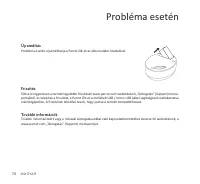
76 Magyar Probléma esetén Újraindítás Probléma esetén újraindíthatja a Parrot ZIK-et az akkumulátor kivételével. Frissítés Töltse le ingyenesen a termék legutóbbi frissítését www.parrot.com weboldalunk „Támogatás” (Support) menü- pontjából, és telepítse a frissítést, a Parrot ZIK-et a mellékelt USB ...
Page 77 - Általános információk
Magyar 77 Általános információk Biztonsági információk A hordozható lejátszó hosszú időn át teljes erővel való hallgatása károsíthatja a felhasználó fülét. Ne szerelje szét, ne nyissa ki, ne dobja neki egy akadálynak, ne törje össze, ne hajtsa össze vagy • deformálja, ne lyukassza ki vagy roncsolja....
Page 79 - Mod de
roMână 79 Avertisment privind nivelul sonor în timpul ascultării Ascultarea la volum ridicat a muzicii pentru un timp îndelungat poate cauza tulburări auditive. Se • recomandă să nu utilizaţi casca la volum maxim, în special pe perioade îndelungate. Pentru a evita afectarea auzului, reduceţi volumul...
Page 80 - Prima utilizare
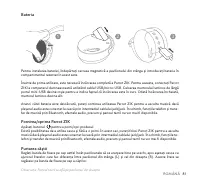
roMână 80 Prima utilizare Conţinutul ambalajului 1 Parrot ZIK 2 Baterie 3 Cablu jack/jack 4 Cablu USB/micro-USB 5 Husă de transport 1 3 4 2 5
Page 83 - Muzică
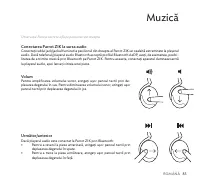
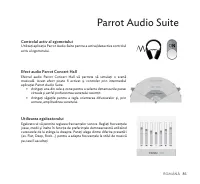
roMână 83 Muzică Observaţie: Panoul tactil se află pe pavilionul din dreapta. Conectarea Parrot ZIK la sursa audio Conectaţi cablul jack/jackul furnizat la pavilionul din dreapta al Parrot ZIK iar cealaltă extremitate la playerul audio. Dacă telefonul/playerul audio Bluetooth acceptă profilul Blueto...
Page 88 - În cazul în care
roMână 88 În cazul în care apar probleme Repornirea În cazul în care apar probleme, puteţi reporni Parrot ZIK prin îndepărtarea bateriei. Actualizarea Descărcaţi gratuit ultima actualizare a produsului de pe site-ul nostru web www.parrot.com, secţiunea „Asistenţă” şi instalaţi-o prin conectarea Parr...
Page 89 - Informaţii generale
roMână 89 Informaţii generale Informaţii privind siguranţa Ascultarea prelungită, la capacitatea maximă a playerului audio, poate deteriora auzul utilizatorului. • Nu demontaţi, desfaceţi, aruncaţi, striviţi, îndoiţi, deformaţi, perforaţi sau dezlipiţi etichetele. • Nu modificaţi bateria, nu încerca...
Page 91 - Način
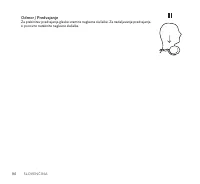
slovEnčina 91 Opozorilo o zvočnem nivoju poslušanja Dolgotrajno poslušanje zelo glasne glasbe lahko povzroči slušne težave. Priporočamo, da naglavnih • slušalk ne uporabljajte nastavljenih na največjo glasnost, še posebej dalj časa. Da preprečite poškodbo sluha, zmanjšajte glasnost predvajalnika gla...
Page 92 - Prva uporaba
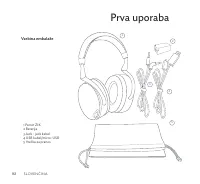
92 slovEnčina Prva uporaba Vsebina embalaže 1 Parrot ZIK 2 Baterija 3 Jack - jack kabel 4 USB kabel/micro-USB 5 Vrečka za prenos 1 3 4 2 5
Page 95 - Glasba
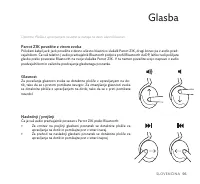
slovEnčina 95 Glasba Opomba: Plošča z upravljanjem na dotik se nahaja na desni ušesni blazinici. Parrot ZIK povežite z virom zvoka Priloženi kabel jack-jack povežite z desno ušesno blazinico slušalk Parrot ZIK, drugi konec pa z avdio pred- vajalnikom. Če vaš telefon / avdio predvajalnik Bluetooth po...
Page 100 - V primeru težave
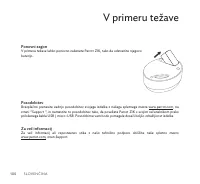
100 slovEnčina V primeru težave Ponovni zagon V primeru težave lahko ponovno zaženete Parrot ZIK, tako da odstranite njegovo baterijo. Posodobitev Brezplačno prenesite zadnjo posodobitev svojega izdelka z našega spletnega mesta www.parrot.com, na strani “Support ”, in namestite to posodobitev tako, ...
Page 101 - Splošne informacije
slovEnčina 101 Splošne informacije Varnostne informacije Dolgotrajno poslušanje predvajalnika pri visoki glasnosti lahko poškoduje sluh uporabnika. • Ne razstavljajte, odpirajte, mečite ob oviro, zmečkajte, prepogibajte ali deformirajte, preluknjajte ali • razrežite. Ne spreminjajte baterije, ne pos...
Page 103 - Technical support
FCCID : RKX ZIK Italy : UK : USA : Technical support If you have any questions regarding your Parrot product, contact our hotline by phone or using our technical contactform available on our website (support section). Spain : Germany : China : Hong Kong France : Europe : [+39] 02 59 90 15 97 [+34] 9...