Panasonic SC-NE3GNK - User Manual
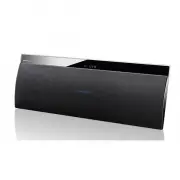
Panasonic SC-NE3GNK Portable Speaker – User Manual, read for free online in PDF format. We hope this helps you resolve any issues you may have. If you have further questions, please contact us through the contact form.


Table of Contents:
- Page 2 – Table of contents; Bluetooth; Caution for AC Mains Lead; Before use; Figure B; Figure A; Fuse; Figure B
- Page 3 – Safety precautions
- Page 4 – AC mains lead; Wall mounting accessories; Screw
- Page 5 – Control reference guide; Before using for the first time; Top view
- Page 6 – Connections; To select the sound input level of the external device; READ THE CAUTION FOR THE AC MAINS LEAD ON PAGE 2 BEFORE CONNECTION.; Additional Connection; Connect the AC mains lead.
- Page 7 – Network settings; AirPlay; DLNA; Compatible AirPlay devices; “Method 1”
- Page 8 – Panasonic Stereo System Network; Note for the iOS version; Method 1; Method 2
- Page 9 – Examples of Internet browsers; Advanced network settings
- Page 11 – Note about changing the password; Playing back music files on the; Support format of DLNA client; Display the password; Playback modes; Audio codec
- Page 12 – Preparation
- Page 13 – To cancel this function; Sleep timer
- Page 14 – Checking the software version; Software update
- Page 15 – Troubleshooting; Common problems
- Page 16 – Attaching the unit to a wall; Supplied accessories; Messages
- Page 17 – Wall mount instructions
- Page 18 – Licenses; per channel; Version
- Page 19 – Panasonic Warranty; SHOULD BE RETAINED BY THE CUSTOMER AT ALL TIMES; Panasonic Australia Pty. Limited
- Page 20 – For business users in the European Union; Cd; Panasonic Corporation 2013; EU
VQT4U51
until
2013/1/17
Operating Instructions
Wireless Speaker System
Model No. SC-NE3
Thank you for purchasing this product.
Please read these instructions carefully before using this product, and save this manual for future
use.
Model number suffix “EB” denotes UK model.
Included Installation Instructions (
l
3 and 16, 17)
The installation work should be done by a qualified installation specialist.
Before commencing work, carefully read these installation instructions and the operating
instructions to ensure that installation is performed correctly.
(Please keep these instructions. You may need them when maintaining or moving this unit.)
EB GN
SC-NE3_EB~VQT4U51.book 1 ページ 2013年1月16日 水曜日 午後4時44分
"Loading the manual" means you need to wait until the file loads and becomes available for online reading. Some manuals are very large, and the time they take to appear depends on your internet speed.
Summary
2 VQT4U51 Table of contents Caution for AC Mains Lead .............................. 2Safety precautions............................................ 3Accessories....................................................... 4About Bluetooth ® .............................................. 4 Control referen...
3 VQT4U51 Safety precautions Unit ≥ To reduce the risk of fire, electric shock or product damage,– Do not expose this unit to rain, moisture, dripping or splashing. – Do not place objects filled with liquids, such as vases, on this unit. – Use only the recommended accessories.– Do not remove covers....
4 VQT4U51 Accessories About Bluetooth ® ∫ Frequency band used ≥ This unit uses the 2.4 GHz frequency band. ∫ Certification of this device ≥ This system conforms to frequency restrictions and has received certification based on frequency laws. Thus, a wireless permit is not necessary. ≥ The actions b...