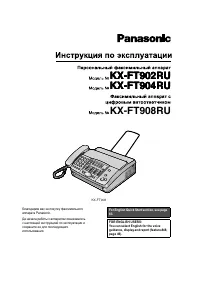
Page 2 - Thank you for purchasing a Panasonic facsimile.; Welcome to the world of Panasonic facsimiles.; Attach your sales receipt here; Trademarks
2 Thank you for purchasing a Panasonic facsimile. Welcome to the world of Panasonic facsimiles. This product combines facsimile, telephone, telephone answering device andcopier features to provide you with more efficient office or home use. By utilizingthese convenient features, you can maximize the...
Page 3 - Important safety instructions; INSTALLATION
3 For fax advantage assistance, call 1-800-435-7329. Important safety instructions ! When using this unit, basic safety precautionsshould always be followed to reduce the risk offire, electric shock, or personal injury. 1. Read and understand all instructions.2. Follow all warnings and instructions ...
Page 4 - Table of Contents; Initial Preparation
4 For fax advantage assistance, call 1-800-435-7329. Table of Contents Initial Preparation Accessories Included accessories . . . . . . . . . . . . . . . . . . . . . . . . . . . . . . . . . . . . . 6Accessory order information . . . . . . . . . . . . . . . . . . . . . . . . . . . . . . . 7 Help Butt...
Page 5 - General Information
5 For fax advantage assistance, call 1-800-435-7329. Programmable Features Features Programming . . . . . . . . . . . . . . . . . . . . . . . . . . . . . . . . . . . . . . . . . . 62 Summary Basic features . . . . . . . . . . . . . . . . . . . . . . . . . . . . . . . . . . . . . . . . . 63Advanced f...
Page 6 - Accessories; Included accessories
6 For fax advantage assistance, call 1-800-435-7329. Accessories Included accessories ! Power cord ..............1 Telephone line cord ...1 Handset ...................1 Paper tray ...............1 Ink Film ...................1(complimentary testink film) ● If any items are missing or damaged, check ...
Page 7 - Accessory order information; Item
For fax advantage assistance, call 1-800-435-7329. 7 Accessories Accessory order information ! Model No. KX-FA53 Replacement film 1 roll – 216 mm x 50 m (8 1 ⁄ 2 " x 164' ) Item Specifications / Usage ● The complimentary test ink film is 10 meters (32 1 ⁄ 2 ' ) long. We recommend that you buy fu...
Page 8 - Help Button; Help function
SET HELP Display JOG DIAL 8 Help Button For fax advantage assistance, call 1-800-435-7329. Help function ! 1 Press . Display: 2 Rotate until the desired item is displayed. 1. How to send faxes with the voice guide 2. How to set the date, time, your logo and fax number 3. How to program the features ...
Page 9 - Finding the Controls; Location
9 Finding the Controls For fax advantage assistance, call 1-800-435-7329. Location ! Dial keypad ● To redial the last number dialed (p. 18, 31). ● To insert a pause during dialing (p. 19). ● To store or edit names and telephone numbers (p. 20). ● For quick playback (p. 54). ● To change from pulse to...
Page 11 - Setup; Recording paper
11 Setup For fax advantage assistance, call 1-800-435-7329. Note for recording paper: ● Avoid paper with a cotton and/or fiber content that is over 20%, such as letterhead paper or paperused for resumes. ● Do not use different types or thicknesses of paper at the same time. This may cause a paper ja...
Page 12 - Connections
Wall jack (RJ11C) 120 V, 60 Hz Telephone line cord Power cord Power surgeprotector ( ) Line surgeprotector ( ) Handset cord 12 Setup For fax advantage assistance, call 1-800-435-7329. Connections ! 1 Connect the handset cord. 2 Connect the telephone line cord. 3 Connect the power cord. ● When the po...
Page 13 - Setting the date and time
13 Setup For fax advantage assistance, call 1-800-435-7329. Date and time, your logo and facsimiletelephone number ! You should program the date and time, your logo and facsimile telephone number. Thisinformation will be printed on each page transmitted from your unit, fulfilling the requirements of...
Page 14 - Setting your logo
14 Setup For fax advantage assistance, call 1-800-435-7329. / JOG DIAL SET MENU STOP Display MUTE (Insert) (Hyphen) (Delete) FLASH 1 Press . Display: 2 Press , then . 3 Press . 4 Enter your logo, up to 30 characters, usingthe dial keypad. See next page for details. Example: Bill 1. Press twice. Curs...
Page 16 - Setting your facsimile telephone number
16 Setup For fax advantage assistance, call 1-800-435-7329. Setting your facsimile telephone number 1 Press . Display: 2 Press , then . 3 Press . 4 Enter your facsimile telephone number, up to 20 digits, using the dial keypad. Example: 5 Press . 6 Press . MENU SETUP ITEM [ ] SET NO.=1234567 NO.= SET...
Page 17 - Volumes; Adjusting volumes; Ringer volume; Handset receiver volume
For fax advantage assistance, call 1-800-435-7329. Volumes 17 / SET Display Adjusting volumes ! Ringer volume 4 levels (high/middle/low/off) are available.While the unit is idle, press or . ■ To turn the ringer off: 1. Press repeatedly until the following message is displayed. Display: 2. Press . ● ...
Page 18 - Making and Answering Calls; Voice calls - answering; Speakerphone operation
Handset MUTE Display DIGITAL SP-PHONE Microphone / DIGITAL SP-PHONE REDIAL/PAUSE Handset Display MUTE Microphone / 18 Making and Answering Calls For fax advantage assistance, call 1-800-435-7329. 1 Press or lift the handset. Display: 2 Dial the telephone number. Example: ● If you misdial, hang up an...
Page 19 - TONE, FLASH and PAUSE buttons; TONE button
19 Making and Answering Calls TONE FLASH REDIAL/PAUSE TONE, FLASH and PAUSE buttons ! TONE button The ( ) button is used for rotary pulse dial services and allows you to temporarily changefrom pulse to tone mode during a dialingoperation.When you hang up, the unit will automaticallyreturn to the pul...
Page 20 - JOG DIAL
20 JOG DIAL Storing names and telephone numbersin the JOG DIAL directory ! For rapid access to frequently dialed numbers, the unit provides a JOG DIAL directory (50 stations). For your convenience, the following 2 stations have been pre-programmed.HELP-FAX (1-800-435-7329): If you cannot correct a p...
Page 22 - Erasing; Editing/erasing a stored name and number
ERASE SET STOP DIRECTORY PROGRAM Display JOG DIAL 22 JOG DIAL 1 Rotate until the desired name is displayed. Example: 2 Press . EDIT= DELETE=# DIRECTORY PROGRAM Mary JOG DIAL Erasing 3 Press to select “DELETE”. ● To cancel erasing, press . 4 Press . ● The stored name and number are deleted. DELETED S...
Page 23 - Making a voice call using the JOG DIAL directory
23 JOG DIAL Making a voice call using the JOG DIAL directory ! Before using this feature, program the desired names and telephone numbers into the directory(p. 20). 1 Rotate until the desired name is displayed. Example: 2 Press or lift the handset. ● The unit will start dialing automatically. 3 When...
Page 24 - Caller ID; Caller ID service from your phone company; How Caller ID is displayed; Viewing caller information on the display
Display JOG DIAL CALLER ID SEARCH STOP / 24 Caller ID Caller ID service from your phone company ! This unit is compatible with a Caller ID service offered by your local telephone company.To use this feature, you must subscribe to a Caller ID service. How Caller ID is displayed Set the following ring...
Page 25 - Confirming caller information using the Caller ID list
NO. 0102 WENDY ROBERTSALLAN STONE TIME OF CALL Mar. 14 10:30AMMar. 13 08:35AM FAXTAD TELEPHONE NUMBER Mar. 14 2000 11:37AM 345-678-9012456-789-0123 ANSWER NAME CALLER ID LIST NEW NO. 01 MIKE TIMAR TIME OF CALL Mar. 11 09:35AM TEL TELEPHONE NUMBER 987-654-3210 ANSWER NAME OLD NEW: Shows a call you ha...
Page 26 - Calling back using caller information
2. Local telephone number (area code omitted) 1. 1 – Area code – Local telephone number (“1” added) Area code – Local telephone number 1 – Local telephone number (“1” added and area code omitted) 4. 3. JOG DIAL Display Handset / DIGITAL SP-PHONE CALLER ID SEARCH FAX START 26 Caller ID Calling back u...
Page 28 - Erasing caller information; Erasing specific caller information
28 Caller ID 1 Press three times. Display: 2 Press . 3 Press . ● To cancel erasing, press , then . 4 Press . 5 Press to exit the program. STOP ERASE COMPLETED SET STOP ALL ERASE OK? SET CALL LIST ERASE SET 3.CALLER SET UP MENU SET MENU STOP Display Erasing caller information ! Erasing specific calle...
Page 29 - Voice Contact; Receiving a request for voice contact
Handset FACE DOWN Display DIGITAL SP-PHONE 29 Voice Contact 1 Press while transmitting or receiving documents. Display: ● Your unit will call the other party with adistinctive ring. ● When the other party answers, your unitwill emit a distinctive ring. 2 Press or lift the handset to start talking. D...
Page 30 - Sending Faxes; Sending a fax manually/using the JOG DIAL directory; Manually
30 Sending Faxes To select the resolution Select the desired resolution according tothe type of document. STANDARD: For printed or typewritten originals with normal-sized characters. FINE: For originals with small printing. SUPER FINE: For originals with minute printing. HALF TONE: For originals con...
Page 31 - Documents you can send
31 Sending Faxes 600 mm (23 5 ⁄ 8 ") Paper width Minimum size 128 mm (5 " ) 128 mm (5 ") Maximum size 216 mm (8 1 ⁄ 2 " ) 208 mm (8 3 ⁄ 16 " ) Effective scanning area 4 mm Scanned area 216 mm (8 1 ⁄ 2 " ) Note: ● Remove clips, staples or other similar fastening objects. ● Che...
Page 32 - Reports for confirmation; Sending report
01 2345678 00'51 SND 00 COMMUNICATION ERROR 43 Jan. 20 2000 09:19AM YOUR LOGO : YOUR FAX NO. : Jan. 20 09:18AM SENDING REPORT CODE NO. USAGE TIME MODE PAGES START TIME RESULT OTHER FACSIMILE SND: Sent directly. IQ-FAX: Sent to the fax server of the NetMoves network (p. 33). Communicationmessage (p. ...
Page 33 - How your fax is sent to the other party’s fax machine
33 Sending Faxes IQ-FAX ! This feature can only be used after applying to NetMoves.IQ-FAX is intelligent faxing which allows you to send faxes via the Internet using the IQ-FAX button.Behind the IQ-FAX button is the NetMoves Global Fax Network which manages the delivery of yourfax to any fax machine...
Page 34 - Sending a fax using the Internet
34 Sending Faxes Sending a fax using the Internet 1 Adjust the width of the document guides tothe size of the document. 2 Insert the document (up to 10 pages) FACEDOWN until a single beep is heard and theunit grabs the document. Display: 3 If necessary, press repeatedly to select the desired setting...
Page 35 - Sending a fax with the voice guide
35 Sending Faxes 1 Press two times. Display: 2 Press . 3 Insert the document FACE DOWN. ● If necessary, press repeatedly to select the desired setting (p. 30). 4 Press . ● You can also use the handset. 5 Dial the fax number. 6 When a fax tone is heard, press . FAX START DIGITAL SP-PHONE RESOLUTION S...
Page 36 - One time broadcast transmission
FACE DOWN JOG DIAL STOP SET Display FAX START RESOLUTION 36 Sending Faxes 1 Insert the document FACE DOWN. ● If necessary, press repeatedly to select the desired setting (p. 30). 2 Rotate until the following is displayed. Display: 3 Press . 4 Rotate until the desired name is displayed. Example: 5 Pr...
Page 37 - Programming the stations in the broadcast memory
JOG DIAL SET STOP DIRECTORY PROGRAM Display 37 Sending Faxes Programming the stations in the broadcast memory 1 Press . Display: 2 Press again. 3 Press . 4 Rotate until the desired name is displayed. Example: 5 Press . Example: ● To program other stations, repeat steps 4and 5 (up to 20 stations). 6 ...
Page 39 - Sending to pre-programmed parties in the broadcast memory
FACE DOWN STOP FAX START JOG DIAL Display SET RESOLUTION 39 Sending Faxes Sending to pre-programmed parties in the broadcast memory The same document will be sent to the specific parties whose numbers are stored in broadcastmemory.The memory capacity is approx. 25 pages based on the ITU-T No. 1 Test...
Page 40 - Receiving Faxes; Setting the unit to receive faxes
40 Receiving Faxes Setting the unit to receive faxes ! You have a separatetelephone line justfor faxes. FAX ONLY mode (p. 43) When receiving calls:The unit will begin faxreceiving. Use only as fax You want to receiveall voice and faxcalls automatically. TAD/FAX mode (p. 50) When receiving voice call...
Page 42 - TEL mode; Activating the TEL mode
42 Receiving Faxes 1 When the unit rings, press or lift the handset to answer the call. 2 When:— document reception is required,— a fax calling tone (slow beep) is heard, or— no sound is heard,press . 3 Replace the handset, if using it. ● The unit will start fax reception. CONNECTING..... FAX START ...
Page 43 - FAX ONLY mode; Activating the FAX ONLY mode
43 Receiving Faxes AUTO ANSWER JOG DIAL SET Display If you have a telephone line just for faxes, we recommend the following setup. Example: One telephone line is used for voice calls and a separate telephone line for faxes. FAX ONLY mode ! (all calls are received as faxes) 1 Set feature #77 to “FAX ...
Page 45 - When an extension telephone is connected
45 Receiving Faxes When an extension telephone is connected Answer the call. ● If the call is not answered, this message will be played.** ● Then the fax machine will activate the fax function for the other party’s fax machine that does not send a fax calling tone. The fax machine will not ring but ...
Page 48 - Copying; Making a copy
Collated (sorted) Uncollated 4 3 2 1 4 3 2 1 1 1 2 2 3 3 4 4 FACE DOWN Document guides RESOLUTION STOP COPY ZOOM COPY START COLLATE QUICK SCAN Display 48 Copying Making a copy ! 1 Adjust the width of the document guides tothe size of the document. 2 Insert the document (up to 10 pages) FACEDOWN unti...
Page 49 - To enlarge a document
Enlarged copy Original document Original document Example of a 200% enlarged copy Area to be enlarged B C F G A B C D E F G H Enlarged copy Example of a 150% enlarged copy B C F G A B C D E F G H Area to be enlarged 49 Copying Size of original document Note: ● If the appropriate reduction rate is no...
Page 50 - Setting up the voice and fax message reception
50 Setup TAD/FAX mode ! (using the built-in answering device and receivingvoice and fax calls automatically) Setting up the voice and fax message reception When the TAD/FAX mode is set, the unit will work as a fax machine and/or answering device.If a fax call is detected, the unit will automatically...
Page 51 - Greeting; Pre-recorded greeting messages
51 Greeting The unit has pre-recorded greeting messages. Depending on the situation, one of the followingmessages will be played to the caller. For your own greeting message, see page 52. ■ When the unit is ready to receive voice and fax calls: ■ When voice or fax memory is full: Note: ● To clear th...
Page 53 - Checking the greeting messages; Erasing your own recorded greeting messages
53 Greeting Checking the greeting messages 1 Select the desired mode (TAD/FAX or TEL/FAX) where you want to listen to agreeting message (feature #77 on page 68). 2 If the arrow ( ▼ ) is not shown on the right of the display, turn it on by pressing . If the arrow ( ▼ ) is shown on the right of the di...
Page 54 - Incoming Messages; Listening to recorded messages
54 Incoming Messages / PLAY MESSAGES FLASH/LIGHT QUICK SLOW JOG DIAL STOP 02 Example (total 2 recordedmessages): Call counter When the unit has recorded new voice messages:— the PLAY MESSAGES indicator will flash,— the call counter will show the total number of recorded messages, and— slow beeps wil...
Page 55 - Erasing a specific message; Erasing all the messages
55 Incoming Messages Erasing a specific message 1 Press while listening to the message you want to erase. Display: Erasing all the messages Check that you have listened to all of the recordedmessages. 1 Press . Display: 2 Press . ● To cancel erasing, press . 3 Press . ERASE COMPLETED ERASING SET STO...
Page 56 - Recording; Telephone conversation; Memo message
STOP RECORD Display Recording 56 Telephone conversation ! To leave a private message for yourself or someone else, you can record a voice memo. Thismemo can be played back later, either directly or remotely. 1 Press . Display: 2 Press . ● A long beep will sound. 3 Speak cleary about 20 cm (8 inches)...
Page 57 - Remote Operation; Remote operation card; The new messages will be; Operating from a remote location
Erases a specific message Erases all messages Changes to the TEL mode Turns ON message transfer Turns OFF message transfer Turns ON pager call Turns OFF pager call 57 Remote Operation Remote command The following operations can be performed from a remote location using a touch tone telephone.Program...
Page 58 - When voice memory is full; Operation from a remote touch tone telephone
When there are no new recordedmessages Press or wait for 4 seconds to listen to all the messages. When voice memory is full Erase some or all of the messages (see next page). 5 58 Remote Operation Skips the greetingmessage Repeats a message Skips a message New message playback All message playback R...
Page 59 - Other remote operations
■ Erasing a specific message Press while listening to the message you want to erase. ● A long beep will also sound. The unit will thenplay back the next message. ■ Erasing all the messages Press to erase all the messages. ● A long beep will also sound. 5 4 59 Remote Operation Other remote operations...
Page 60 - Option
60 Option Transferring recorded messages to another telephone ! This feature allows your unit to call a designated telephone number each time an incoming voicemessage is recorded. You can retrieve the transferred message during the same call using theremote operation. Program the transfer telephone ...
Page 61 - Recording your own transfer greeting message
61 Option Recording your own transfer greeting message ! The recording time is limited to 16 seconds. Suggested message “This is a transferred message from (your name, business and/or telephone number). Pleaseenter your remote ID for remote operation.” 1 Press . Display: 2 Press , then . 3 Press . 4...
Page 62 - Features Summary; Programming; General programming method
JOG DIAL SET MENU Display Features Summary 62 The unit provides various programming features. Program the desired setting by referring to theprogramming tables (p. 63–68). 1 Press . Display: 2 Select the feature you wish to program. ■ For basic features (p. 63)Rotate until the desired feature is dis...
Page 63 - Basic features; Programming table
“TONE”: For tone dial service.“PULSE”: For rotary pulse dialservice. This setting is also available afteractivating the FAX ONLY mode (p. 43). See page 13 for details. “VOX”: Unlimited“1 MIN”: Up to 1 minute ID = 111 63 Features Summary Basic features ! Programming table Code #01 To set the date and...
Page 64 - How to set menu options; Advanced features
To send a document:1. Insert the document.2. Follow steps 1–3 above.3. Rotate to select “ON”. 4. Press .5. Enter the fax number.6. Press .7. Enter the transmission start time. Press to select “AM” or “PM”. 8. Press .9. Press . ● To cancel after programming,press then . SET STOP MENU SET SET SET JOG ...
Page 69 - Error Messages; Reports
69 Error Messages For fax advantage assistance, call 1-800-435-7329. Reports ! Communication message COMMUNICATION ERROR DOCUMENT JAMMED ERROR-NOT YOUR UNIT MEMORY FULL NO DOCUMENT OTHER FAX NOT RESPOND PRESSED THE STOP KEY THE COVER WAS OPENED OK 40–4246–5258, 6568, 72
Page 72 - Operations; General
72 Operations For fax advantage assistance, call 1-800-435-7329. When a function does not work, check here before requesting help ! General Problem I cannot make and receive calls. I cannot make calls. The unit does not work. The unit does not ring. The unit displays the followingmessage though the ...
Page 73 - Fax – sending; Fax – receiving
73 Operations For fax advantage assistance, call 1-800-435-7329. Operations Fax – sending Problem ● The other party’s fax machine is busy or has run out ofrecording paper. Try again. ● The other party’s machine is not a facsimile. Check withthe other party. ● The other party’s fax machine rings too ...
Page 74 - Receive mode
74 Operations For fax advantage assistance, call 1-800-435-7329. Receive mode Problem ● If you want to set the TAD/FAX, FAX ONLY or TEL/FAXmode:— Select the desired mode using feature #77 (p. 68), and— Press to turn on the arrow ( ▼ ) on the right of the display. Display: ON ● If you want to set the...
Page 75 - Answering device; A B C; If a power failure occurs
75 Operations For fax advantage assistance, call 1-800-435-7329. Answering device Problem ● The memory is full. Erase unnecessary messages (p. 55, 59) ● Press the remote operation ID correctly and firmly (p. 58) Cause & Remedy New messages cannot berecorded in the TAD/FAX mode. I cannot retrieve...
Page 76 - Jams; Recording paper jam
76 Jams For fax advantage assistance, call 1-800-435-7329. Recording paper jam ! 1 Open the front cover by pulling up the centerpart. If the unit does not eject any recording paper during fax reception or copying, the recordingpaper has jammed and the display will show the following message. Display...
Page 77 - Sending document jams
Green lever Right Left Center part Rubber flap Front cover 77 Jams For fax advantage assistance, call 1-800-435-7329. Sending document jams ! 1 Open the front cover by pulling up the centerpart. 2 Remove the jammed document carefully. 3 Close the front cover securely. Center part Frontcover Jammeddo...
Page 78 - Ink Film; Replacing the ink film
78 Ink Film For fax advantage assistance, call 1-800-435-7329. Replacing the ink film ! 1 Open the front cover by pulling up the centerpart. When the unit runs out of ink film, the following message will be displayed. Display: Install a new ink film. The following ink films are available for replace...
Page 81 - Print Reports; Reference lists and reports
81 Print Reports Reference lists and reports ! JOG DIAL SET STOP MENU Display 1 Press two times. Display: 2 Rotate until the desired item is displayed. 3 Press to start printing. ● To stop printing, press . ● After printing, the printed item will bedisplayed. 4 Press . MENU STOP PRINTING SET CALLER ...
Page 82 - Limited Warranty; PANASONIC Facsimile Products Limited Warranty
82 Limited Warranty Panasonic Consumer Electronics Company,Division of Matsushita Electric Corporationof AmericaOne Panasonic Way, Secaucus,New Jersey 07094 Panasonic Sales Company Division of Matsushita Electric of Puerto Rico, Inc.Ave. 65 de Infantería, Km. 9.5, San Gabriel Industrial Park, Caroli...
Page 83 - Servicenter Directory
83 Limited Warranty Limited Warranty Servicenter Directory ! Service in Puerto Rico Matsushita Electric of Puerto Rico, Inc. Panasonic Sales Company/ Factory Servicenter:Ave. 65 de Infantería, Km. 9.5, San Gabriel Industrial Park, Carolina, Puerto Rico 00985 Phone (787) 750-4300 Fax (787) 768-2910 A...
Page 84 - FCC Information; List of FCC requirements and information
84 FCC Information List of FCC requirements and information ! If required by the telephone company, inform themof the following. ● FCC Registration No.:(found on the rear of the unit) ● Ringer Equivalence No.: (found on the rear of the unit) ● The particular telephone line to which theequipment is c...
Page 85 - Specifications; Technical data about this product
85 Specifications As an ENERGY STAR Partner, Panasonic has determined that this product meets the ENERGYSTAR guidelines for energy efficiency. ENERGY STAR is a U.S. registered mark. R R Energy Star Technical data about this product ! Applicable Lines: Public Switched Telephone Network Document Size:...
Page 86 - Index
Index 86 Index ! A Accessories . . . . . . . . . . . . . . . . . .6, 7Advanced features . . . . . . . . . . .64–68Alert (Memory reception)(Feature #44) .42, 66(Message)(Feature #42) . . . . . . . .65(Recording time)(Feature #43) . . .66 AUTO ANSWER button/mode . . .40, 41AUTO ANSWER setting (Feature...
Page 88 - direct from Panasonic; -year limited warranty; Panasonic FAX ADVANTAGE PROGRAM
Printed in Malaysia PFQX1423YA WM0300EN1030 Free peace of mind, direct from Panasonic NO EXTRA COST ■ 1-year limited warranty 1 parts & labor ■ Toll-free help line ■ Free overnight replacement 3 and repair program Panasonic FAX ADVANTAGE PROGRAM F AX A DVANTAGE P ROGRAM The Panasonic Fax Advanta...