Omega Altise OTD71W - User Manual
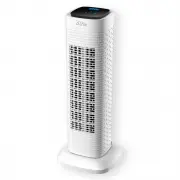
Omega Altise OTD71W Fan – User Manual, read for free online in PDF format. We hope this helps you resolve any issues you may have. If you have further questions, please contact us through the contact form.


Table of Contents:
- Page 2 – Contents; WARRANTY
- Page 3 – there are no user serviceable parts within.
- Page 5 – CONTROL PANEL AND SETTINGS; se the main switch to “; FAN FUNCTION; or; HEATER FUNCTION; , the red LED lights around panel and “LO” icon
- Page 6 – SWING BUTTON
- Page 7 – CLEANING & MAINTENANCE; Clean the body of fan with a soft damp cloth.; TROUBLESHOOTING; Issue; No power; recycle where
- Page 9 – A division of Shriro Australia Pty Ltd
OMEGA ALTISE
OPERATION, MAINTENANCE
AND SAFETY INSTRUCTIONS
FOR OMEGA ALTISE
Tower Fan
and Fan
Heater
Model OTD71W
"Loading the manual" means you need to wait until the file loads and becomes available for online reading. Some manuals are very large, and the time they take to appear depends on your internet speed.
Summary
OMEGA ALTISE Contents IMPORTANT SAFETY INSTRUCTIONS ............................................................................................................. 3 TECHNICAL DETAILS .........................................................................................................................
OMEGA ALTISE IMPORTANT SAFETY INSTRUCTIONS IMPORTANT : Read the safety precautions of this booklet carefully before attempting to assemble, install, operate or maintain the product described. Protect yourself and others by observing all safety information. Failure to comply with instructions could r...
OMEGA ALTISE CONTROL PANEL AND SETTINGS 1. ON/OFF BUTTON First u se the main switch to “ I ” position behind the product to power on, then press on the control panel, the product enter into standby mode. If the product is not needed for further use, press to switch off. 2. FAN FUNCTION When you pres...


