Moki ACC-HPEXBK - User Manual
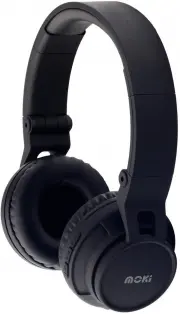
Moki ACC-HPEXBK Headphones – User Manual, read for free online in PDF format. We hope this helps you resolve any issues you may have. If you have further questions, please contact us through the contact form.

•
Moki EXO Kids
Bluetooth
Headphones
•
USB to MicroUSB charge cable
•
3.5 mm - 3.5 mm stereo audio cable
•
User Guide
Microphone
Previous track/
Volume down
Track forward/
Volume up
3.5 mm
socket
LED
indicator
MicroUSB
charge port
Play/Pause/
Power on/
Power off
CHARGING
Please charge headphones before first use
Connect the supplied charge cable to a USB port
on a PC or USB charge adaptor. Confirm orientation
and connect the MicroUSB to the port on your
headphones.
The LED on the headphones will glow solid RED
indicating the headphones are charging. Depending
on the power of the charge port used, charge time
will be 2-4hrs.
When headphones are fully charged the LED will
turn off. Disconnect charge cable.
Note: Headphones will not work if charge cable is
still connected.
You must pair your Moki headphones with a
Bluetooth
device before it can be used wirelessly.
You only need to pair your headphones to each play
device once. They will automatically reconnect to
each device when turned on in their vicinity. If two or
more devices are available, the last device paired will
be the one that reconnects.
PAIR WITH
BLUETOOTH
DEVICES
On your
Bluetooth
play device go to
•“Settings” >> “
Bluetooth
” - turn on
Bluetooth
Play device should automatically start searching for
new play devices. (Some older players may require
you to select “search for / add new device”)
•With the headphone off, HOLD the “Play / Pause
button for about 5 seconds until the LED starts
blinking RED / BLUE which indicates it is now
searching for a new
Bluetooth
device.
(If headphones do not pair with a new device within
90 seconds they will enter “Standby mode”)
•On your phone or play device under “
Bluetooth
” you
will see Moki Kids listed under “Available devices”
•Select “Moki Kids” on your device to pair your
headphones (older devices may require a code to
complete pairing. Enter “0000” if requested).
•When pairing is successful the LED on your Moki
EXO Kids
Bluetooth
Headphones will glow solid blue.
Moki headphones may be paired to PCs and laptops
with
Bluetooth
capability. Go to your computers’
Bluetooth
settings and follow the prompts to connect
in a similar way as described above. After pairing
ensure the “Sound Output” is set to “Play through
Bluetooth
”, (not “Internal Speakers”). Some
computers may require
Bluetooth
audio output to be
enabled each time you connect.
Speaker diameter:
Φ
40mm
Impedance:
32
Ω
Sensitivity:
96dB @1KHz
Rated power:
3.2mW
Frequency response:
20Hz-2000Hz
Bluetooth Mode:
Bluetooth Version:
Version 2.1+EDR
Remote control to the player:
Volume up and down,
Previous /Next, Pause/Play
Range:
10m
Frequency response:
20Hz – 20,000Hz
Play time:
Approximately 8 hours
Standby time:
Approximately 100 hours
FIRST TIME
USE / PAIR TO
NEW DEVICE
SPECS
TM
User Guide
EXO Kids
Bluetooth®
Headphones
Moki EXO Bluetooth Headphones
"Loading the manual" means you need to wait until the file loads and becomes available for online reading. Some manuals are very large, and the time they take to appear depends on your internet speed.


