Modern Flames SL50-B - User Manual
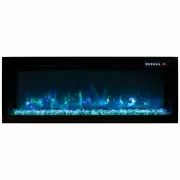
Modern Flames SL50-B Fireplace – User Manual, read for free online in PDF format. We hope this helps you resolve any issues you may have. If you have further questions, please contact us through the contact form.

FIREPLACE OPERATION
The unit has no main powe r s witch.
(Caution: If serv icing th is unit, turn off power at the main
circuit breaker or unplug the unit.)
Press the On/Off butto n once to turn the unit on. Press the On/Off b utton a
second time to turn the unit off.
Press the Heater butto n to turn the heater to lo w. Press the Heate r b utto n a
second time to turn the heate r to high. Pressing the Heate r b utto n a third time
turns the heater off.
To set the digital thermosta t, to uc h the tempe rature do wn thermome ter to
lower the tempera ture se t point. Press the tempera ture up thermometer to
raise the te mperature set poi nt. The set point will be indicated o n the digital
display.
Press the Color Mode b utto n to togg le the unit thro ugh the a vailab le co lors.
Colors are a lso i ndicated b y the numerical refere nce in the digital displa y.
Press the Dimmer butto n to dim the fire image. Pressi ng the Dimmer b utto n
Long press (3 seconds) the On/Off butto n once to turn the unit
on. Long press the On/Off button a second time to turn the unit
off.
Press the Heater button to turn the heater to low. Press the
heater button a second time to turn the heater to high. Pressing
the Heater button a third time turns the heater off.
To set the digital thermostat, touch the Down button to lower the
temperature set point. Press the Up button to raise the tempera-
ture set point. The set point will be indicated on the digital
display.
Long press (3 seconds) the Color Mode button to color change.
Now quick press to toggle the unit through the available colors.
Colors are also indicated by the numerical reference in the digital
display.
Press the Dimmer button to dim the fire image. Pressing the
Dimmer button multiple times will cycle through the available
brightness settings.
"Loading the manual" means you need to wait until the file loads and becomes available for online reading. Some manuals are very large, and the time they take to appear depends on your internet speed.