Page 2 - Store food in the best way for consumption; Operation Panel; If you touch the left button,; Refrigerator Compartment; Ice Making Compartment; Freezer Compartment; Additional feature; Sliding Cases
2 About 0 °C to 6 °C Foods that are used daily Foods you do not want to freeze Place food and drinks in the compartments suitable for preserving them.Convenient functions can be easily set by simply touching icons on the operation panel. Pages 12 - 13 Store food in the best way for consumption...
Page 3 - Contents; How to Use the Operation Panel ... 10-11; Energy Saving Mode; Supercool Freezing Compartment
This refrigerator is manufactured for refrigerating and freezing foods in general households. For industrial use, please use a commercial refrigerator. The material names are indicated on the main plastic parts to facilitate recycling. This refrigerator uses non-freon refrigerant (isobutane) and non...
Page 4 - When Installing the Refrigerator; Power and Power Plug; Warning; Safety Precautions
4 When Installing the Refrigerator Do not install the refrigerator outdoors or in places exposed to water or excessive humidity. Water may cause insulation failure, resulting in an electric shock or fire. Page 8 Leave space around the refrigerator. If refrigerant leaks, it may accumulate and catch...
Page 5 - When Installing/Carrying the Refrigerator
5 Follow the instructions Follow the instructions Follow the instructions Prohibited Prohibited Remove plug Follow the instructions Prohibited Water prohibited Warning Caution When Installing/Carrying the Refrigerator Anchor the refrigerator to a strong and level floor by adjusting the adjustable su...
Page 6 - agent for the replacement.
6 Safety Precautions (Continued) If the power cord is damaged, contact MITSUBISHI ELECTRIC SERVICE CENTRE or its service agent for the replacement. WARNING: fill with potable water only. For Installation, Handling & Servicing of the appliance, please refer to section “From Installation to ...
Page 7 - R600a Refrigerant Warning; creates a spark. Disconnect the appliance from the mains power.
7 Safety R600a Refrigerant Warning • This appliance contains a small quantity of R600a refrigerant which is flammable.• During transportation and installation, ensure that the tubing of the refrigerant circuit is not damaged. • Leaking refrigerant can ignite and may damage the eyes.• In the event an...
Page 8 - Installation; Do not install the refrigerator; From Installation to Operation; Connect the Power Supply; * Connect power supply soon after installing the
8 Space of 5 cm or more Space of 0.5 cm or more Install the refrigerator in the following kind of location. A place with good ventilation and not exposed to direct sunlight or hot air To keep good cooling performance and reduce power costs. A place with low humidity To prevent it from rusting. A str...
Page 9 - Adjustment and Anchoring; Adjust the tilt with the adjustable supports.; Turn the adjustable supports to the floor and anchor
9 After adjustment, attach the adjustable support cover. (The adjustable support cover is stored inside the refrigerator compartment at shipment) Bottom front of refrigerator 3 Adjustment and Anchoring Adjust the tilt with the adjustable supports. Caster (To prevent vibration, noise, movement, and d...
Page 10 - Touching; will cause the operable icons to light up.; How to Use the Operation Panel; When operating, be sure to touch the buttons with your fingers.; Detail Setting; Supercool Freezing; To supercool freeze foods such as meat, fish, and dessert; Hot Freezing; To preserve meat or fish below freezing; To successfully save power; Beginning Use
10 Touching will cause the operable icons to light up. To save power, all displays other than are usually turned off (it turns off if there is no operation for about 30 seconds). How to Use the Operation Panel When operating, be sure to touch the buttons with your fingers. Touch to go to compartment...
Page 11 - Operation Example; To Cancel the Setting/Cancel in the Middle; In; Touch; Touch
11 Operation Example (When Setting Supercool Chilling) To Cancel the Setting/Cancel in the Middle In 2 and 3 , touching returns the display to the previous state. In the following cases, the display may not change even when you touch it. Wipe the moisture and dirt off your fingers. Perform operation...
Page 12 - About 0°C to 6°C; The door will; Compartment Introduction; Refrigerator Compartment / Sliding Cases
12 When a door is open, you will be informed with the door alarm. Page 34 Bottle Pocket (Small) Bottle Pocket (Large) Store plasticor glass bottles. Adjustable Pocket (Large) Adjustable Pocket (Large) (Small) The height of the adjustable pockets can be changed. Refrigerator Compartment About 0°C t...
Page 13 - Preserving Meat or Fish Below Freezing; Meat and fish last longer and are fresher than in; Supercool Chilling Is Very Useful; Because the food doesn't
13 Do not leave food hanging over shelves or pockets. Do not place bottles that cannot fit all the way to the bottom of the bottle pocket. Do not attach a case that you purchased separately onto the outside of a pocket. Do not heat the glass surfaces of the glass shelves or place hot objects on them...
Page 14 - Remove the water tank from the refrigerator compartment,; Close the water tank cap and return the water tank to its; Making Ice; made in the ice making compartment.; not made ice for more than a week.
14 IceServer Ice Tray Reference Line Sensor Lever(Detects theice storage level) Ice Storage Box Door Lay flat Remove the water tank from the refrigerator compartment, remove the tank cap by twisting it, and supply water. Do not pour water above the full position ( ). Water will easily spill when y...
Page 15 - Quick Ice Making; About the Ice
15 Quick Ice Making ♪ Rapid Ice(Quick Ice Making) The ice making time for a single batch can be shortened. How much time does it take to make Ice? Ice making time will differ according to ice making compartment settings. Regular ice making is set at the time of purchase. Operation Panel Display Sett...
Page 16 - To supercool freeze such as meat, fish, and dessert; FREEZE” or; Place food in the supercool freezing compartment before setting.; What can the supercool freezing compartment do?; Freezing; When Soft-Freezing is set
16 Compartment Introduction To supercool freeze such as meat, fish, and dessert ♪ When a door is open, you will be informed with the door alarm. Page 34 Supercool Freezing Compartment Case Do not stack food higher than the case. Doing so may result in the door being unable to close, food melting, ...
Page 18 - Meat; Food can be frozen, while preserving its taste and texture.
18 You can easily slice them. It can be cut with a kitchen knife easily without thawing. Because it can be cut while frozen, whatever you will not use can be returned to the supercool freezing compartment. Food can be used without being wasteful . Cutlets You can easily separate them. No need for di...
Page 19 - Foods Unsuitable for; Convenient Preservation; Put Foods at the Same Time; Easy Desserts; Handy Tricks for
19 Foods that cannot be frozen (Konjac (devil's tongue), tofu, milk, raw eggs, etc.) Preservation of the pre-freezing texture and quality cannot be guaranteed . Foods Unsuitable for Supercool Freezing Soft-Freezing / Supercool Freezing Convenient Preservation Whitebait Because it is frozen in a cr...
Page 20 - Easy Dessert Recipes with Supercool Freezing; Strawberry and Kiwi Fresh Jam; Ingredients
20 Soft-Freezing / Supercool Freezing (Continued) Easy Dessert Recipes with Supercool Freezing Ingredients (1 serving) Frozen with "Supercool Freezing" Boiled cabbage About 1 leaf (About 50g) Boiled spinach About 1 root clump (About 30g) Peeled apple 1/2 apple Yogurt (no sugar) 1/3 cup Honey...
Page 21 - Vegetable Compartment; About the clean tray
21 Place vegetables, fruits, and beverages in this compartment. It preserves food, maintaining the moisture that would normally go away over time. Storing fruits and vegetables in plastic wrap keeps them even fresher.The clean tray is provided for easy cleaning of the vegetable compartment ♪ Vegetab...
Page 22 - To Confirm with the ECO GUIDE
22 This mode learns each family's method of use and operates with the optimal state for each compartment. To Confirm with the ECO GUIDE Operate the Operation Panel The compartment display switches each time is touched. You can confirm which compartments are in energy saving mode with the display. Th...
Page 23 - Refrigerator/Freezer Compartment Temperature; Lower Case (When Supercool Chilling is set); The temperature of each compartment can be adjusted.; Temperature Adjustment; Performing Temperature Adjustment
23 Refrigerator/Freezer Compartment Temperature The display changes each time is touched and the temperature can be set to 5 different levels. The freezer compartment temperature is different from the freezing temperature of the supercool freezing compartment. High A vera g e L ow 2 to 3°C hig...
Page 24 - SOFT FRZ; Supercool Freezing Compartment Temperature; Around 3 to 9°C
24 Application SOFT FRZ About -5°C For preserving food containing a lot of moisture Large blocks of low-fat meat For food that is frozen too hard and difficult to cut About -7°C The optimum temperature for Supercool Freezing The food is easy to cut even when frozen.Packs can be frozen as-is. About -...
Page 25 - Rapid Cool; To Cancel in the Middle
25 The sound of the refrigerator running gets louder during Rapid Cool, because it is operating at high speed. When storing a large amount of food, protect the food's freshness by rapidly cooling it. 1 Touch on the operation panel 2 Repeatedly touch to display Page 23 will blink. 3 Touch will chan...
Page 26 - is performed while; Power Save Mode
26 The cold air in unused compartments is saved, allowing energy to be positively saved. Power Save Mode 1 Touch on the operation panel 2 Repeatedly touch to light up the compartment to cancel 3 Touch goes off when the setting is cancelled. The setting will also be cancelled during the procedure to ...
Page 27 - Food that Can be Stored in Power Save Mode; Functions that Cannot be Used in Power Save Mode; Successfully Saving Power
27 Food that Can be Stored in Power Save Mode In Power Save Mode, food will be preserved between about -10°C and 0°C, so it is well suited to the preservation of foods such as dry goods and grains. Dry goods…….........................Coffee beans, seaweeds, nuts, dry noodles (pasta, vermicelli, fine...
Page 28 - Water Tank / Water Supply Pump; Once a week; Disassemble the; Assemble the water supply pump.; Cleaning; the Automatic Ice Maker; Do not use a dishwashing machine, because it may deform the parts.; Tank Holder
28 Water Tank / Water Supply Pump Once a week Disassemble the water supply pump and wash it. Chlorine-Cleaning Filter Wash by lightly rubbing. * Do not use cleaners such as kitchen detergents (neutral), benzene, or bleach. Doing so may result in odors of the ice. Pull out the tank packingfrom the wa...
Page 29 - When making ice, set the ice making compartment's setting to; Water Supply Pipe and Tank Holder; Once a month; Ice Tray; to 2 times a year
29 When making ice, set the ice making compartment's setting to . Pages 23 - 24 Water Supply Pipe and Tank Holder Once a month Ice Tray 1 to 2 times a year Open the door of the ice making compartment and unlock the ice tray lock lever. Pull the ice tray towards the front and then remove it. Empty ...
Page 30 - Refrigerator Rear Side and Floor; Remove the power plug before cleaning.; Q. What should I do if I notice the refrigerator is dirty?; This is a place where, because of the; Removing and Cleaning the Parts
30 1 Remove the adjustable support cover. 2 Turn the adjustable supports to raise them from the floor, and pull out the refrigerator. We recommend laying out protective material on the floor to prevent the floor from being damaged. Also, be careful not to injure yourself. 3 Remove dust from the refr...
Page 31 - When attaching parts, use the backward procedures of removal.
31 When attaching parts, use the backward procedures of removal. Be careful when attaching and removing the glass shelf. If it is attached improperly, it could come loose and fall, causing injury. Follow the instructions 1 Lift up the left and right of the pocket alternately. * The pockets are firml...
Page 32 - Upper Case / Upper Case Cover
32 1 Pull the left and right sides of the support covers to the front to remove them. Adjustable Support Cover 1 Fully pull out the door. 2 Lift the upper case out to the front. Freezer Compartment / Vegetable Compartment Case * The illustration represents the freezer compartment. Remove the vegetab...
Page 33 - goes off when the setting is cancelled.; Power Outages; Other Issues
33 Minimize the frequency of opening the doors, and avoid adding more food. Operation panel settings other than the temperature settings may change. Check the settings. (Child Safety Lock, etc.) Locks the operation panel to prevent accidental icon operation by children. 1 Touch for about 5 secon...
Page 34 - When the Alarm Cannot be Turned Off; To Stop the Alarm (Continuous Short Beeps); Mark, When Not Using the Refrigerator for a Long Time)
34 The door alarm (with alarm sound, interior light, and compartment display) is activated when a door is open for 1 minute or longer.The pattern of the door alarm sound and the action of the interior light and compartment display area are as follows depending on how long the door has been left open...
Page 36 - Performing the Temperature Fine Adjustment; To Control the Temperature More Precisely; Temperature
36 Setting the Temperature Fine Adjustment Mode 1 Touch to light up icons. 2 Touch and select the compartment you would like to set to temperature fine adjustment mode. 3 Touch for at least 5 seconds (until the buzzer sounds). The refrigerator compartment, freezer compartment, and supercool freezi...
Page 37 - Frequently asked questions in the initial period and in summer; The outer walls heat up!; Problem; Cooling P; Troubleshooting
37 Before contacting MITSUBISHI ELECTRIC SERVICE CENTRE or its service agent or making a repair request, check the following. If the problem persists, contact the retail store where you purchased the refrigerator as soon as possible. The refrigerator does not cool at all! The operation panel turns o...
Page 38 - ” or; Super
38 Problem Check Explanation and Action Cooling P erf ormance Overcooling in the freezer compartment, though the temperature setting of freezer compartment is set to “ ” or “ ”. 1 1 Is the temperature setting of supercool freezing compartment set to “FRZ•H”? Set the temperature of supercool freezing...
Page 39 - utomatic Ice Making
39 Problem Check Explanation and Action A utomatic Ice Making Cannot make iceWater in the tank stays at the same level 1 1 Has enough time passed after installation? It takes 4 to 5 hours for the refrigerator to cool, and 24 hours or more in summer to make ice. 2 2 Has food, the ice server, or anoth...
Page 40 - Other
40 Problem Check Explanation and Action The operation panel does not respond 1 1 Is lit? Cancel the Child Safety Lock. Page 33 2 2 Are the user's fingers or the operation panel wet or dirty? Wipe off the moisture and dirt on the operation panel and fingers. 3 4 Are you repeatedly touching it? Let ...
Page 41 - Specifications
41 Model MR-WX700C Compartment type Volume (Litres) Refrigerator compartment (R) Fresh food compartment 378 Ice making compartment (I) Two-star compartment 25 Supercool freezing compartment (S) One-star & Two-star compartment 45 Freezer compartment (F) Four-star compartment 118 Vegetable compart...
Page 42 - Accessories
42 Model MR-WX700C Parts Quantity Refr iger ator compar tment Glass Shelf (Upper) Glass Shelf (Middle) Glass Shelf (Lower) Partition Slide Glass Shelf (Front) Slide Glass Shelf (Back) Upper Case Cover Upper CaseLower Case Water Tank (with Chlorine-Cleaning Filter) Adjustable Pocket (Large)Adjustable...
Page 43 - MEMO
Page 44 - For more information and support contact
A Z 7 9 L 4 2 0 H 0 1Printed in Japan SOLE AGENT in Australia MITSUBISHI ELECTRIC AUSTRALIA PTY LTD. (Incorporated in New South Wales) ABN 58 001 215 792 348 Victoria Road, Rydalmere NSW 2116 For more information and support contact www.mitsubishielectric.com.au Call 1300 651 808 SOLE AGENT in New Z...
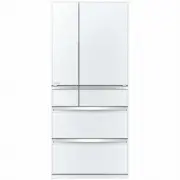


 Mitsubishi Electric MR-EX574X-N-A User Manual
 Mitsubishi Electric MR-FX420EP-ST-A2 User Manual
 Mitsubishi Electric MR-CGX450ER-GWH-A User Manual
 Mitsubishi Electric MR-L650EN-GWH-A2 User Manual
 Mitsubishi Electric MR-WX700C-S-A User Manual
 Mitsubishi Electric MR-WX743C-BR-A2 User Manual
 Mitsubishi Electric MR-L650EN-GSL-A2 User Manual
 Mitsubishi Electric MR-CX402EJ-W-A1 User Manual
 Mitsubishi Electric MR-LX630EM-GBK-A User Manual
 Mitsubishi Electric MR-LX630EM-GSL-A2 User Manual
 Mitsubishi Electric MR-WX500C-S-A User Manual
 Mitsubishi Electric MR-WX500C-W-A User Manual
 Mitsubishi Electric MR-WX743C-W-A User Manual
 Mitsubishi Electric MR-458ER-W-A User Manual
 Mitsubishi Electric MR-505ER-ST-A User Manual
 Mitsubishi Electric MR-505ER-W-A User Manual
 Mitsubishi Electric MR-560EK-ST-A2 User Manual
 Mitsubishi Electric MR-CX402EJ-W-A2 User Manual
 Mitsubishi Electric MR-CX450ER-ST-A User Manual
 Mitsubishi Electric MR-CX492EP-BST-A2 User Manual